
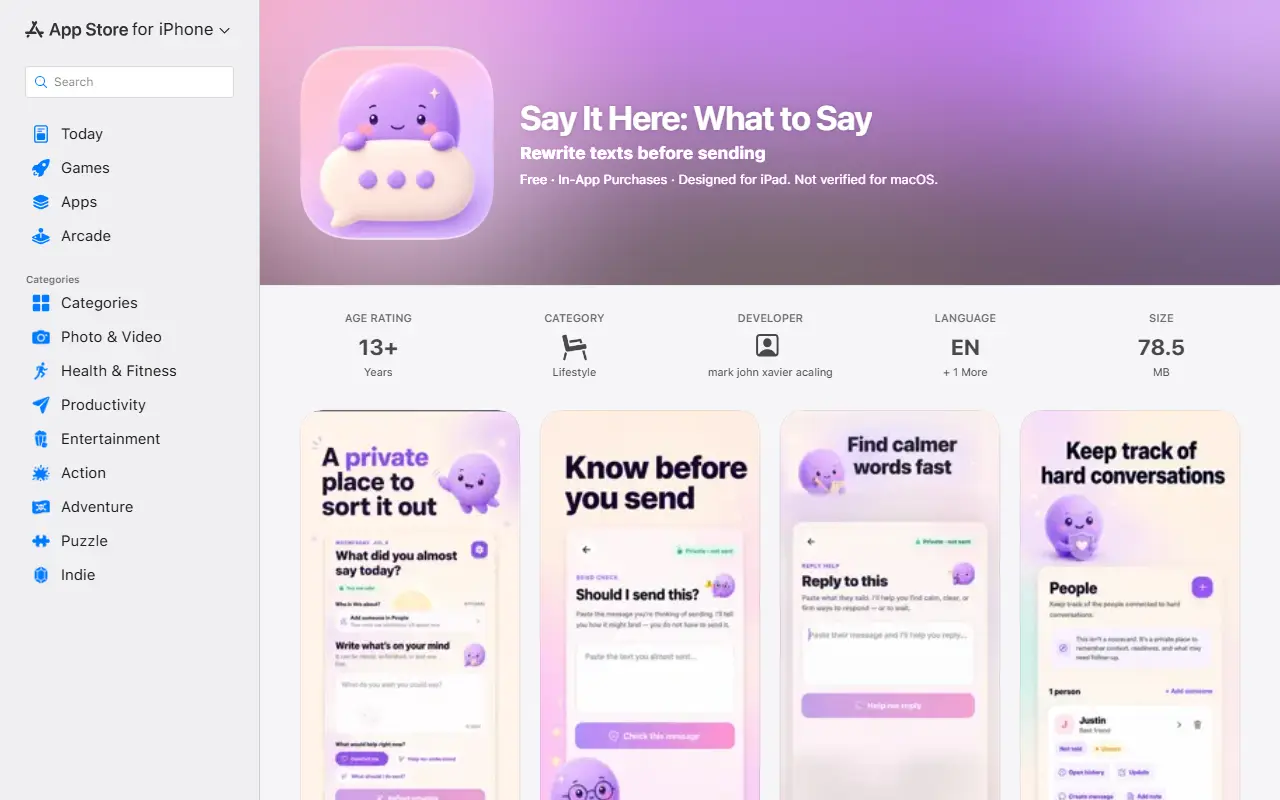
About Say It Here
Say It Here is an iPhone and iPad app for preparing clearer messages. You start with your own words and work through guided tools that pinpoint the main idea, soften or sharpen the tone, draft a reply or check a draft before you decide what to do. It provides writing assistance only and never sends or delivers messages to other people.
Features include reflecting on a draft, rewriting text so it sounds gentle, clear, concise or direct, checking whether a message is ready, creating a reply from text you provide, saving drafts and notes, organizing context by person, and a timeline of saved writing. Face ID, Touch ID or the device passcode can lock private content. Pulse is a moderated community feed where short reflections can be read and shared, kept separate from private writing.
The app is available in English and Brazilian Portuguese, and the AI help replies in the language you write in. Premium is a subscription that adds unlimited use of rewrites, reply help, readiness checks and reflections, along with People profiles and the whole timeline, and release notes mention a 3-day free trial of weekly Premium.
Key features
- Rewrite drafts in a gentle, clear or direct tone
- Check whether a message is ready
- Create replies from text you provide
- Organize context by person with a timeline
- Face ID and passcode protection for private writing
- Moderated Pulse community feed
Good fit for
- Preparing a difficult message
- Rewriting texts before sending
- Reflecting on a draft
Say It Here: questions and answers
- What is Say It Here used for?
- Say It Here is a private writing and reflection app for iPhone that helps you organize thoughts, rewrite drafts in a chosen tone and check whether a message is ready. It is a good fit for preparing a difficult message, rewriting texts before sending and reflecting on a draft.
- Is Say It Here free?
- Yes. Say It Here has a free plan.
- Is Say It Here open source?
- No. Say It Here is proprietary (closed-source) software and can't be self-hosted. In the Note Taking category, open-source options include Memos, Joplin and Notesnook.
- What are some alternatives to Say It Here?
- Say It Here competes with Day One, Rosebud and Journey.
Open-source alternatives to Say It Here
See all
Memos
Note Taking
Your own timeline for quick notes, private by default.
MITvs Google Keep★ 64k
Joplin
Note Taking
Joplin - the privacy-focused note taking app with sync capabilities for Windows, macOS, Li
OSSvs Evernote★ 57k
Notesnook
Note Taking
Express yourself with freedom — no spying, no tracking, only private notes. Unlike Evernot
GPL-3.0vs Evernote★ 15k
Anytype
Note Taking
Official Anytype client for MacOS, Linux, and Windows
OSSvs Notion★ 8.9k
Standard Notes
Note Taking
Think fearlessly with end-to-end encrypted notes and files. For issues, visit https://stan
AGPL-3.0vs Evernote★ 6.6k
Blinko
Note Taking
Capture now. Grow later. Share when ready. Blinko Cloud brings your notes, AI writing and
GPL-3.0vs Google Keep★ 11k
SaaS alternatives to Say It Here
See all
Day One
Note Taking
Journaling app with photos, tags and encrypted sync
SaaS
Rosebud
Note Taking
AI journaling app with guided prompts and reflection insights
SaaS
Journey
Note Taking
Journaling and diary app available on mobile, desktop and web
SaaS
Penzu
Note Taking
Online diary and journal app with encryption and mobile access
SaaS
Personal AI Diary - Dumka
Note Taking
Private on-device diary app that transcribes and organises entries and offers personalised insights
SaaSReflectary
Note Taking
AI journaling app that turns daily text or voice reflections into structured journal entries
SaaS