 TrackMedia
 TrackRev

About Rocket.Chat Desktop
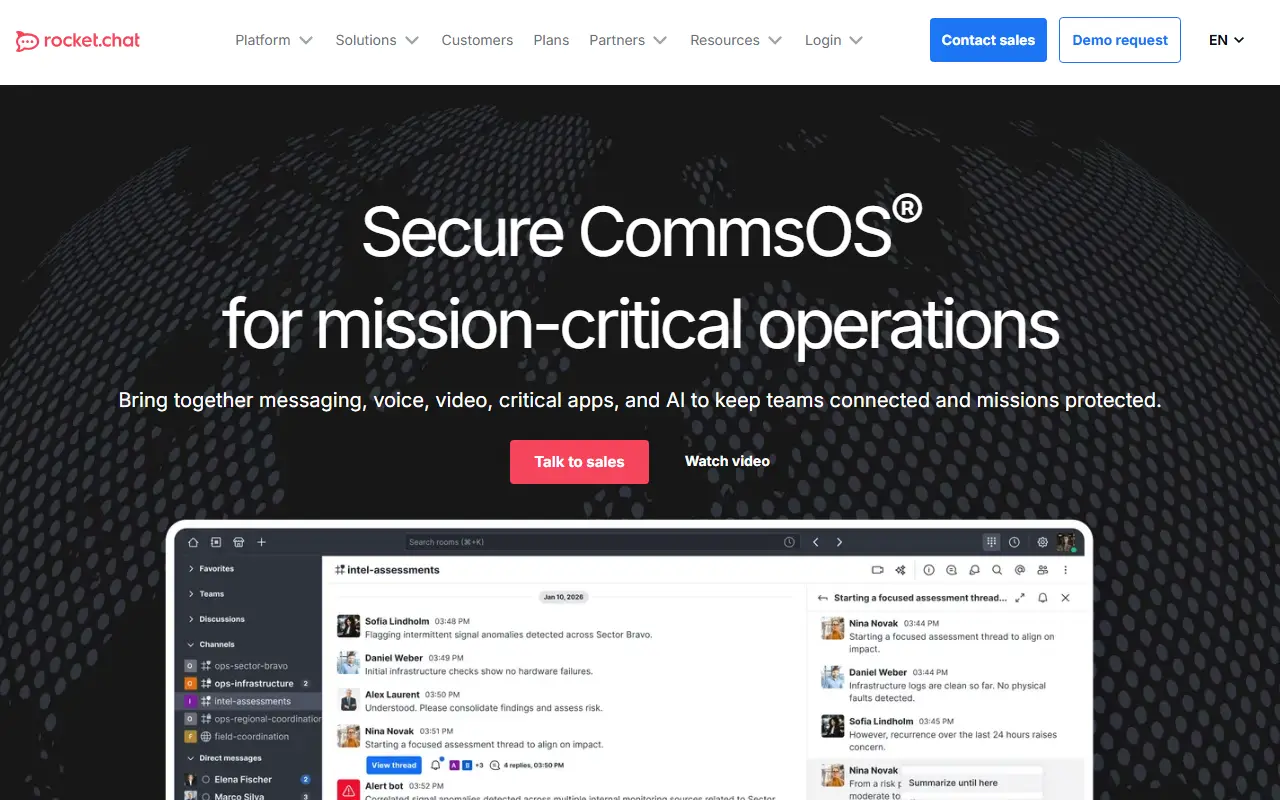
This repository holds the Rocket.Chat desktop app, an Electron application that wraps the Rocket.Chat team chat experience in a native window for Windows, macOS and Linux. Rocket.Chat describes its platform as a secure communications system for mission-critical operations, and the desktop app is the client you install to reach a workspace from your computer.
The README lists supported platforms with formats such as NSIS and MSI installers for Windows, DMG, PKG and ZIP for macOS, and AppImage, deb, rpm, snap and tar.gz for Linux. Windows installers accept silent-install flags and options for installing per user or for all users, and automatic updates can be turned off, which helps administrators roll the app out across many machines.
The code is written in TypeScript, uses Yarn and Node.js for development, and is released under the MIT licence. You download the latest build from the Releases page, or clone the repository and start it locally. The app connects to a Rocket.Chat server, either one your organization hosts itself or a hosted workspace, so it fits teams already using Rocket.Chat.
Key features
- Desktop client for Rocket.Chat workspaces
- Builds for Windows, macOS, and Linux
- Multiple installer formats including MSI and deb
- Silent install options for administrators
- Optional automatic updates
- TypeScript and Electron codebase
Good fit for
- Giving staff a native Rocket.Chat app
- Rolling out chat clients through IT deployment tools
- Contributing to the Rocket.Chat desktop experience
Rocket.Chat Desktop: questions and answers
- What is Rocket.Chat Desktop used for?
- Rocket.Chat Desktop is the official desktop client for Rocket.Chat, packaged with Electron for Windows, macOS and Linux and licensed under MIT. It is a good fit for giving staff a native Rocket.Chat app, rolling out chat clients through IT deployment tools and contributing to the Rocket.Chat desktop experience.
- Is Rocket.Chat Desktop open source?
- Yes. Rocket.Chat Desktop is open source under the MIT licence. Its source code is on GitHub at RocketChat/Rocket.Chat.Electron and is written mainly in TypeScript.
- Is Rocket.Chat Desktop free?
- Yes. Rocket.Chat Desktop is open source, so the software itself is free to use.
- Can I self-host Rocket.Chat Desktop?
- Yes. Rocket.Chat Desktop can be self-hosted on your own server or infrastructure.
- What is Rocket.Chat Desktop an alternative to?
- Rocket.Chat Desktop is an open-source alternative to Slack, Symphony and Dovetail. Other open-source alternatives to Slack include Rocket.Chat, Mattermost and Element.
- Is Rocket.Chat Desktop actively maintained?
- Yes. The most recent commit to Rocket.Chat Desktop was on 12 November 2026, and the latest release is 4.19.3, published on 12 November 2026. The project has 1.7k stars on GitHub, with 6 added in the last 30 days.
Open-source alternatives to Rocket.Chat Desktop
See all
Rocket.Chat
Team Chat
The Secure CommsOS™ for mission-critical operations
OSSvs Slack★ 46k
Mattermost
Team Chat
Mattermost is an open source platform for secure collaboration across the entire software
OSSvs Slack★ 40k
Element
Team Chat
A glossy Matrix collaboration client for the web.
AGPL-3.0vs Slack★ 14k
Synapse
Team Chat
Synapse: Matrix homeserver written in Python/Twisted + Rust
AGPL-3.0vs Slack★ 4.8k
Wire
Team Chat
🇪🇺 Wire back-end services
AGPL-3.0vs Slack★ 2.8k
Zulip Desktop
Team Chat
Zulip Desktop client for Mac, Windows and Linux.
Apache-2.0vs Slack★ 993
SaaS alternatives to Rocket.Chat Desktop
See all
Slack
Team Chat
Slack is a team messaging platform with channels, huddles, canvases, workflows and AI features, now part of Salesforce.
SaaS
Symphony
Team Chat
Secure messaging platform built for financial services firms
SaaS
Dovetail
Note Taking
Customer insight platform for analyzing interviews, feedback and research notes
SaaS
Zoho Cliq
Team Chat
Team messaging with channels, calls and bots inside the Zoho ecosystem
SaaS
Flock
Team Chat
Team messenger with channels, video calls, to-dos and file sharing
SaaS
Pumble
Team Chat
Slack-style team chat with channels, threads and calls
SaaS