
About q
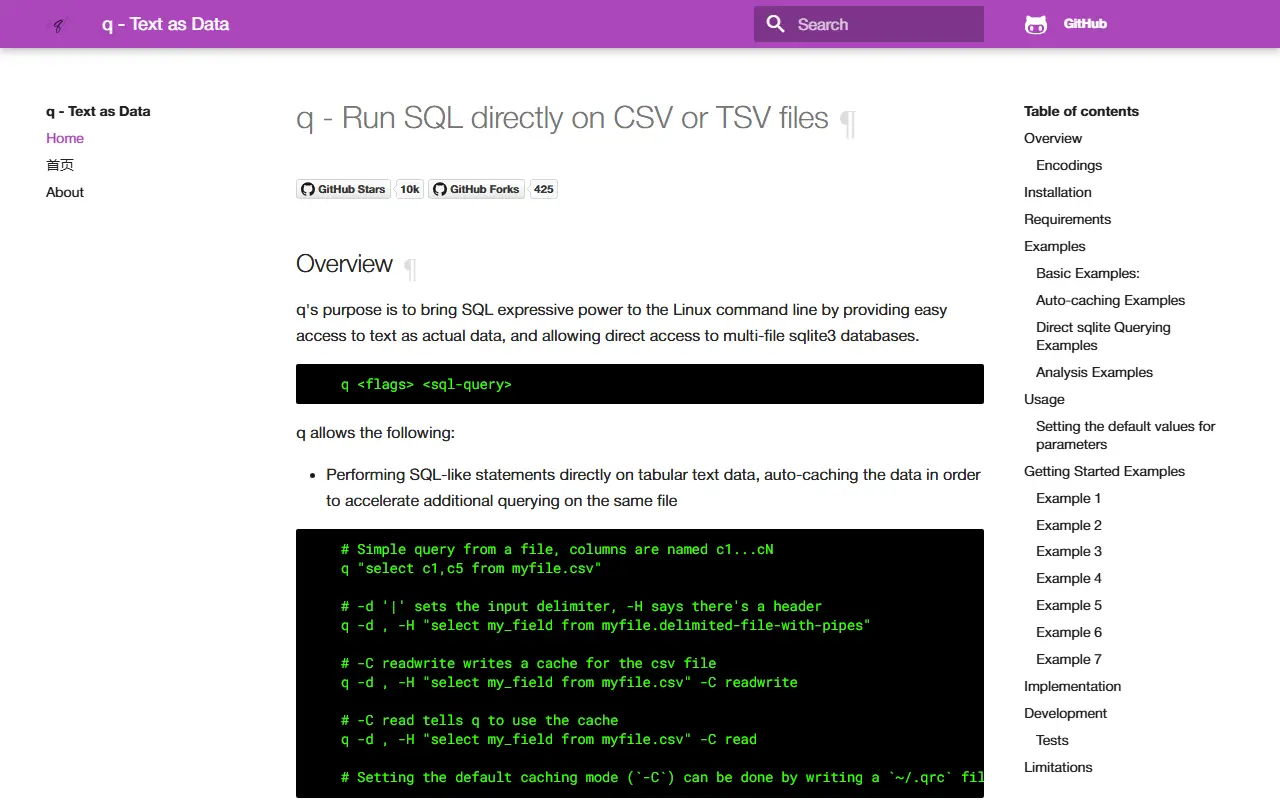
q is a command-line tool that brings SQL to text files. Rather than importing a CSV or TSV into a database first, you point q at the file and run a SELECT statement against it, treating delimited text as an actual table with columns named c1 through cN or taken from a header row.
It supports configurable delimiters, header handling and encodings, and can automatically cache data in a SQLite file so repeated queries on the same large file run faster. It can also query multi-file SQLite databases directly. The project website includes many examples, from simple selects to joins and analysis tasks, along with notes on limitations and the rationale for why existing Linux tools were not enough.
The tool is written in Python, uses SQLite internally and is released under the GPL-3.0 licence. It is installed locally and runs on your machine with no server. It suits developers, sysadmins and analysts who spend time in the terminal inspecting logs, exports and spreadsheets, and who would rather write SQL than chain awk, cut and sort commands.
Key features
- Run SQL directly on CSV and TSV files
- Automatic caching for repeated queries
- Direct querying of SQLite databases
- Configurable delimiters and headers
- Joins across multiple text files
- Command-line friendly output
Good fit for
- →Quickly analyzing CSV exports in the terminal
- →Replacing awk and sort pipelines with SQL
- →Joining log files and lookup tables
- Tags
- sql
- csv
- tsv
- cli
- command-line
- sqlite
- python
- data-analysis
- text-as-data
q: questions and answers
- What is q used for?
- q is a command-line tool that runs SQL queries directly on CSV, TSV and other delimited text files and on SQLite databases. It is a good fit for quickly analyzing CSV exports in the terminal, replacing awk and sort pipelines with SQL, and joining log files and lookup tables.
- Is q open source?
- Yes. q is open source under the GPL-3.0 licence. Its source code is on GitHub at harelba/q and is written mainly in Python.
- Is q free?
- Yes. q is open source, so the software itself is free to use.
- What are some alternatives to q?
- Similar open-source tools in the Database Tools category include Goose, Pgloader and Harlequin. SaaS products in the same category include Base, Valentina Studio and AI2sql.
- Is q actively maintained?
- The most recent commit to q was on 6 February 2026, and the latest release is v3.1.6, published on 26 November 2021. The project has 10k stars on GitHub.
Open-source alternatives to q
See all
Goose
Database Tools
A database migration tool. Supports SQL migrations and Go functions.
OSS★ 12k
Pgloader
Database Tools
Migrate to PostgreSQL in a single command!
OSS★ 6.5k
Harlequin
Database Tools
The SQL IDE for Your Terminal. Now with hsql, your agent's favorite sql client.
MITvs DataGrip★ 6.4k
DB Browser for SQLite
Database Tools
Official home of the DB Browser for SQLite (DB4S) project. Previously known as "SQLite Dat
OSSvs TablePlus★ 25k
Pgcli
Database Tools
Postgres CLI with autocompletion and syntax highlighting
BSD-3-Clause★ 13k
Mycli
Database Tools
Rich MySQL Terminal Client with AutoCompletion, Syntax Highlighting, and Dataframes
BSD-3-Clause★ 12k
SaaS alternatives to q
See all
Base
Database Tools
macOS app for creating, browsing and editing SQLite databases
SaaSValentina Studio
Database Tools
Database administration and query tool with a free edition for several database engines
SaaS
AI2sql
Database Tools
Turns plain-English requests into SQL for your schema, and fixes or explains existing queries
SaaS
Aqua Data Studio
Database Tools
Cross-database IDE with query, visual analytics and data modeling features
SaaS
DBCode
Database Tools
VS Code extension for browsing and querying databases
SaaS
DbSchema
Database Tools
Visual database design and documentation tool for relational and NoSQL databases
SaaS