
About DBCode
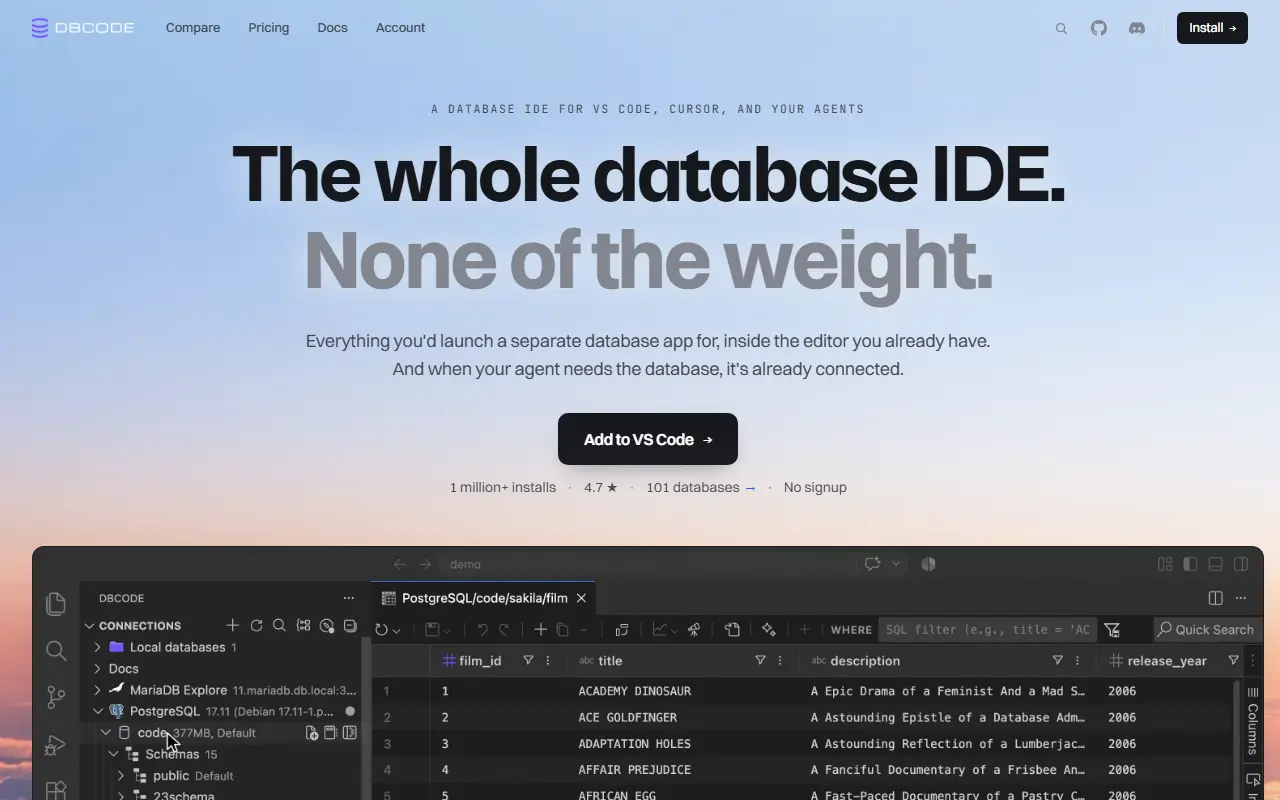
DBCode is a commercial extension that brings database management into VS Code and compatible editors such as Cursor and Windsurf. Developers connect to PostgreSQL, MySQL, MariaDB, SQL Server, SQLite and many other databases without leaving their editor or switching to a separate desktop client.
The extension includes an SQL editor, data editing, a visual query builder, schema and ER diagram views, a terminal-style CLI, SQL notebooks that mix SQL, markdown and Python, data exploration with charts and grouping, data comparison across databases, execution plan visualization, and a debugger for stored procedures with breakpoints.
Built-in SSH tunnels handle remote servers, and connectors cover cloud providers such as Neon, Supabase and Turso. An MCP server lets AI coding agents use already-connected databases. The vendor offers a pricing page and a comparison page, and installation requires no signup.
Key features
- SQL editor and data editing inside VS Code
- SQL notebooks mixing SQL, markdown and Python
- Visual query builder and ER diagrams
- Execution plan visualization
- Stored procedure debugger with breakpoints
- Built-in SSH tunnels
- MCP access for AI coding agents
Good fit for
- →Querying databases without leaving the editor
- →Giving AI coding agents database access
- Tags
- vscode-extension
- database-client
- sql
- mcp
- query-builder
- postgresql
- mysql
- ide
DBCode: questions and answers
- What is DBCode used for?
- DBCode is a database IDE delivered as an extension for VS Code, Cursor and Windsurf, covering querying, editing and schema work. It is a good fit for querying databases without leaving the editor and giving AI coding agents database access.
- Is DBCode free?
- Yes. DBCode has a free plan, and paid plans start at $4 per seat per month. A free trial is also available.
- Is DBCode open source?
- No. DBCode is proprietary (closed-source) software. Open-source alternatives to DBCode include Chat2DB, Dbx and Outerbase Studio.
- What are some alternatives to DBCode?
- DBCode competes with TablePlus, DataGrip and Navicat. For open-source options, see Enlisted's ranked list of open-source DBCode alternatives.
Open-source alternatives to DBCode
See all
Chat2DB
Database Tools
Chat2DB is a free, cross-platform, local-first database client and SQL workspace for devel
OSSvs DataGrip★ 28k
Dbx
Database Tools
25 MB lightweight cross-platform database client for 100+ databases, including MySQL, Post
Apache-2.0vs DataGrip★ 24k
Outerbase Studio
Database Tools
A lightweight Database GUI in your browser. It supports connecting to Postgres, MySQL, and
AGPL-3.0vs TablePlus★ 6k
Beekeeper Studio
Database Tools
Modern and easy to use SQL client for MySQL, Postgres, SQLite, SQL Server, and more. Linux
OSSvs DataGrip★ 24k
DbGate
Database Tools
Database manager for MySQL, PostgreSQL, SQL Server, MongoDB, SQLite and others. Runs under
GPL-3.0vs DataGrip★ 7.3k
WhoDB
Database Tools
Where data access meets operational intelligence
Apache-2.0vs TablePlus★ 5k
SaaS alternatives to DBCode
See all
TablePlus
Database Tools
Native database client for PostgreSQL, MySQL, SQLite, Redis and more
SaaS
DataGrip
Database Tools
JetBrains IDE for SQL with code completion and multi-database support
SaaS
Navicat
Database Tools
Database administration and development client for many SQL and NoSQL systems
SaaS
DbVisualizer
Database Tools
Universal database client with a free edition and a paid Pro tier
SaaS
dbForge Studio
Database Tools
Devart IDE suite for developing and managing MySQL, SQL Server, Oracle and PostgreSQL
SaaS
SQLPro Studio
Database Tools
Database client for macOS, iOS and Windows supporting Postgres, MySQL, SQL Server and Oracle
SaaS