
About Printer
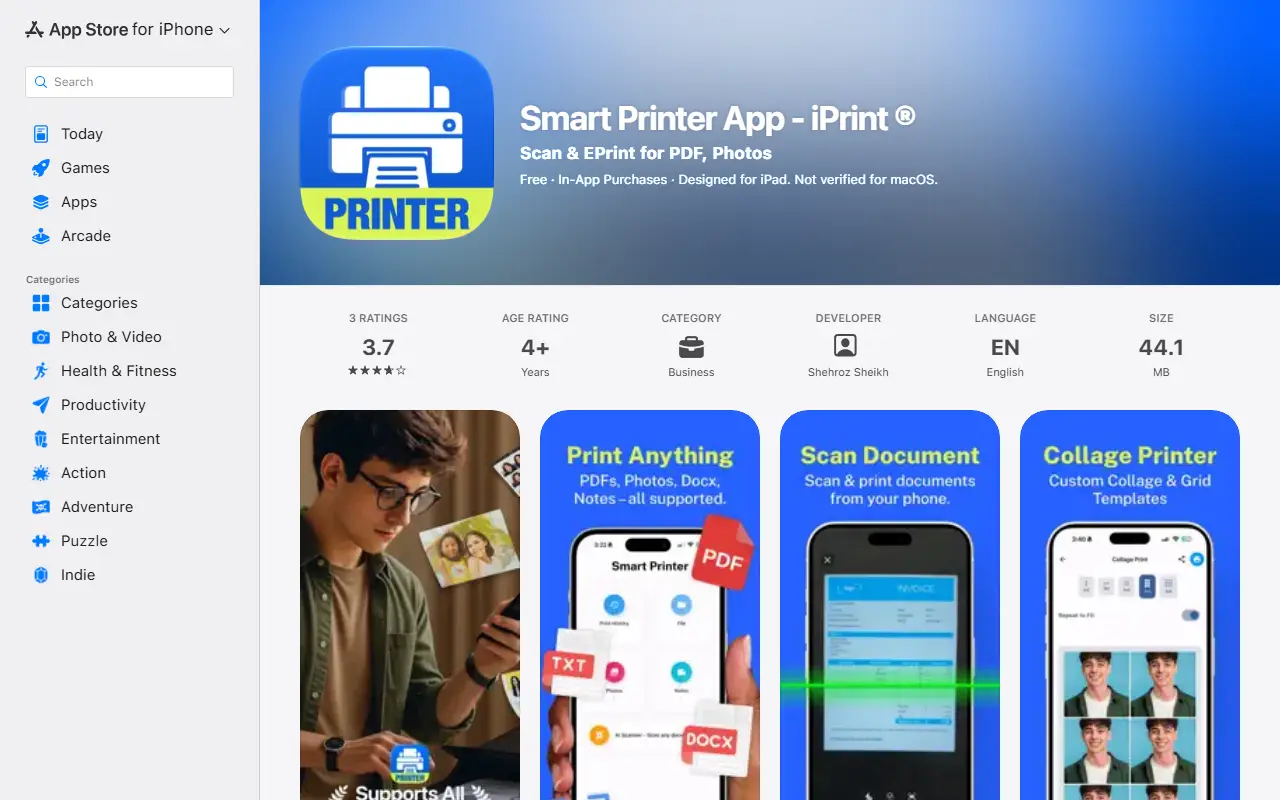
Printer, listed on the App Store as Smart Printer App - iPrint, lets you print from an iPhone or iPad to a wireless printer. It prints PDFs, photos, Docx files and notes, and the listing names HP, Canon, Epson and Brother printers among those supported.
It also includes a document scanner that uses the phone camera so you can scan a page and print it right away, and a collage maker with grid templates for printing memories and gifts. Files can be shared into the app and printed in a few taps.
The listing shows two paid options: a weekly subscription at $5.99 with a 3-day free trial, and a lifetime purchase at $19.99. The app itself is free to download, and the version history shows bug fix and interface updates since its first release in October 2025.
Key features
- Wireless printing of PDFs, photos and documents
- Camera-based document scanner
- Collage maker with grid templates
- Works with HP, Canon, Epson and Brother printers
- Print Docx files and notes
Good fit for
- Printing documents from a phone without a computer
- Making printed photo collages as gifts
Printer: questions and answers
- What is Printer used for?
- Printer is an iPhone and iPad app, shown as Smart Printer App iPrint, for printing documents, photos and PDFs wirelessly, scanning with the camera and making photo collages. It is a good fit for printing documents from a phone without a computer and making printed photo collages as gifts.
- How much does Printer cost?
- Printer is a paid product with no free plan. Free to download; weekly subscription at $5.99 with a 3-day free trial, or a $19.99 lifetime purchase.
- Is Printer open source?
- No. Printer is proprietary (closed-source) software. In the Productivity category, open-source options include Stirling PDF, DocuSeal and BentoPDF.
- What are some alternatives to Printer?
- Other SaaS products in the Productivity category include ScanlyGo, PDF Expert and Pics2PDF.
Open-source alternatives to Printer
See all
Stirling PDF
Productivity
A free, private PDF editor you can run on any infrastructure.
OSSvs Adobe Acrobat★ 94k
DocuSeal
Productivity
Free and Open source tool to streamline document filling and signing. Create custom PDF fo
AGPL-3.0vs DocuSign★ 19k
BentoPDF
Productivity
The Privacy First PDF Toolkit
AGPL-3.0vs iLovePDF★ 16k
Documenso
Productivity
Sign everywhere with Documenso. Build workflows, create templates, and integrate seamlessl
AGPL-3.0vs DocuSign★ 15k
NetNewsWire
Productivity
RSS reader for macOS and iOS.
MITvs Feedly★ 10k
PDFsam
Productivity
PDFsam, a desktop application to split, merge, mix, rotate PDF files and extract pages
AGPL-3.0vs Smallpdf★ 4.6k
SaaS alternatives to Printer
See all
ScanlyGo
Productivity
Mobile PDF toolkit to scan, sign, merge, compress, split, lock and unlock PDFs
SaaS
PDF Expert
Productivity
PDF reader, annotator and editor for Mac, iPhone and iPad
SaaS
Pics2PDF
Productivity
iOS app that converts photos into PDF, JPG or PNG files in seconds
SaaS
Postal Form
Productivity
Mail PDF documents from your phone without a printer or a trip to the post office
SaaS
PostPocket
Productivity
Clutter-free bookmark manager for saving, organizing and revisiting content
SaaSStar Focus
Productivity
Productivity focus timer themed as a flight between real stars
SaaS