
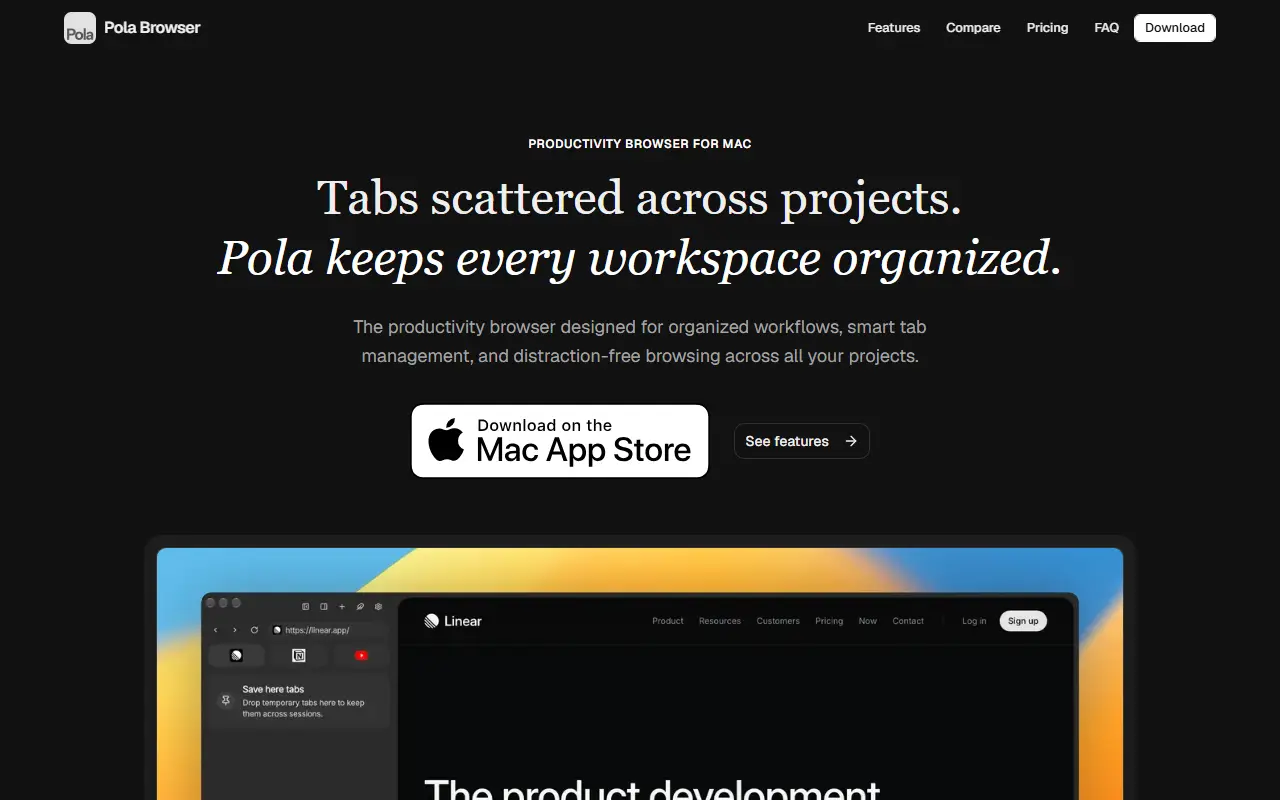
About Pola Browser
Pola Browser is aimed at people who keep many projects open at once in a browser. Persistent tab folders keep each project separate, spaces provide dedicated contexts for work, personal and hobby use, and a research mode builds a visual tree of your browsing journey that is linked and searchable. Floating tabs stay above other windows for videos, calls and tutorials, and profiles can be set per project, client or focus area.
Other features include a sidebar for connecting your favorite tools, early extension support covering uBlock Origin Lite, Bitwarden, 1Password and Keepa, cloud sync across Macs through Google Drive, media controls, Apple Keychain autofill and keyboard shortcuts. The site says there is no tracking and no data sold, and that it is made in Europe, and it publishes comparisons with Arc, Safari and Chrome.
Pricing is a yearly plan of 19.99 euros with a 7-day trial, or a lifetime license of 49.99 euros as a one-time payment, both including every future feature. A comparison section sets it against several other browsers.
Key features
- Persistent tab folders
- Spaces for separate contexts
- Research mode with visual browsing tree
- Floating always-on-top tabs
- Profiles per tab or project
- Early extension support
- Cloud sync through Google Drive
- Apple Keychain autofill
Good fit for
- Keeping client projects separate in one browser
- Watching a tutorial in a floating window while working
- Tracing the path of a research session
Pola Browser: questions and answers
- What is Pola Browser used for?
- Pola Browser is a Mac browser built around persistent tab folders, spaces, a visual research tree, floating tabs and per-tab profiles. It is a good fit for keeping client projects separate in one browser, watching a tutorial in a floating window while working and tracing the path of a research session.
- How much does Pola Browser cost?
- Paid plans for Pola Browser start at €19.99 per year, and there is no free plan. A free trial is available.
- Is Pola Browser open source?
- No. Pola Browser is proprietary (closed-source) software. In the Productivity category, open-source options include Zen Browser, Rectangle and Ungoogled Chromium.
- What are some alternatives to Pola Browser?
- Pola Browser competes with Arc, Vivaldi and Opera.
Open-source alternatives to Pola Browser
See all
Zen Browser
Productivity
Welcome to a calmer internet
MPL-2.0vs Google Chrome★ 45k
Rectangle
Productivity
Move and resize windows on macOS with keyboard shortcuts and snap areas
OSSvs BetterTouchTool★ 30kUngoogled Chromium
Productivity
Google Chromium, sans integration with Google
BSD-3-Clausevs Google Chrome★ 28k
Brave Browser
Productivity
Brave browser for Android, iOS, Linux, macOS, Windows.
MPL-2.0vs Google Chrome★ 24k
Neko
Productivity
A self hosted virtual browser that runs in docker and uses WebRTC.
Apache-2.0★ 22k
Maccy
Productivity
Lightweight clipboard manager for macOS
MITvs Paste★ 22k
SaaS alternatives to Pola Browser
See all
Arc
Productivity
iOS app that finds your chronotype and schedules focus time and caffeine around your natural energy peaks
SaaS
Vivaldi
Productivity
Customizable web browser with tab stacking, built-in notes and mail client
SaaS
Opera
Productivity
Web browser with a built-in VPN, ad blocker and sidebar messengers
SaaS
Safari
Productivity
Apple web browser for macOS, iOS and iPadOS with iCloud tab and password sync
SaaS
Dia
AI Tools
AI-first web browser with a built-in chat assistant, from The Browser Company
SaaS
Pola Browser
Productivity
WebKit-based macOS browser with floating tabs, extensions support and cloud sync via Google Drive
SaaS