
About Pear MCP
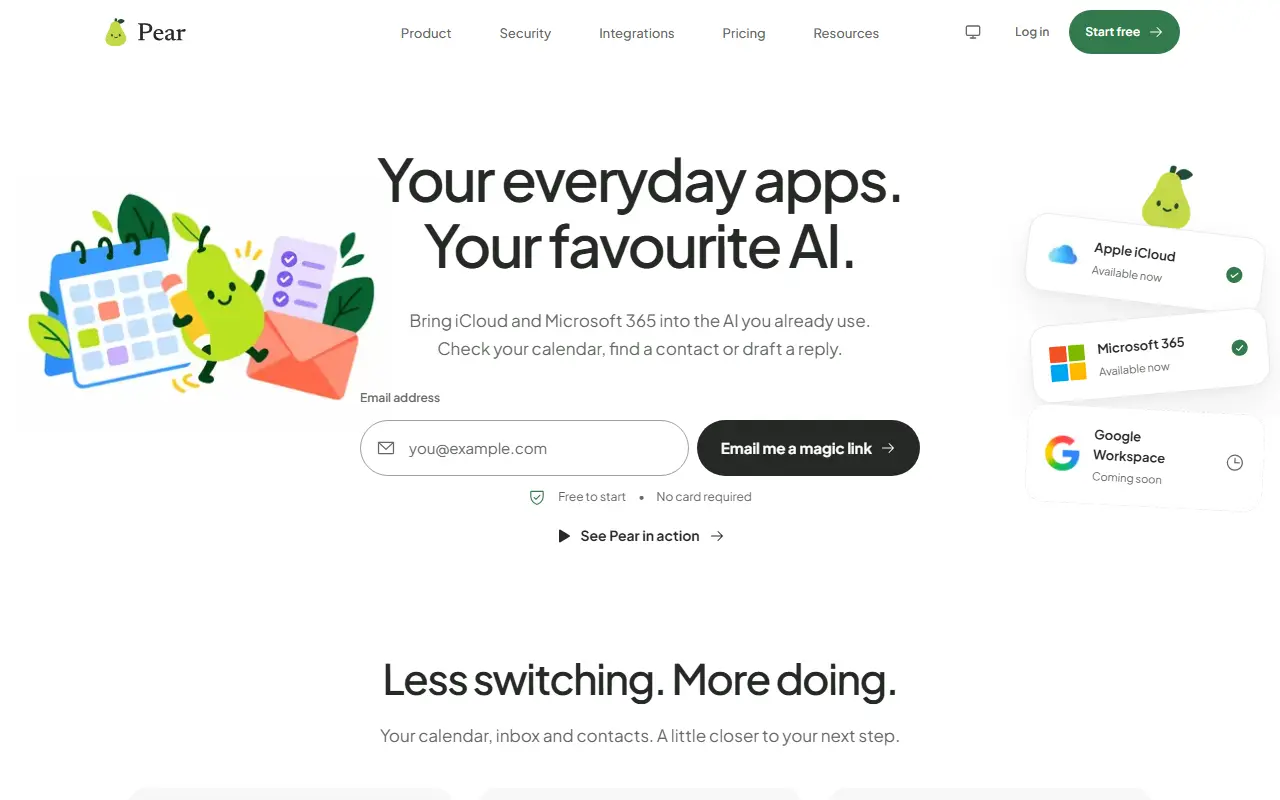
Pear provides a hosted MCP endpoint so an AI assistant can work with your everyday accounts without a local server. It supports Apple iCloud and Microsoft 365, with Google Workspace listed as coming soon. Through it you can check availability and find events, search mail and draft replies, look up contacts and manage tasks including Microsoft To Do.
Pear reads from your provider when you ask rather than keeping a synced copy. Sensitive writes, such as sending a drafted message, wait for your approval, and the permissions of your AI client still apply. Setup uses client-specific guides, and the examples shown include ChatGPT, Claude and Poke. Available tools and confirmations depend on the AI client, plan and permissions, and connecting multiple providers requires Pro.
You sign up with a magic link sent to your email, and it is free to start with no card required. Google Workspace support is listed as coming soon, and the site includes security details and integration pages for each provider.
Key features
- Hosted MCP endpoint with no local server
- iCloud and Microsoft 365 support
- Calendar availability and event tools
- Mail search and reply drafting
- Contacts and task access
- Approval controls for sensitive writes
- Client-specific setup guides
Good fit for
- Asking an AI to find a meeting time
- Drafting a reply from an inbox thread
- Looking up a contact from your assistant
Pear MCP: questions and answers
- What is Pear MCP used for?
- Pear MCP is a hosted connector that lets AI assistants such as Claude and ChatGPT read and act on iCloud and Microsoft 365 calendars, mail and contacts. It is a good fit for asking an AI to find a meeting time, drafting a reply from an inbox thread and looking up a contact from your assistant.
- Is Pear MCP free?
- Yes. Pear MCP has a free plan, and paid plans start at $7.99 per month. A free trial is also available.
- Is Pear MCP open source?
- No. Pear MCP is proprietary (closed-source) software and can't be self-hosted. In the AI Tools category, open-source options include GAIA, Skill Seekers and Chatbox.
- What are some alternatives to Pear MCP?
- Other SaaS products in the AI Tools category include BromeAI, CreativeClaw and AIbridge.
Open-source alternatives to Pear MCP
See all
GAIA
AI Tools
Your proactive personal AI assistant & companion for daily productivity 🌎
OSSvs Lindy★ 306
Skill Seekers
AI Tools
Convert documentation websites, GitHub repositories, and PDFs into Claude AI skills with a
MIT★ 15k
Chatbox
AI Tools
Powerful AI Client
GPL-3.0vs ChatGPT★ 42k
NextChat
AI Tools
✨ Zero-config AI chat assistant. No API key needed — sign up and instantly chat with GPT-5
MITvs ChatGPT★ 89kMacai
AI Tools
All-in-one native macOS AI chat application for virtually any AI provider
Apache-2.0vs ChatGPT★ 931
Gemini CLI
AI Tools
An open-source AI agent that brings the power of Gemini directly into your terminal.
Apache-2.0vs Claude Code★ 107k
SaaS alternatives to Pear MCP
See all
BromeAI
AI Tools
One subscription that gives access to several AI models such as ChatGPT, Claude and Gemini in one place
SaaS
CreativeClaw
AI Tools
MCP server that gives Claude access to image, video, audio and 3D generation models and compares variants
SaaS
AIbridge
AI Tools
Workspace and CLI to compare Claude, ChatGPT, Gemini, Grok and DeepSeek and run reusable workflows
SaaS
AlfredClaw
AI Tools
AI agent in WhatsApp or Telegram that remembers context, manages your calendar and browses the web
SaaSBrevik
AI Tools
Turns a rough idea, screenshot or URL into an AI prompt by asking short clarifying questions
SaaS
chat.cx
AI Tools
Chrome extension that puts ChatGPT, Claude, Gemini and 30+ other AI chats in one side panel
SaaS