 TrackMedia
 TrackRev

About Manico
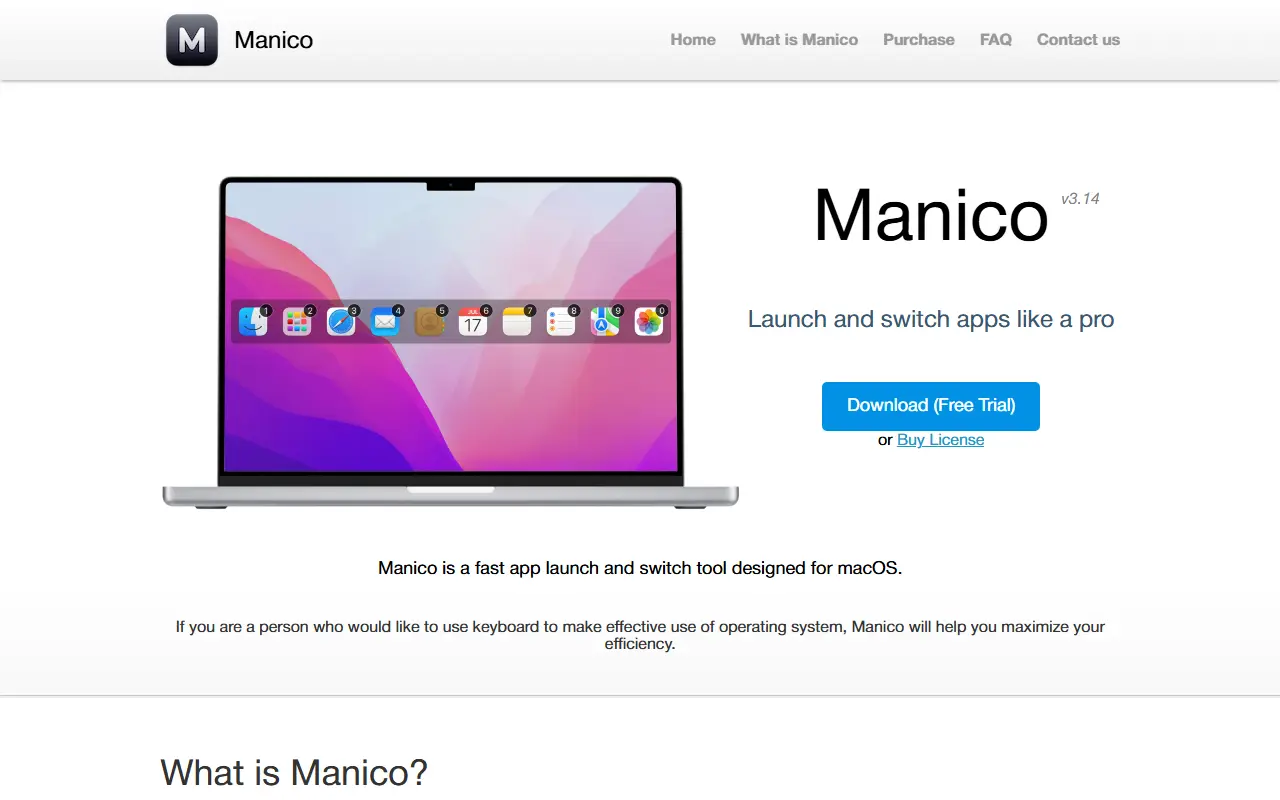
Manico is a tool designed for fast app launching and switching on macOS. It allows users to start or switch to an app by pressing Option + a number key, eliminating the need to cycle through apps with Command+Tab or search the Dock. The tool aims to improve efficiency and help users build muscle memory over time.
Manico offers three modes: Dock mode mirrors the macOS Dock, Switcher mode maps currently open apps, and Custom mode lets users fully customize which apps to launch and switch with custom shortcuts. It also includes preferences for customizing appearance, bar position, status bar icon visibility, and a silent mode to avoid interruptions on certain apps. A usage feature shows daily app invocation counts via charts.
Key features
- Launch or switch to apps using Option + number keys
- Three modes: Dock mode, Switcher mode, and Custom mode
- Customizable keyboard shortcuts
- Customizable appearance and bar position
- Silent mode to avoid showing on certain apps
- Usage tracking with daily invocation charts
Good fit for
- Keyboard-centric users who want to quickly launch and switch apps without using the mouse or trackpad
Manico: questions and answers
- What is Manico used for?
- Manico is a macOS tool for quickly launching and switching between apps using keyboard shortcuts. It is a good fit for keyboard-centric users who want to quickly launch and switch apps without using the mouse or trackpad.
- Is Manico open source?
- No. Manico is proprietary (closed-source) software. In the Productivity category, open-source options include Maccy, Rectangle and Flow Launcher.
- What are some alternatives to Manico?
- Manico competes with LaunchBar.
Open-source alternatives to Manico
See all
Maccy
Productivity
Lightweight clipboard manager for macOS
MITvs Paste★ 22k
Rectangle
Productivity
Move and resize windows on macOS with keyboard shortcuts and snap areas
OSSvs BetterTouchTool★ 30k
Flow Launcher
Productivity
:mag: Quick file search & app launcher for Windows with community-made plugins
MITvs Raycast★ 16k
MarkerOn
Productivity
Lightweight (~1.5 MB) open-source screen annotation with click-through mode and keyboard-f
MIT★ 1.2k
RustCast
Productivity
An open source alternative to raycast, in rust!! (retired)
MITvs Raycast★ 1.1k
PowerToys
Productivity
Microsoft PowerToys is a collection of utilities that supercharge productivity and customi
MITvs Alfred★ 141k
SaaS alternatives to Manico
See all
LaunchBar
Productivity
Keyboard-driven app launcher and search tool for macOS
SaaS
DashPane
Productivity
Fast macOS app switcher with fuzzy search, single-key shortcuts and a hover sidebar
SaaS
BetterTouchTool
Productivity
Mac utility to customize trackpad gestures, keyboard shortcuts and window snapping
SaaS
CleanClip Pro
Productivity
Clipboard manager for macOS with content management and quick pasting
SaaS
Raycast
Productivity
Launcher for macOS and Windows with extensions, snippets and an AI assistant
SaaS
AirSpell
Productivity
Offline macOS voice dictation using a local Whisper model that pastes formatted text into any app
SaaS