
About LM Studio
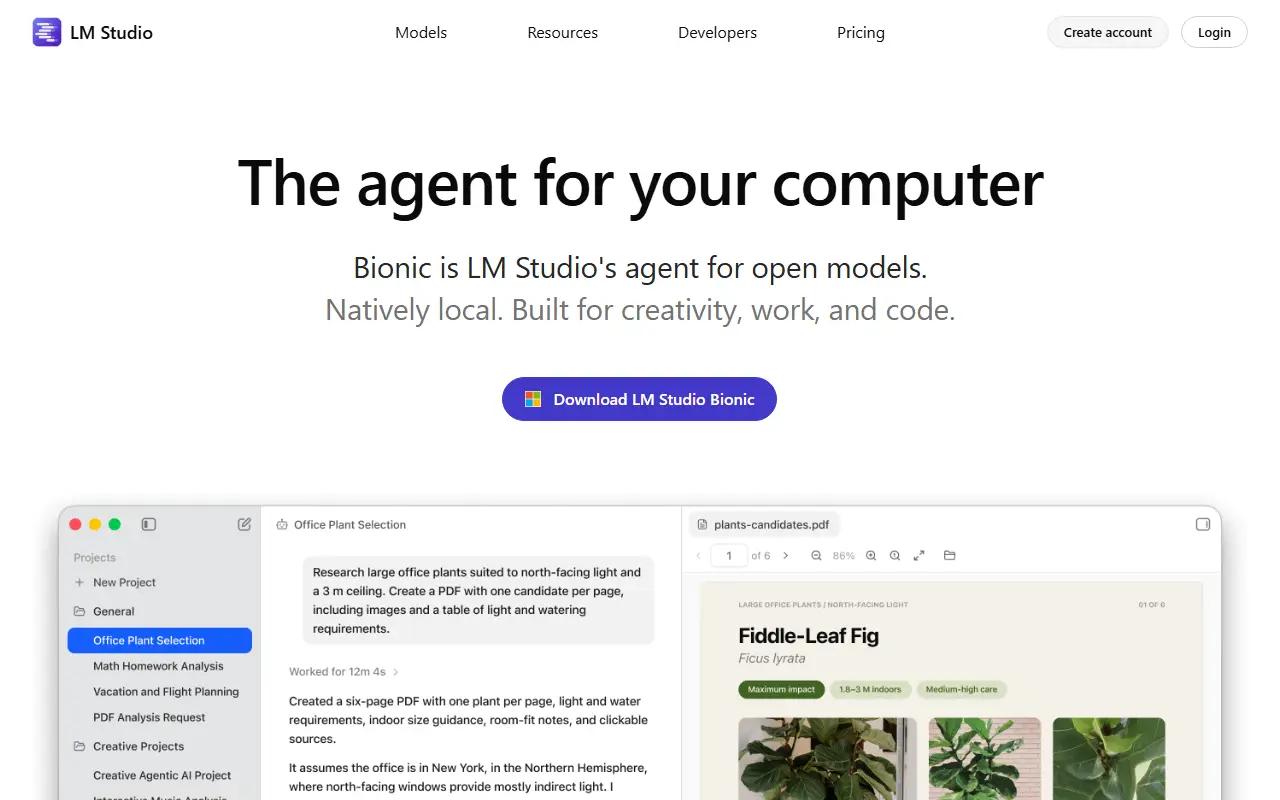
LM Studio is a desktop application for finding, downloading and running large language models on your own computer. Its homepage now centers on Bionic, an agent for work and code that can create and edit documents, slides and PDFs, write software, run automations and control the computer, using local or open frontier models.
Local models run on the LM Studio runtime, which uses MLX and llama.cpp underneath, and can be used for simple chats or more advanced agent tasks. Voice input is transcribed in real time on the device, with audio processed locally. For heavier jobs, Bionic can use larger open models through cloud services that the vendor says retain no data. The product also includes LM Link and a hub in beta.
For developers, LM Studio provides JavaScript and Python SDKs, a command-line tool called lms, developer documentation and an llms.txt file. It is closed-source software distributed as a download, with an account option, enterprise solutions and a pricing page.
Key features
- Download and run local language models
- Bionic agent for documents and code
- Local real-time voice transcription
- Runtime based on MLX and llama.cpp
- JavaScript and Python SDKs
- Command-line tool for scripting
Good fit for
- →Running private chat models on a laptop
- →Building local apps with the SDKs
- →Drafting documents with an on-device agent
- Tags
- local-llm
- desktop-app
- ai-agent
- llama-cpp
- mlx
- privacy
- developer-tools
LM Studio: questions and answers
- What is LM Studio used for?
- LM Studio is a desktop app for downloading and running local language models, now including Bionic, an agent for documents, slides and code. It is a good fit for running private chat models on a laptop, building local apps with the SDKs and drafting documents with an on-device agent.
- Is LM Studio free?
- Yes. LM Studio has a free plan, and paid plans start at $20 per seat per month.
- Is LM Studio open source?
- No. LM Studio is proprietary (closed-source) software. Open-source alternatives to LM Studio include Jan, TextGen and Open WebUI.
- Can I self-host LM Studio?
- Yes. Although LM Studio is closed source, it can be self-hosted on your own servers, and the vendor also offers a hosted version.
- What are some alternatives to LM Studio?
- Other SaaS products in the AI Tools category include DOT Offline AI, Elosia and Aera Browser. For open-source options, see Enlisted's ranked list of open-source LM Studio alternatives.
Open-source alternatives to LM Studio
See all
Jan
AI Tools
Jan is an open-source alternative to ChatGPT. Run open-source AI models locally or connect
OSSvs ChatGPT★ 45kTextGen
AI Tools
Open-source desktop app for local LLMs. Text, vision, tool-calling, OpenAI/Anthropic-compa
AGPL-3.0vs ChatGPT★ 48k
Open WebUI
AI Tools
Run AI on your own terms. Connect any model, extend with code, and protect what matters wi
OSSvs ChatGPT★ 154k
AnythingLLM
AI Tools
Stop renting your intelligence. Own it with AnythingLLM. Everything you need for a powerfu
MITvs ChatGPT★ 67k
GPT4All
AI Tools
GPT4All: Run Local LLMs on Any Device. Open-source and available for commercial use.
MITvs ChatGPT★ 77k
Abu Cowork
AI Tools
Open-source alternative to Claude Cowork — a local-first AI agent desktop app · multi-mode
OSSvs Claude★ 389
SaaS alternatives to LM Studio
See all
DOT Offline AI
AI Tools
Small AI assistant that runs entirely on the phone with no cloud connection
SaaS
Elosia
AI Tools
Private AI workspace in the browser using WebGPU embeddings and access to 70 models
SaaS
Aera Browser
AI Tools
Browser-based AI that runs scheduled, long-running workflows and connects your tools through MCP
SaaS
Chat Locker
AI Tools
Imports, searches, tags and exports AI conversations from ChatGPT, Claude, Gemini and Grok
SaaS
Claude Cowork
AI Tools
Agent mode in Claude Desktop for working across files and multi-step tasks
SaaSClawnetes
AI Tools
Mac and Windows setup tool for running OpenClaw AI agents locally or on a Linux cloud server
SaaS