
About Kun
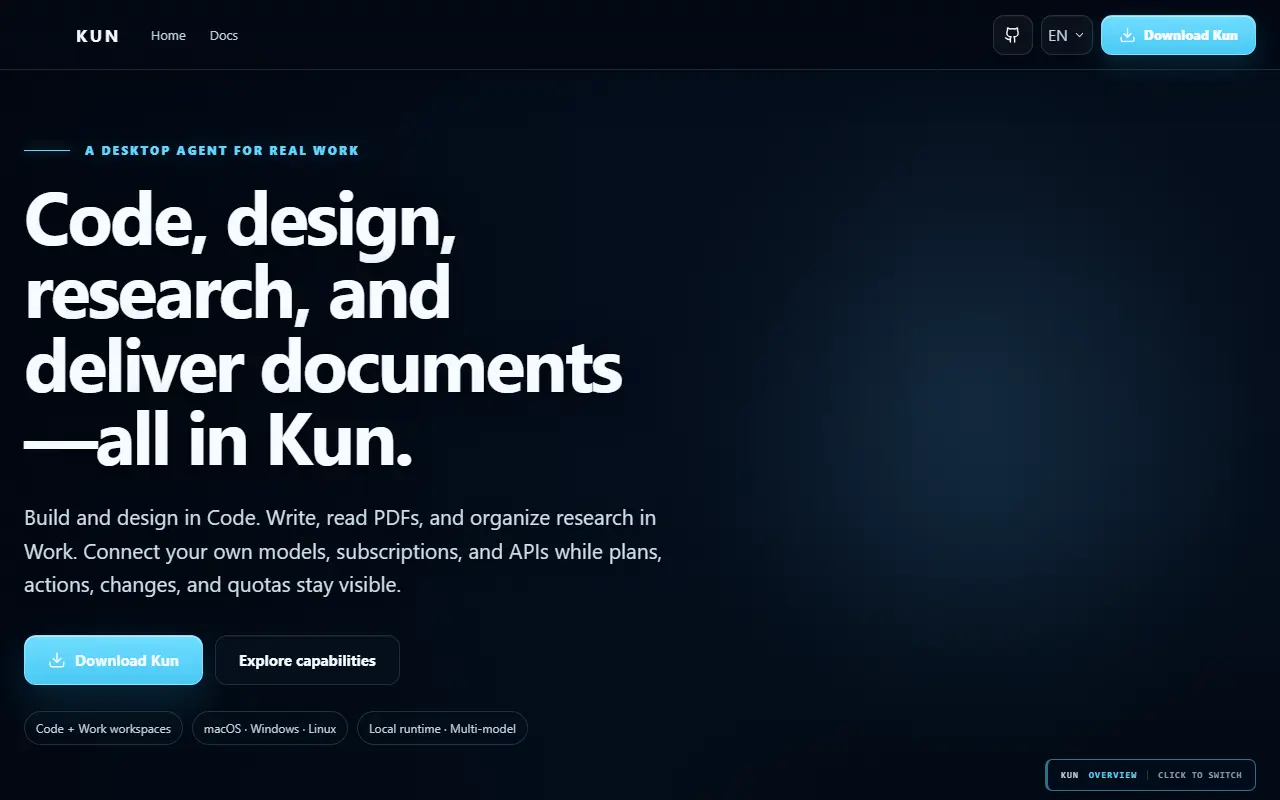
Kun is a local-first workspace where AI agents plan, execute and verify work in real projects instead of only answering questions. Its desktop GUI and terminal interface share the same local runtime, so threads, goals, plans, approvals and background tasks carry over between them.
The workspace is organized into modes. Code covers software delivery with project context, file editing, a terminal, Git and worktrees, diffs, tests and review, with a Design canvas available inside the same task. Work handles Markdown editing, PDF and Office document analysis, spreadsheets and presentations built from outlines. Rooms let several agents collaborate through private and group chats. Agents read workspace context, call tools and run checks.
Repository topics list MCP, OpenAI-compatible endpoints, DeepSeek and multi-agent support. It is built with Electron, React and TypeScript and published under a license GitHub lists as 'Other'. The README is primarily in Chinese, with an English version linked.
Key features
- Code mode with Git, diffs and tests
- Design canvas for prototypes
- Work mode for documents and spreadsheets
- Multi-agent Rooms with group chat
- Shared desktop GUI and terminal runtime
- Approval flow for agent actions
Good fit for
- →AI-assisted software development
- →Document and spreadsheet analysis
- →Coordinating several agents on a task
- Tags
- ai-agent
- local-first
- desktop-app
- tui
- mcp
- coding-agent
- electron
- multi-agent
Kun: questions and answers
- What is Kun used for?
- Kun is a desktop and terminal workspace where AI agents handle coding, writing, design and research, running locally on one shared runtime. It is a good fit for AI-assisted software development, document and spreadsheet analysis, and coordinating several agents on a task.
- Is Kun open source?
- Yes. Kun is open source under a custom licence. Its source code is on GitHub at KunAgent/Kun and is written mainly in TypeScript.
- Is Kun free?
- Yes. Kun is open source, so the software itself is free to use under the terms of its own licence.
- Can I self-host Kun?
- Yes. Kun can be self-hosted on your own server or infrastructure; there is no official hosted version.
- What is Kun an alternative to?
- Kun is an open-source alternative to Claude Cowork. Other open-source alternatives to Claude Cowork include LobsterAI, Abu Cowork and Goose.
- Is Kun actively maintained?
- Yes. The most recent commit to Kun was on 2 October 2026, and the latest release is v0.3.12, published on 27 September 2026. The project has 6.3k stars on GitHub.
Open-source alternatives to Kun
See all
LobsterAI
AI Tools
Open-source, desktop-grade AI agent that gets real work done — data analysis, slides, docs
MITvs Claude Cowork★ 6.1k
Abu Cowork
AI Tools
Open-source alternative to Claude Cowork — a local-first AI agent desktop app · multi-mode
OSSvs Claude★ 389
Goose
AI Tools
an open source, extensible AI agent that goes beyond code suggestions - install, execute,
Apache-2.0vs Claude Code★ 55k
AionUi
AI Tools
Open-source 24/7 Cowork app for OpenClaw, Hermes, Claude Code, Codex, OpenCode and 20+ mor
Apache-2.0vs Claude Cowork★ 33k
OpenWork
AI Tools
Free, open-source desktop AI agent app for macOS, Windows, and Linux. Any model, local mod
OSSvs Claude★ 24k
OpenClaw
AI Tools
The AI that really does things. Any OS. Any Platform. The lobster way. 🦞
OSSvs ChatGPT★ 391k
SaaS alternatives to Kun
See all
Claude Cowork
AI Tools
Agent mode in Claude Desktop for working across files and multi-step tasks
SaaS
AtomicBot.ai
AI Tools
Native app for macOS, Windows, iOS and Android to run OpenClaw agents with 100+ connectors
SaaS
August
AI Tools
AI coworker that works in your team channels and tools on research, reports, outreach and monitoring
SaaS
Manus
AI Tools
General-purpose AI agent that carries out research, coding and web tasks autonomously
SaaS
Delegent AI
AI Tools
AI coworker app that drafts email, writes invoices and acts inside connected apps
SaaS
Genspark
AI Tools
AI agent workspace for research, slides and task automation
SaaS