
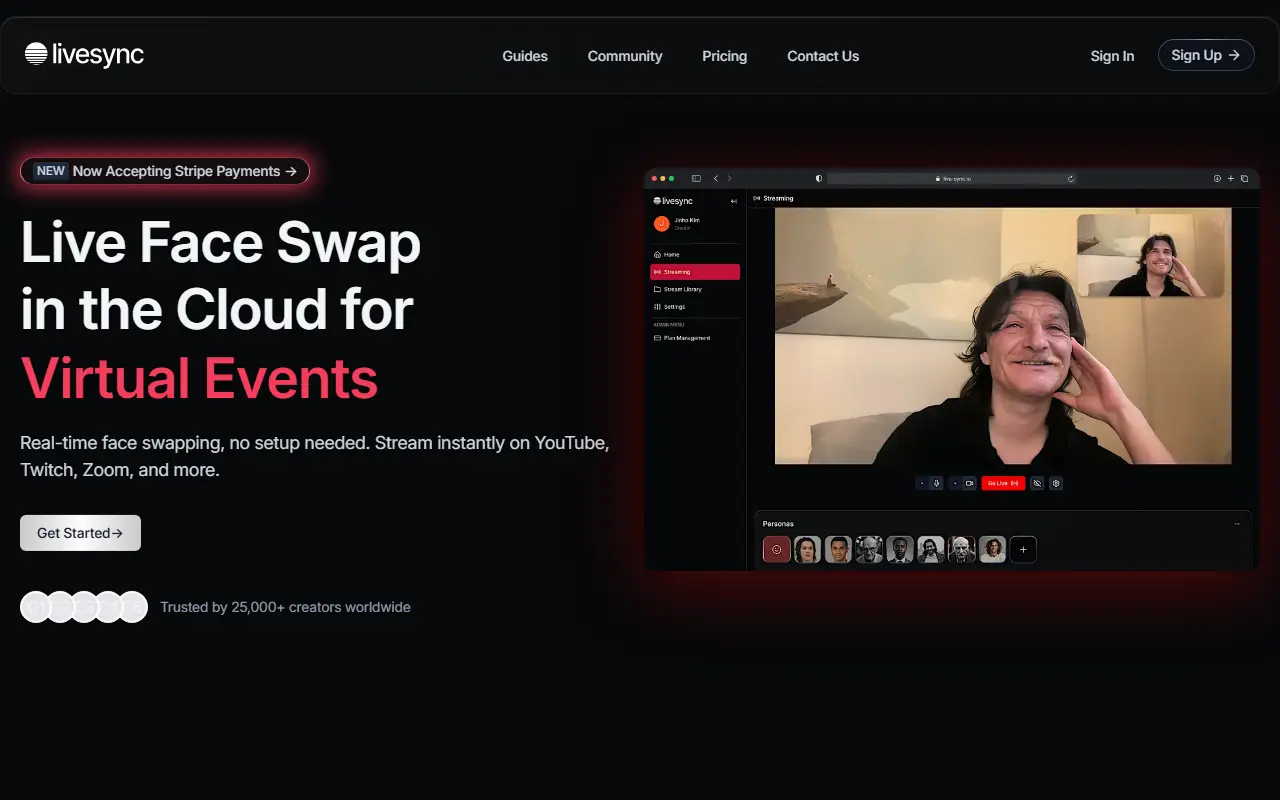
About Livesync
Livesync is a cloud service that swaps faces live. You select an avatar with one click and stream with the transformed face on platforms such as YouTube, Twitch and Zoom, from a computer, phone or iPad, without downloading software or owning a high-end graphics card because processing happens on the vendor's GPUs. It is aimed at streamers, YouTube creators, VTubers and other content creators.
The site lists integration with OBS, Zoom and YouTube, saving recorded live streams as video files for editing, and an API for enterprise customers to build workflows into their own systems. Uses named include live streaming, video conferencing, content creation, virtual events and webinars, film work, branding and virtual reality.
On safety, the vendor states that data is protected with encryption in transit and storage and that it adheres to ethical standards to prevent deepfake misuse. Livesync is a hosted service with guides, a community, a changelog and a pricing page, and it accepts payments through Stripe.
Key features
- Real-time face swap from the cloud
- One-click avatar selection
- Streaming to YouTube, Twitch and Zoom
- Integration with OBS
- Saved recordings of live streams
- Works on computers, phones and iPads
- API for enterprise customers
Good fit for
- Streamers who prefer not to show their own face
- VTubers and creators using custom personas live
Livesync: questions and answers
- What is Livesync used for?
- Livesync is a face swapping that runs in the cloud and applies in real time to streams, calls and recordings, with no GPU or software to install. It is a good fit for streamers who prefer not to show their own face, and VTubers and creators using custom personas live.
- Is Livesync free?
- Yes. Livesync has a free plan, and paid plans start at $9 per month.
- Is Livesync open source?
- No. Livesync is proprietary (closed-source) software and can't be self-hosted. In the Video Editing category, open-source options include OBS Studio, OpenCut and HandBrake.
- What are some alternatives to Livesync?
- Other SaaS products in the Video Editing category include Ghost, SwapTok and 5UGC.
Open-source alternatives to Livesync
See all
OBS Studio
Video Editing
OBS Studio - Free and open source software for live streaming and screen recording
GPL-2.0vs vMix★ 77k
OpenCut
Video Editing
The open-source CapCut alternative
MITvs CapCut★ 93k
HandBrake
Video Editing
HandBrake's development repository
OSS★ 25k
Cap
Video Editing
Open source Loom alternative. Beautiful, shareable screen recordings.
OSSvs Loom★ 23k
Screenity
Video Editing
The free and privacy-friendly screen recorder with no limits 🎥
GPL-3.0vs Screencastify★ 19k
Shotcut
Video Editing
cross-platform (Qt), open-source (GPLv3) video editor
GPL-3.0vs Adobe Premiere Pro★ 15k
SaaS alternatives to Livesync
See all
Ghost
Video Editing
Mobile app for creating AI avatar videos and face swap videos without showing your face
SaaS
SwapTok
Video Editing
Face swap tool that puts your face into a TikTok or Instagram Reel from a photo and a video link
SaaS5UGC
Video Editing
AI tool that turns a product image and script direction into vertical UGC-style video ads
SaaS
Absolute Cinema
Video Editing
AI video tool that turns an idea into a short cinematic video in one workspace
SaaS
AdMaker AI
Video Editing
AI tool that generates UGC-style video ads for e-commerce and marketing teams
SaaS
AI Reels
Video Editing
Generates short videos from a text description with no editing skills needed
SaaS