
About Hndmark
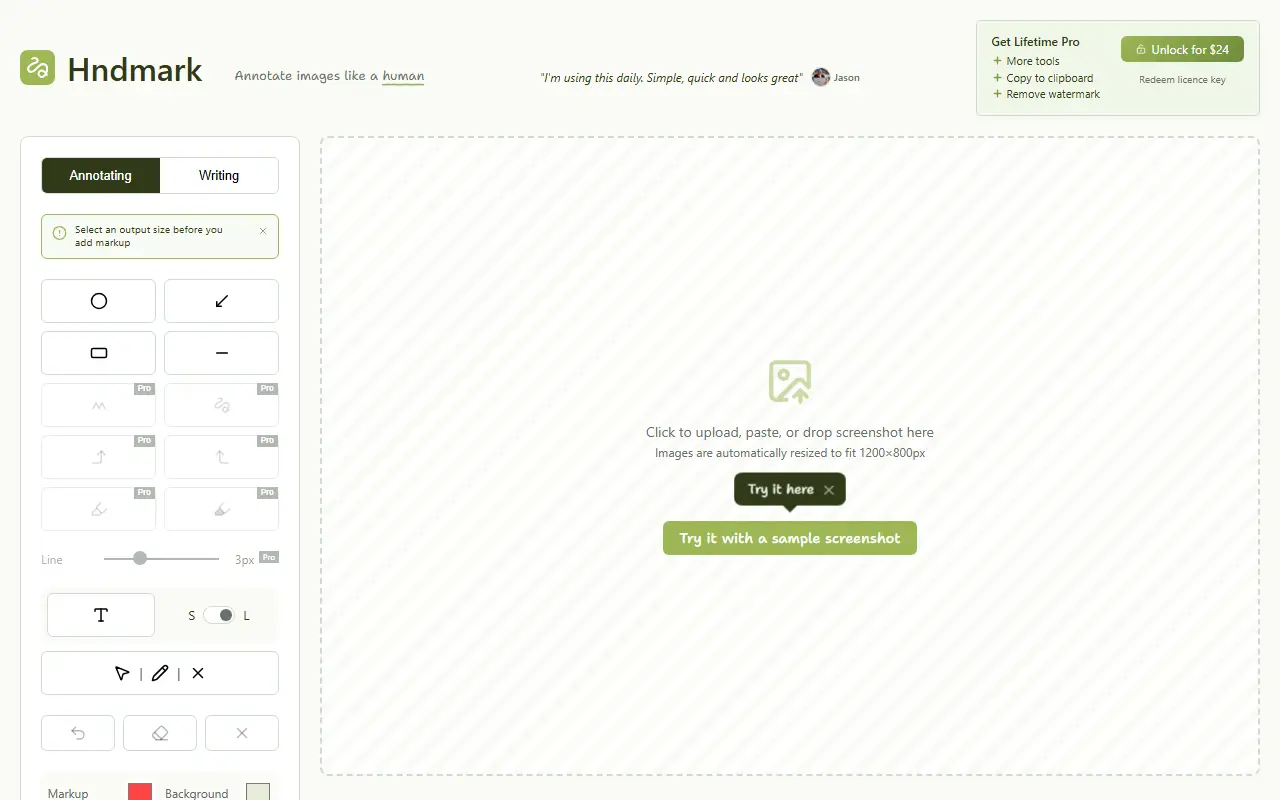
Hndmark turns a screenshot into a hand-drawn work-in-progress image. You upload, paste or drop a screenshot, add sketchy circles, arrows, lines and handwritten text, choose a background such as lined paper, dot grid, whiteboard, chalkboard, cardboard or spray wall, and adjust padding, color, font and tilt.
Output formats include automatic, 1:1, 4:3, 16:9, 9:16 and sizes for LinkedIn and X, and you can copy to the clipboard or download. An add-imperfections option gives the sketched look. The tool runs entirely in the browser, so screenshots are not sent to a server and are cleared when the tab closes. It is designed for desktop screens rather than phones.
The free version adds a watermark, which a one-time Pro unlock for 24 dollars removes using a licence key. It suits people who share work in progress on social media and want screenshots to look personal rather than polished.
Key features
- Hand-drawn circles, arrows and text markup
- Seven background styles
- Social media output sizes
- Copy to clipboard or download
- Client-side processing with no uploads
- Imperfection option for a sketched look
Good fit for
- Sharing work-in-progress screenshots on social media
- Annotating screenshots with a handwritten feel
Hndmark: questions and answers
- What is Hndmark used for?
- Hndmark is a browser tool that adds hand-drawn style markup, arrows and text to screenshots, runs entirely client-side and has a Pro unlock. It is a good fit for sharing work-in-progress screenshots on social media and annotating screenshots with a handwritten feel.
- Is Hndmark free?
- Yes. Hndmark has a free plan, and paid plans start at $24 as a one-time payment.
- Is Hndmark open source?
- No. Hndmark is proprietary (closed-source) software and can't be self-hosted. In the Productivity category, open-source options include Flameshot, Linkwarden and BentoPDF.
- What are some alternatives to Hndmark?
- Hndmark competes with CleanShot X, Snagit and Zight.
Open-source alternatives to Hndmark
See all
Flameshot
Productivity
Powerful yet simple to use screenshot software :desktop_computer: :camera_flash:
GPL-3.0vs Snagit★ 31k
Linkwarden
Productivity
Collect, read, annotate, and fully preserve what matters. Open-source, self-hostable bookm
AGPL-3.0vs Raindrop.io★ 20k
BentoPDF
Productivity
The Privacy First PDF Toolkit
AGPL-3.0vs iLovePDF★ 16k
Zotero
Productivity
Zotero is a free, easy-to-use tool to help you collect, organize, annotate, cite, and shar
OSSvs Readwise★ 15k
BetterShot
Productivity
Screenshot, screen recording, and video editor for macOS. Native SwiftUI app with capture
OSSvs CleanShot X★ 2.4k
PowerToys
Productivity
Microsoft PowerToys is a collection of utilities that supercharge productivity and customi
MITvs Alfred★ 139k
SaaS alternatives to Hndmark
See all
CleanShot X
Productivity
Mac screenshot and screen recording utility with annotation and cloud sharing
SaaS
Snagit
Productivity
Screen capture and annotation tool for screenshots and short recordings
SaaS
Zight
Productivity
Screen recording and screenshot sharing tool, formerly CloudApp
SaaS
Droplr
Productivity
Screenshot, screen recording and file sharing tool with instant links for teams
SaaS
Snapframe Pro
Productivity
Chrome extension for capturing, annotating, resizing and exporting screenshots
SaaSCaptriq
Productivity
Captures and organizes full-page website screenshots with OCR text search, PDF export and team workspaces
SaaS