
About Git Digest
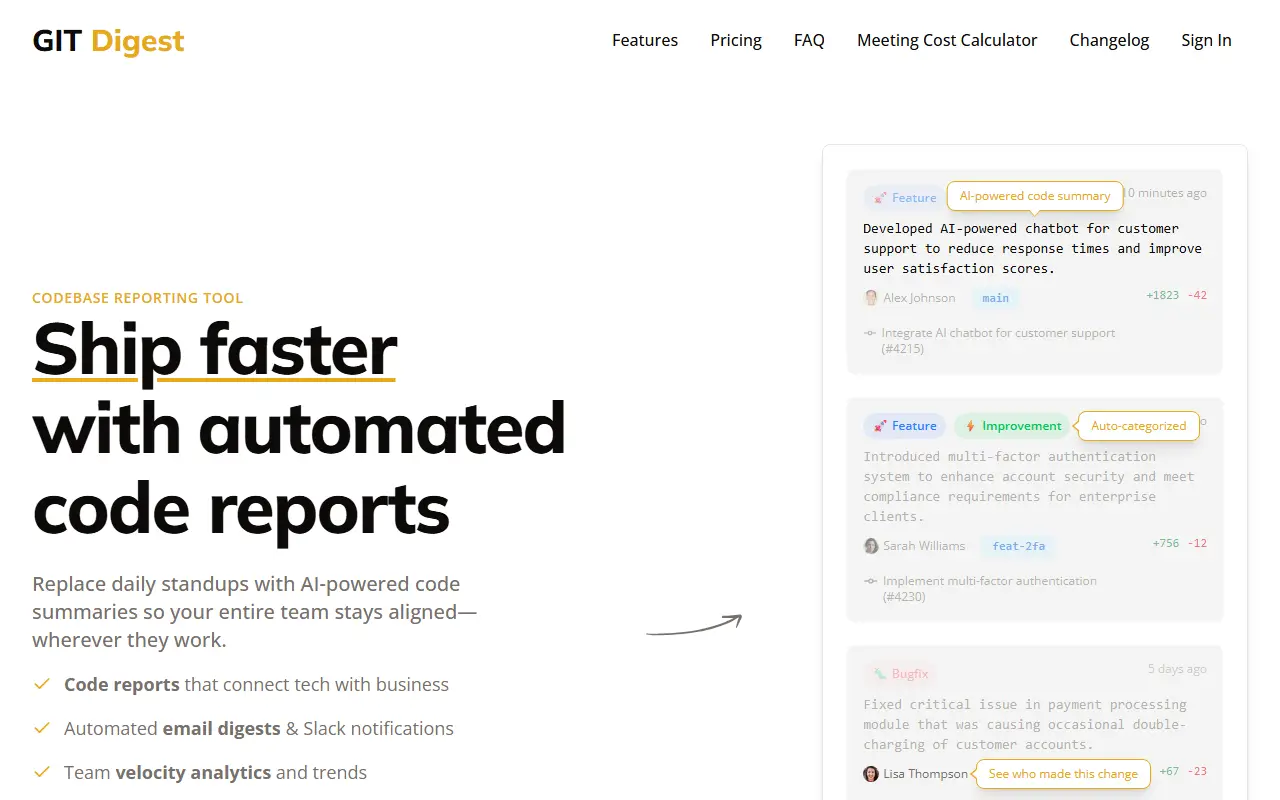
Git Digest reads a team's GitHub activity and writes plain-language summaries of what changed, replacing the daily standup with a regular digest. Changes are categorized automatically as features, improvements, bugfixes or refactoring, with the author and branch shown and a link into the code. The vendor describes it as an asynchronous standup for engineers, as opposed to a repo-ingestion tool for language models.
Digests go out by email and as Slack notifications at times the team chooses, and the report connects technical changes to business terms so non-engineers such as product managers can follow along. Additional features include analytics on team velocity and trends, accounts shared across an organization, a changelog and a meeting cost calculator. The homepage offers a 30-day money-back guarantee and targets teams that find meetings interrupt focus and miss code-level context.
Key features
- AI summaries of commits and pull requests
- Email digests and Slack notifications
- Automatic categories for features, fixes and refactors
- Team velocity analytics and trends
- Multi-user organization accounts
- Meeting cost calculator
Good fit for
- Replacing daily standups with a morning Slack digest
- Keeping a product manager informed of engineering progress
- Following several repositories without reading commits
Git Digest: questions and answers
- What is Git Digest used for?
- Git Digest is an async standup tool that turns GitHub commits into AI summaries delivered by email and Slack, so teams can drop daily standup meetings. It is a good fit for replacing daily standups with a morning Slack digest, keeping a product manager informed of engineering progress and following several repositories without reading commits.
- How much does Git Digest cost?
- Paid plans for Git Digest start at $25 per month, and there is no free plan.
- Is Git Digest open source?
- No. Git Digest is proprietary (closed-source) software and can't be self-hosted. In the Developer Tools category, open-source options include GitHub Desktop, Atlas and GitHub Metrics.
- What are some alternatives to Git Digest?
- Git Digest competes with LinearB, Swarmia and Jellyfish.
Open-source alternatives to Git Digest
See all
GitHub Desktop
Developer Tools
Focus on what matters instead of fighting with Git.
MITvs GitKraken★ 22k
Atlas
Developer Tools
Atlas is a native macOS workspace for coding agents. Install Claude Code, Codex, OpenCode
Apache-2.0★ 9.1k
GitHub Metrics
Developer Tools
📊 An infographics generator with 30+ plugins and 300+ options to display stats about your
MIT★ 17k
SwiftInfo
Developer Tools
📊 Extract and analyze the evolution of an iOS app's code.
MIT★ 1.1k
Wakapi
Developer Tools
📊 A minimalist, self-hosted WakaTime-compatible backend for coding statistics
MITvs WakaTime★ 4.4k
Sourcerer
Developer Tools
🦄 Sourcerer app makes a visual profile from your GitHub and git repositories.
MIT★ 6.7k
SaaS alternatives to Git Digest
See all
LinearB
CI/CD & DevOps
Engineering metrics and workflow automation built from Git and Jira data
SaaS
Swarmia
CI/CD & DevOps
Engineering productivity analytics covering delivery speed, investment and team agreements
SaaS
Jellyfish
CI/CD & DevOps
Engineering management platform that links development activity to business priorities
SaaS
DX
CI/CD & DevOps
Developer productivity platform combining surveys and system data to measure engineering teams
SaaS
Gitmore
Developer Tools
Turns commits and pull requests into daily or weekly team updates sent to Slack or email
SaaS
Code Climate
Developer Tools
Automated code review and engineering analytics tools
SaaS