About CTRL Micro
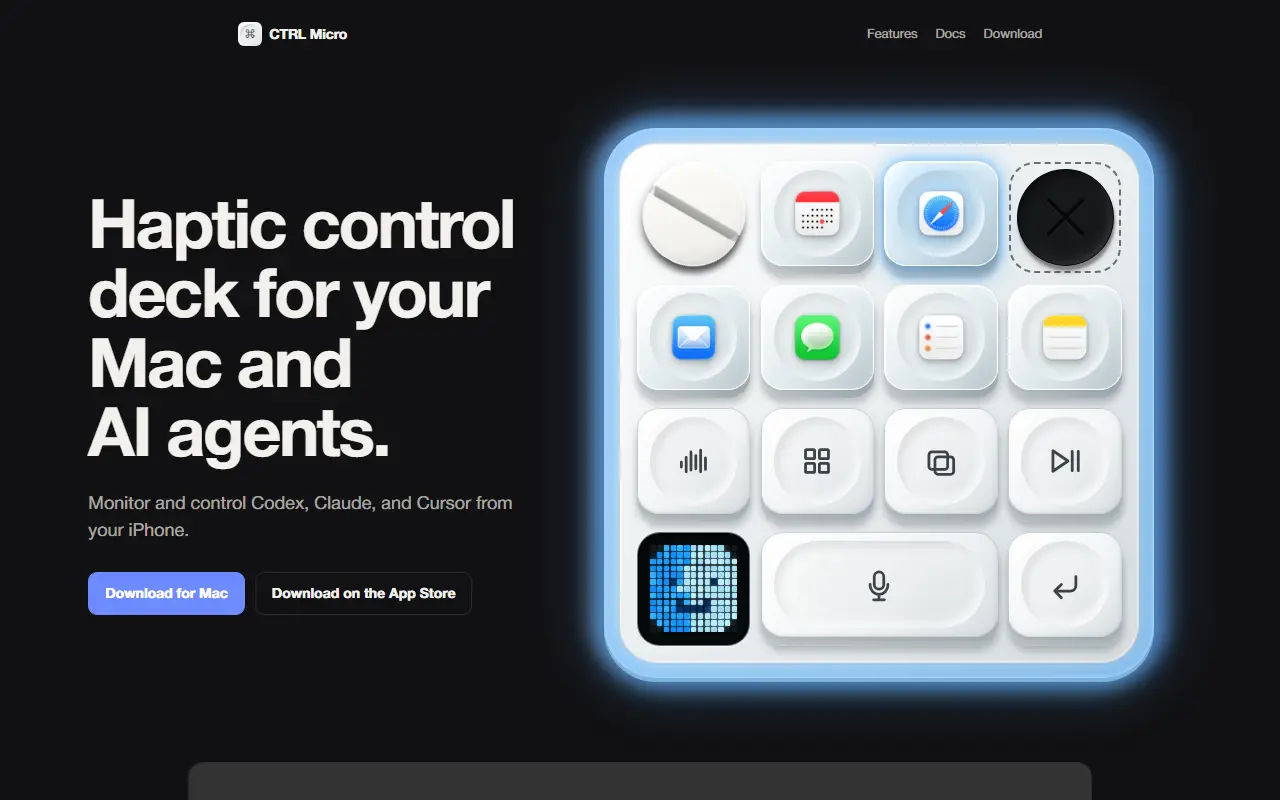
CTRL Micro makes an iPhone or iPad act as a tactile control surface for a Mac and for desktop AI clients. You install a Mac host app and pair it with the companion from the App Store, and the phone then shows open agent tasks, displays their responses, and lets you step in when an agent needs input, without sitting at the computer.
The interface draws on Apple's Taptic Engine along with sound, light, and multitouch input to feel physical. Voice dictation is transcribed on the Mac, so audio stays local with no cloud transcription or extra subscription. Other controls open apps, adjust volume, and trigger Siri, and a remote desktop view offers a live Mac screen with trackpad and keyboard input, nearby or from afar. It supports Codex, Claude, and Cursor, and custom clients can be built for other tools. The developer says it is independent and not affiliated with OpenAI or Work Louder.
Key features
- Haptic control deck on iPhone and iPad
- Monitor and respond to AI agent tasks
- Works with Codex, Claude, and Cursor
- Voice dictation transcribed locally on the Mac
- Live remote desktop view with trackpad and keyboard
- Open apps, adjust volume, and trigger Siri
- Custom client support for your own tools
Good fit for
- →Keeping an eye on long-running coding agents away from the desk
- →Dictating prompts to a Mac from a phone
- Tags
- ai-agents
- macos
- ios-app
- remote-control
- haptics
- claude
- codex
- cursor
CTRL Micro: questions and answers
- What is CTRL Micro used for?
- CTRL Micro is a Mac host app plus iPhone and iPad companion that turns the phone into a haptic control deck for watching and steering AI agents such as Codex, Claude, and Cursor. It is a good fit for keeping an eye on long-running coding agents away from the desk and dictating prompts to a Mac from a phone.
- Is CTRL Micro free?
- Yes. CTRL Micro is free to use.
- Is CTRL Micro open source?
- No. CTRL Micro is proprietary (closed-source) software. In the Productivity category, open-source options include Stats, Rectangle and Maccy.
- What are some alternatives to CTRL Micro?
- Other SaaS products in the Productivity category include DisplaySpan, AI Renamer and AI Toolbox.
Open-source alternatives to CTRL Micro
See all
Stats
Productivity
macOS system monitor in your menu bar
MIT★ 42k
Rectangle
Productivity
Move and resize windows on macOS with keyboard shortcuts and snap areas
OSSvs BetterTouchTool★ 30k
Maccy
Productivity
Lightweight clipboard manager for macOS
MITvs Paste★ 22k
NetNewsWire
Productivity
RSS reader for macOS and iOS.
MITvs Feedly★ 10k
Macro
Productivity
Macro is a unified workspace for teams: email, chat, docs, tasks, agents, calls, and CRM —
AGPL-3.0vs Slack★ 4.5k
BetterShot
Productivity
Screenshot, screen recording, and video editor for macOS. Native SwiftUI app with capture
OSSvs CleanShot X★ 2.4k
SaaS alternatives to CTRL Micro
See all
DisplaySpan
Productivity
Mac menu bar app that lets the cursor cross blocked screen edges and restores saved display layouts
SaaS
AI Renamer
Productivity
Renames files automatically based on their content using AI, with a local or cloud mode
SaaS
AI Toolbox
Productivity
Chrome extension adding folders, search, a prompt library and bulk export to ChatGPT, Gemini, Claude and Grok
SaaS
AirSpell
Productivity
Offline macOS voice dictation using a local Whisper model that pastes formatted text into any app
SaaS
Alfred
Productivity
macOS launcher with workflows, clipboard history and snippets
SaaS
Apple Numbers
Productivity
Apple spreadsheet app for Mac, iPhone and iPad
SaaS