About Clabrate
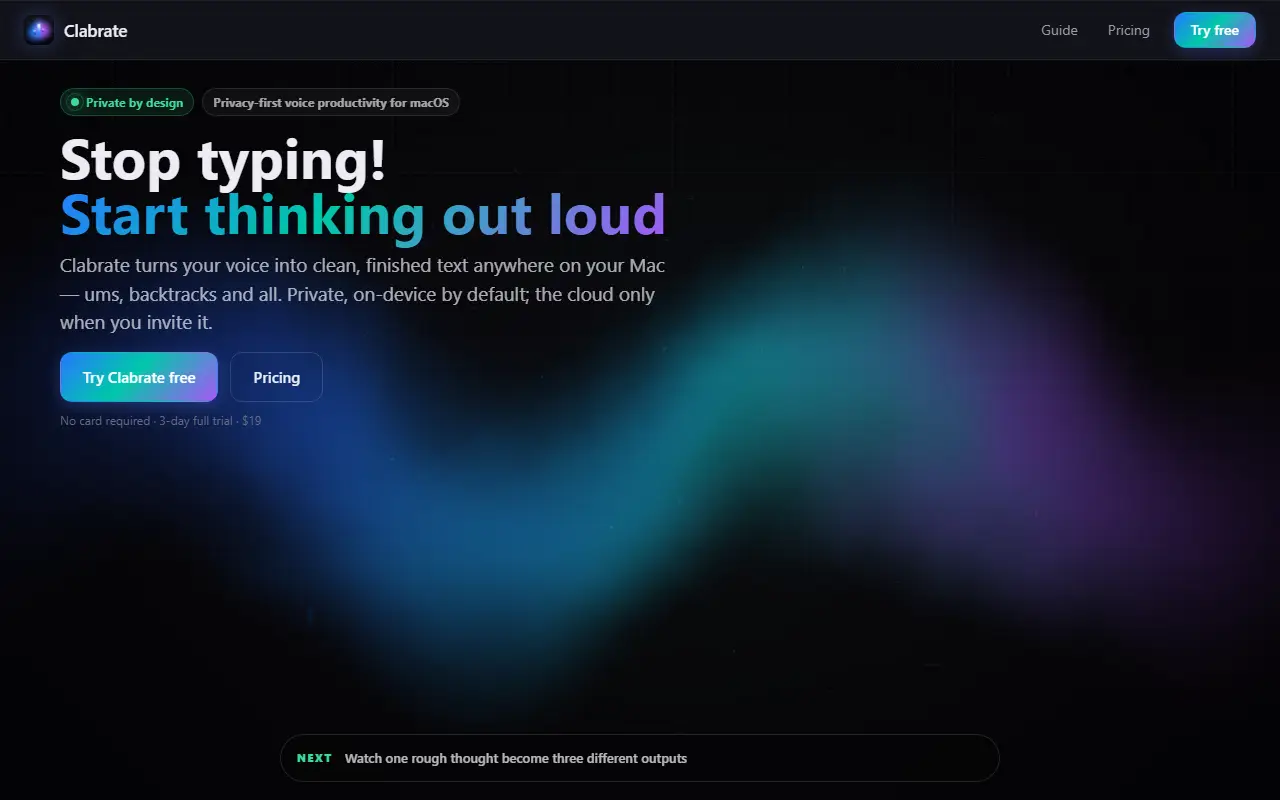
Clabrate is a macOS voice productivity app. You hold a key, speak and release, and cleaned-up text appears wherever your cursor is in any Mac application. Filler words and backtracking are removed, and the site says transcription is on-device by default with the cloud used only when you choose it.
A rewrite step reshapes the same spoken thought for its destination, for example as a Slack message, a technical note or an executive summary. Push-to-talk is the current input mode, using the right Option key either held or tapped twice, and speech-to-speech is listed as coming. The tagline also describes handing tasks to an assistant that can control windows and terminals.
Clabrate is a commercial desktop app with no telemetry claimed. The homepage advertises a three-day full trial without a card, and shows a $19 price, though the billing terms are not explained in the scraped text.
Key features
- Push-to-talk dictation into any Mac app
- On-device transcription by default
- Removes filler words and false starts
- Rewrites text for Slack, technical or executive tone
- Optional cloud enhancement when you choose
- No telemetry stated by the vendor
Good fit for
- →Dictating messages and notes without typing
- →Speaking rough thoughts that become formatted text
- Tags
- dictation
- macos
- voice
- speech-to-text
- privacy
- on-device
- productivity
Clabrate: questions and answers
- What is Clabrate used for?
- Clabrate is a privacy-focused Mac dictation app that turns held-key speech into clean text in any app, with on-device transcription and context-aware rewriting. It is a good fit for dictating messages and notes without typing, and speaking rough thoughts that become formatted text.
- How much does Clabrate cost?
- Clabrate is a paid product with no free plan. A three-day full trial needs no card; the homepage also shows a $19 price whose billing terms are not explained.
- Is Clabrate open source?
- No. Clabrate is proprietary (closed-source) software. In the Productivity category, open-source options include Zen Browser, Rectangle and Maccy.
- What are some alternatives to Clabrate?
- Clabrate competes with Wispr Flow and Dictato.
Open-source alternatives to Clabrate
See all
Zen Browser
Productivity
Welcome to a calmer internet
MPL-2.0vs Google Chrome★ 45k
Rectangle
Productivity
Move and resize windows on macOS with keyboard shortcuts and snap areas
OSSvs BetterTouchTool★ 30k
Maccy
Productivity
Lightweight clipboard manager for macOS
MITvs Paste★ 22k
ActivityWatch
Productivity
The best free and open-source automated time tracker. Cross-platform, extensible, privacy-
MPL-2.0vs RescueTime★ 19k
Espanso
Productivity
A Privacy-first, Cross-platform Text Expander written in Rust
GPL-3.0vs TextExpander★ 15k
Personal Management System
Productivity
Your web application for managing personal data.
MIT★ 4.2k
SaaS alternatives to Clabrate
See all
Wispr Flow
AI Tools
AI voice dictation app that types into any app
SaaS
Dictato
Productivity
Offline dictation software for Mac that turns speech into text in any app
SaaS
Dictivo
Productivity
Local-first dictation app for macOS and Windows that transcribes speech on-device with Whisper
SaaS
Dictadoc
Productivity
Secure offline voice dictation software for medical professionals
SaaS
AirSpell
Productivity
Offline macOS voice dictation using a local Whisper model that pastes formatted text into any app
SaaS
BossAI
AI Tools
iOS keyboard that turns your voice into polished text with AI
SaaS