
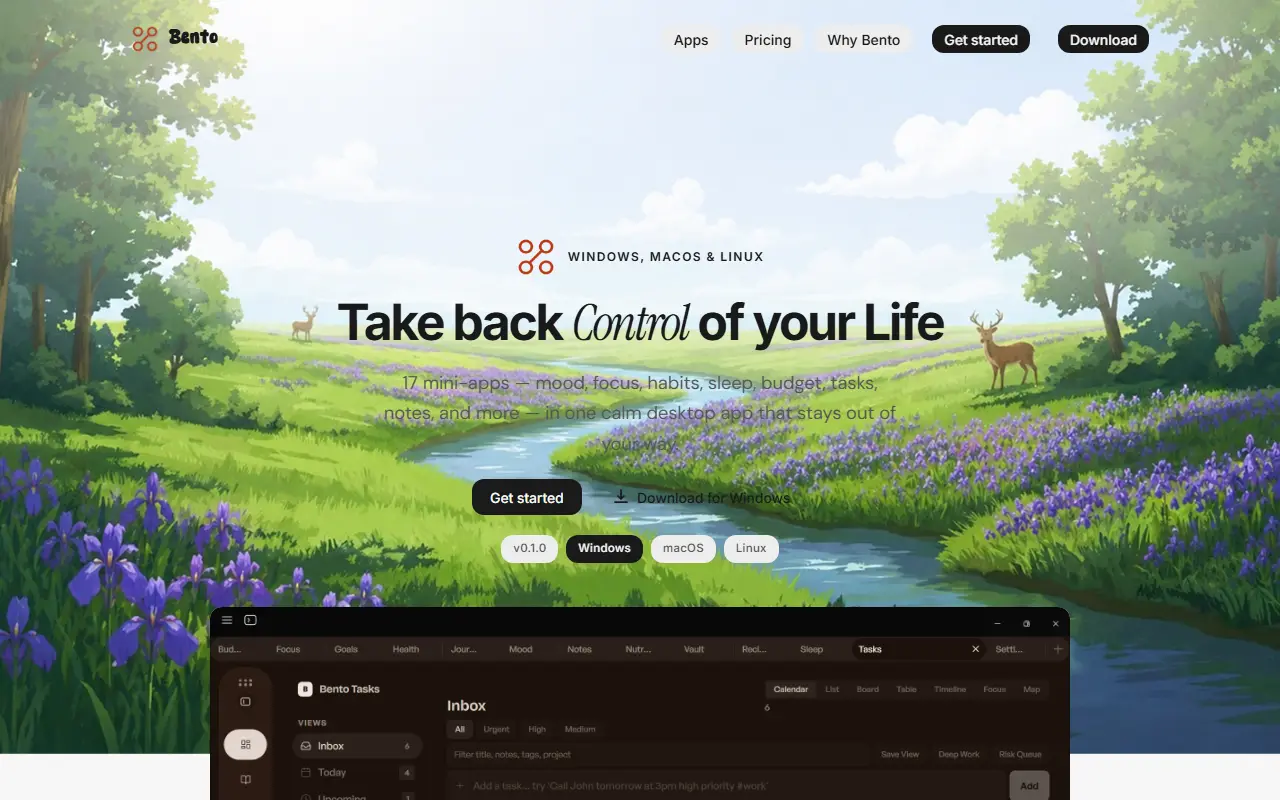
About Bento
Bento is a desktop application that replaces a scatter of separate trackers with one private workspace. Its mini-apps cover tasks, notes, a journal, mood, habits, sleep, health, budgets and more, so someone who wants to see how sleep, mood and routines affect each other does not have to juggle many different apps.
The homepage groups the modules into capture and organize (notes, tasks with natural language input, journal, voice memos, clipboard manager), focus and growth (focus timer, habits, mood tracker, goals), health and sleep (sleep, health, water and nutrition) and finance and security (budget tracker, a password vault with passkeys and breach alerts, and countdowns for life events). The modules share context locally.
Bento is a commercial product that runs fully offline, with data stored on the user's own computer instead of in a cloud account. Builds are listed for Windows, macOS and Linux, and the version shown on the site is 0.1.0, which marks it as an early release. A pricing page is available on the vendor site.
Key features
- 17 mini-apps in one desktop app
- Tasks with natural language input
- Notes, journal and voice memos
- Focus timer, habits and mood tracking
- Sleep, health and budget tracking
- Local password vault with breach alerts
- Fully offline with data stored locally
Good fit for
- →People consolidating many tracking apps
- →Privacy-minded users who want data kept local
- Tags
- local-first
- desktop-app
- productivity
- habit-tracker
- mood-tracker
- password-vault
- offline
Bento: questions and answers
- What is Bento used for?
- Bento is a local-first desktop app for Windows, macOS and Linux that bundles 17 mini-apps for tasks, notes, mood, sleep, habits and budgets, with data kept on the user's machine. It is a good fit for people consolidating many tracking apps and privacy-minded users who want data kept local.
- How much does Bento cost?
- Bento is a paid product with no free plan.
- Is Bento open source?
- No. Bento is proprietary (closed-source) software. In the Productivity category, open-source options include Rectangle, Super Productivity and ActivityWatch.
- What are some alternatives to Bento?
- Bento competes with Notion.
Open-source alternatives to Bento
See all
Rectangle
Productivity
Move and resize windows on macOS with keyboard shortcuts and snap areas
OSSvs BetterTouchTool★ 30k
Super Productivity
Productivity
Super Productivity is an advanced todo list app with integrated Timeboxing and time tracki
MITvs Todoist★ 22k
ActivityWatch
Productivity
The best free and open-source automated time tracker. Cross-platform, extensible, privacy-
MPL-2.0vs RescueTime★ 19k
Habitica
Productivity
A habit tracker app which treats your goals like a Role Playing Game.
OSSvs Todoist★ 14k
Ferdium
Productivity
All your services in one place, built by the community
Apache-2.0vs Beeper★ 4.6kLoop Habit Tracker
Productivity
Loop Habit Tracker, a mobile app for creating and maintaining long-term positive habits
GPL-3.0vs Streaks★ 10k
SaaS alternatives to Bento
See all
Notion
Note Taking
Notion is an AI-enabled workspace for notes, docs, wikis and projects, with agents, meeting notes and search across connected apps.
SaaS
Lunatask
Productivity
Encrypted to-do list, habit tracker, journal and notes app
SaaS
Superlist
Productivity
Task and notes app with lists, collaboration and AI assistance
SaaS
Taskade
Project Management
Collaborative tasks, outlines and mind maps with built-in AI agents
SaaS
Google Docs
Docs & Wikis
Google Docs is Google's browser-based word processor for writing and co-editing documents in real time, part of Google Workspace.
SaaS
1% Better
Productivity
Habit tracker mobile app that visualises how small daily progress compounds over time
SaaS