 TrackMedia
 TrackRev

About Xodo
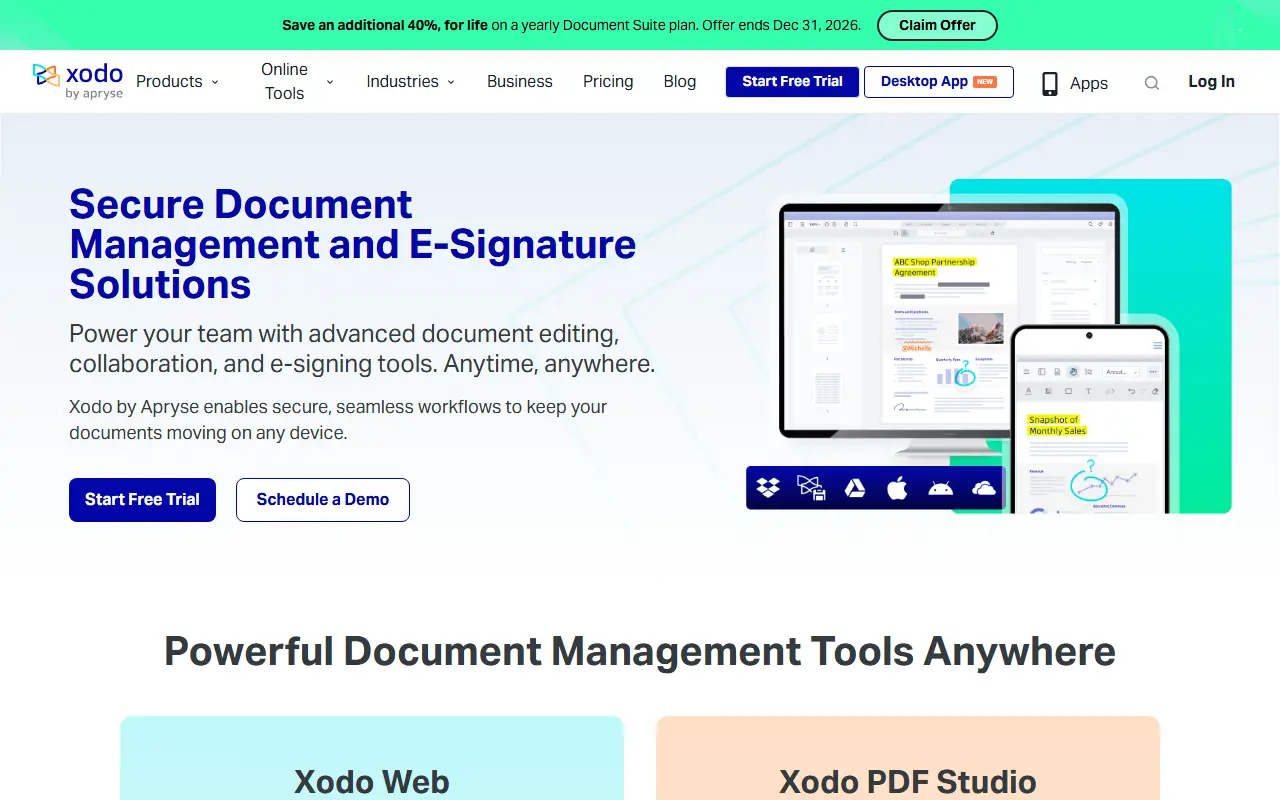
Xodo is a document management and e-signature solution that works with PDF, Office, and image files. It offers tools for editing, annotating, converting, organizing, and signing documents across web, mobile, and desktop platforms.
The product includes Xodo Web for browser-based editing, Xodo PDF Studio for desktop (Windows, Mac, Linux), Xodo Mobile for iOS and Android, and Xodo Sign for legally binding e-signatures. It is built on Apryse's PDF technology.
Key features
- Edit, annotate, redact, compress, organize, fill out, and convert PDFs online
- Desktop PDF editor with automation, OCR, and offline use
- Mobile app for scanning, converting, annotating, e-signing, and securing documents
- Secure, legally binding e-signatures with audit trails and SOC 2 compliance
- Over 30 online tools including PDF to Word, merge, split, and compare
Good fit for
- Business document workflows requiring editing and collaboration
- Secure document signing and agreement finalization
- Cross-platform document management for teams
Xodo: questions and answers
- What is Xodo used for?
- Xodo provides document editing, collaboration, and e-signing tools for web, mobile, and desktop. It is a good fit for business document workflows requiring editing and collaboration, secure document signing and agreement finalization, and cross-platform document management for teams.
- Is Xodo open source?
- No. Xodo is proprietary (closed-source) software. In the Productivity category, open-source options include Stirling PDF, DocuSeal and Documenso.
- What are some alternatives to Xodo?
- Xodo competes with Squid.
Open-source alternatives to Xodo
See all
Stirling PDF
Productivity
A free, private PDF editor you can run on any infrastructure.
OSSvs Adobe Acrobat★ 96k
DocuSeal
Productivity
Free and Open source tool to streamline document filling and signing. Create custom PDF fo
AGPL-3.0vs DocuSign★ 19k
Documenso
Productivity
Sign everywhere with Documenso. Build workflows, create templates, and integrate seamlessl
AGPL-3.0vs DocuSign★ 16k
OCRmyPDF
Productivity
OCRmyPDF adds an OCR text layer to scanned PDF files, allowing them to be searched
MPL-2.0vs Adobe Acrobat★ 35k
ONLYOFFICE Docs
Productivity
ONLYOFFICE Docs is a free collaborative online office suite comprising viewers and editors
AGPL-3.0vs Microsoft 365★ 7.1k
Trek
Productivity
A self-hosted travel/trip planner with real-time collaboration, interactive maps, PWA supp
AGPL-3.0★ 16k
SaaS alternatives to Xodo
See all
Squid
Note Taking
Handwriting note app for Android tablets and phones with PDF markup
SaaS
Adobe Acrobat
Productivity
PDF reader and editor with e-signature and document conversion
SaaS
Nitro PDF
Productivity
PDF editing and e-signature software for businesses
SaaS
PDF Expert
Productivity
PDF reader, annotator and editor for Mac, iPhone and iPad
SaaS
PDFelement
Productivity
PDF editing and conversion software from Wondershare
SaaS
PurePDF
Productivity
Online PDF toolkit to translate, merge, compress, convert, edit, sign and OCR files, mostly in the browser
SaaS