About VS Code Project Manager
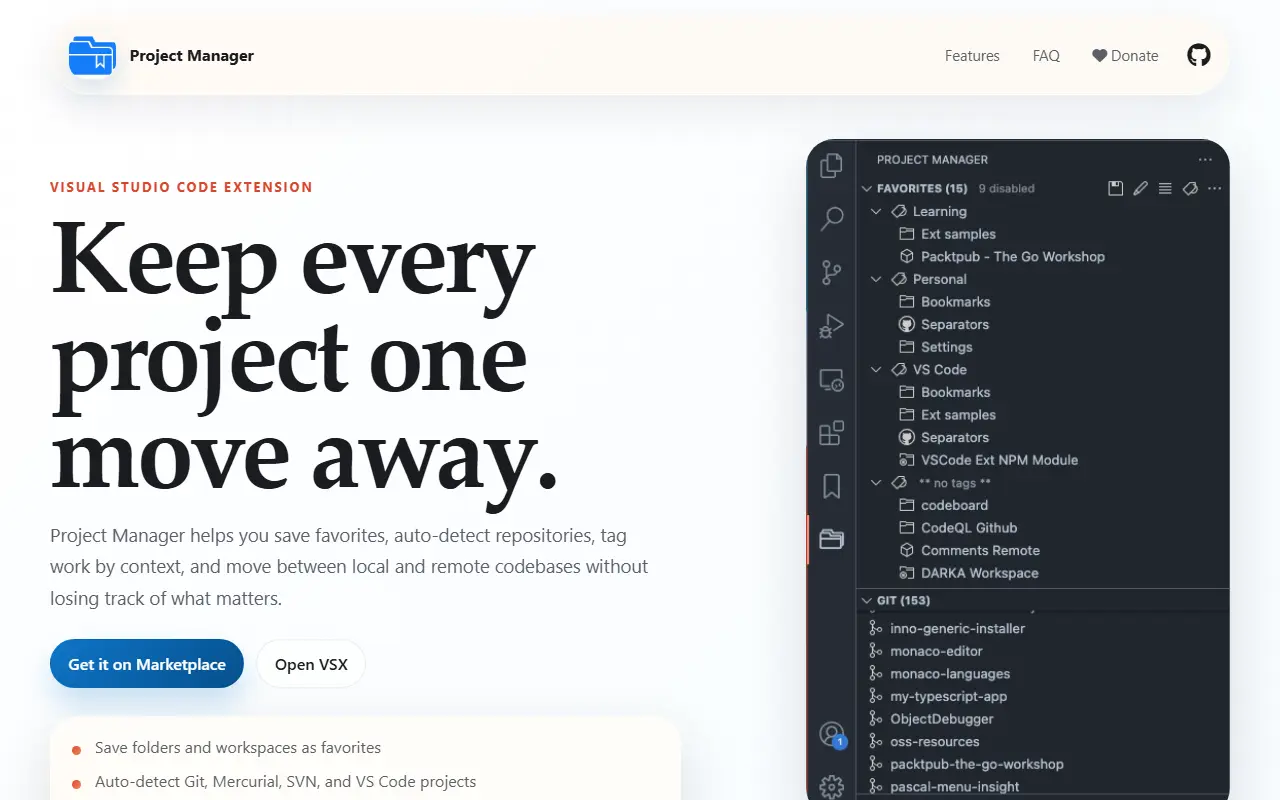
Project Manager is an extension for Visual Studio Code that helps you find and open your projects no matter where they are stored. You can define your own favorites or let the extension auto-detect Git, Mercurial, and SVN repositories, VS Code folders, or any other folder. It is released under the GPL-3.0 license.
Recent updates described in the README include improved tags to organize projects, better auto-detection, profile support, highlighting of the current project in the sidebar, a getting-started walkthrough, virtual workspaces and workspace trust support, and publication to Open VSX. The project states that it is fully open source again.
It is aimed at developers who work across many repositories and want a quick switcher inside the editor instead of browsing folders. The extension is written in TypeScript and has a documentation site, and the author asks users who find it useful to consider supporting its development.
Key features
- Save favorite projects for quick access
- Auto-detect Git, Mercurial, and SVN repositories
- Tags to organize projects
- Profile support
- Current project highlighted in the sidebar
- Available on the VS Code marketplace and Open VSX
Good fit for
- →Switching quickly between many repositories
- →Grouping client projects with tags
- Built with
- TypeScript
- Tags
- vscode
- extension
- project-manager
- productivity
- git
- typescript
- developer-tools
- workspace
VS Code Project Manager: questions and answers
- What is VS Code Project Manager used for?
- VS Code Project Manager is a Visual Studio Code extension (Project Manager) for saving, tagging, and quickly switching between your projects, including auto-detected Git repositories. It is a good fit for switching quickly between many repositories and grouping client projects with tags.
- Is VS Code Project Manager open source?
- Yes. VS Code Project Manager is open source under the GPL-3.0 licence. Its source code is on GitHub at alefragnani/vscode-project-manager and is written mainly in TypeScript.
- Is VS Code Project Manager free?
- Yes. VS Code Project Manager is open source, so the software itself is free to use.
- What are some alternatives to VS Code Project Manager?
- Similar open-source tools in the Developer Tools category include code-server, IT Tools and GitHub Desktop. SaaS products in the same category include 1DevTool, Artiforge and Kaleidoscope.
- Is VS Code Project Manager actively maintained?
- Yes. The most recent commit to VS Code Project Manager was on 24 September 2026, and the latest release is v12.0.1, published on 24 November 2020. The project has 2.7k stars on GitHub.
Open-source alternatives to VS Code Project Manager
See all
code-server
Developer Tools
VS Code in the browser
MITvs Replit★ 80k
IT Tools
Developer Tools
Collection of handy online tools for developers, with great UX.
GPL-3.0★ 41k
GitHub Desktop
Developer Tools
Focus on what matters instead of fighting with Git.
MITvs GitKraken★ 22k
Visual Studio Code
Developer Tools
Visual Studio Code
MITvs Sublime Text★ 193k
Tabby
Developer Tools
A terminal for a more modern age
MITvs Warp★ 75k
VSCodium
Developer Tools
binary releases of VS Code without MS branding/telemetry/licensing
MITvs Sublime Text★ 33k
SaaS alternatives to VS Code Project Manager
See all
1DevTool
Developer Tools
Desktop workspace for running several AI coding agents side by side across multiple projects
SaaS
Artiforge
Developer Tools
Tool that gives AI coding agents project context to improve code generation
SaaS
Kaleidoscope
Developer Tools
Diff and merge tool for Mac that compares text, images and folders
SaaS
WebStorm
Developer Tools
JetBrains IDE for JavaScript and TypeScript with framework support and refactoring
SaaS
act101
Developer Tools
Codebase quality and refactoring toolkit for coding agents, with code porting and verification
SaaS
ActivityProof
Developer Tools
Live GitHub-based shipping-status badge you embed as an SVG on indie product sites
SaaS