 TrackMedia
 TrackRev

About pinggy
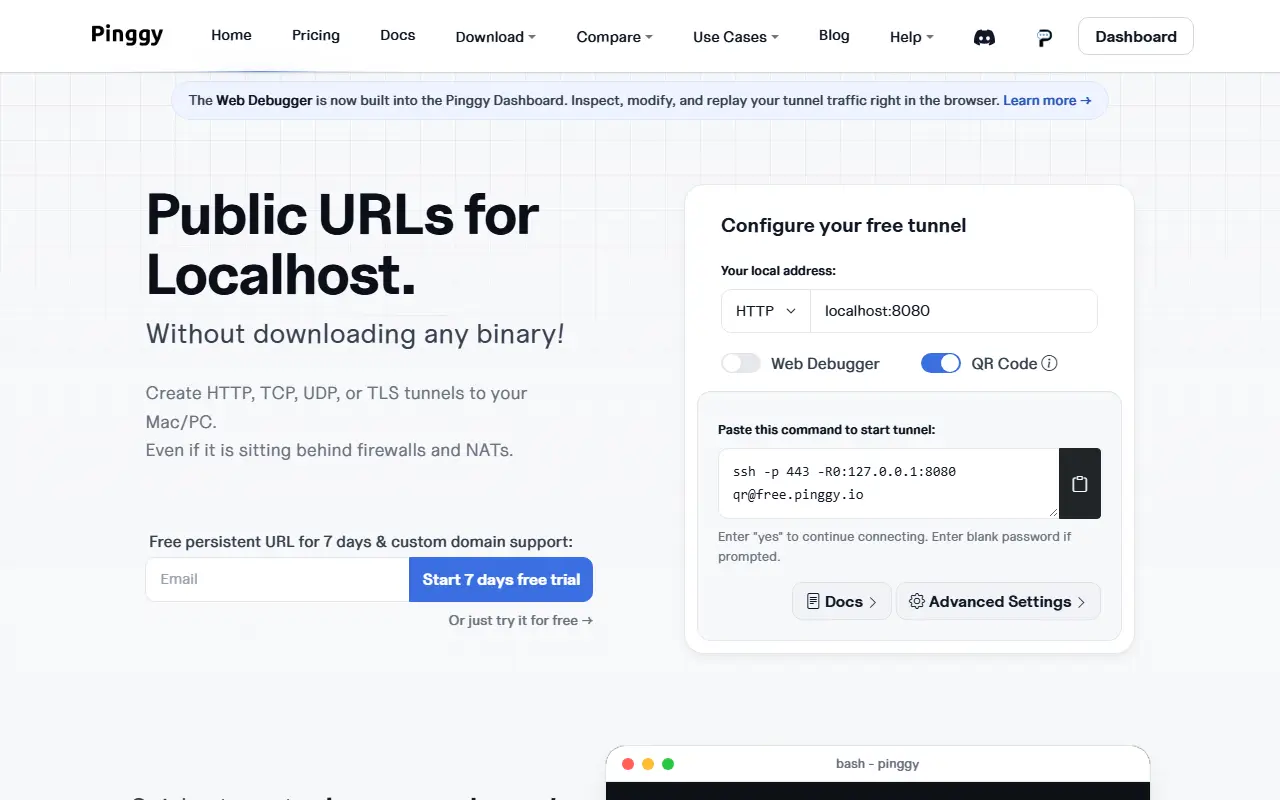
Pinggy exposes a service on your own machine to the internet, even behind a firewall or NAT. You start a tunnel with a single command from the CLI, with SDKs for Node.js and Python, or from a desktop app, and the site says no separate binary is needed for the command line route.
Tunnels can carry HTTP and HTTPS, TCP, UDP and TLS traffic. Access can be limited with basic auth, bearer tokens or an IP allowlist, and requests can be inspected, modified and replayed from a web debugger that is now built into the dashboard.
A free tunnel is available, but its public URL changes when it reconnects. Persistent URLs and custom domains need a paid plan, and a 7-day free trial is offered. The site also publishes comparison pages against ngrok, LocalXpose, LocalTunnel and Cloudflare.
Key features
- HTTP, TCP, UDP and TLS tunnels to a local machine
- Live inspection of requests, responses and headers
- Password, token and IP allowlist access control
- Custom, wildcard and persistent subdomains
- Desktop app that starts tunnels on boot
- Edit request headers before they reach your server
Good fit for
- Sharing a local site
- Webhook testing
- Debugging HTTP traffic
- Reaching a private network
pinggy: questions and answers
- What is pinggy used for?
- Pinggy creates public URLs for localhost over HTTP, TCP, UDP or TLS tunnels, with a live request debugger, access controls and custom domains. It is a good fit for sharing a local site, webhook testing and debugging HTTP traffic.
- Is pinggy open source?
- No. pinggy is proprietary (closed-source) software. In the Developer Tools category, open-source options include Visual Studio Code, Hyper and Platformio Core.
- What are some alternatives to pinggy?
- pinggy competes with ngrok.
Open-source alternatives to pinggy
See all
Visual Studio Code
Developer Tools
Visual Studio Code
MITvs Sublime Text★ 195k
Hyper
Developer Tools
A terminal built on web technologies
MITvs Warp★ 45k
Platformio Core
Developer Tools
Your Gateway to Embedded Software Development Excellence :alien:
Apache-2.0vs Arduino Cloud★ 9.6k
Laravel Telescope
Developer Tools
An elegant debug assistant for the Laravel framework.
MIT★ 5.2k
Httptoolkit Desktop
Developer Tools
Electron wrapper to build and distribute HTTP Toolkit for the desktop
AGPL-3.0vs Proxyman★ 741
Httptoolkit
Developer Tools
HTTP Toolkit is a beautiful & open-source tool for debugging, testing and building with HT
OSSvs Fiddler★ 3.7k
SaaS alternatives to pinggy
See all
ngrok
Networking & VPN
ngrok is developer infrastructure that exposes local apps and APIs to the internet and routes and secures traffic to services wherever they run.
SaaS
serveo
Developer Tools
Expose local servers to the internet using SSH, WireGuard, or a browser extension
SaaS
HookSense
Developer Tools
Real-time webhook inspection and debugging with live request streaming, replay and signature verification
SaaS
Localdock
Developer Tools
Gives each local project its own address on your Mac, your Wi-Fi network or anywhere online
SaaS
localhost.run
Networking & VPN
Connect web applications running on your computer to the internet instantly
SaaSCleanExtraSpace
Developer Tools
Native Mac app for developers that finds and purges Xcode, Android Gradle, npm and other build caches to reclaim…
SaaS