About PE Games
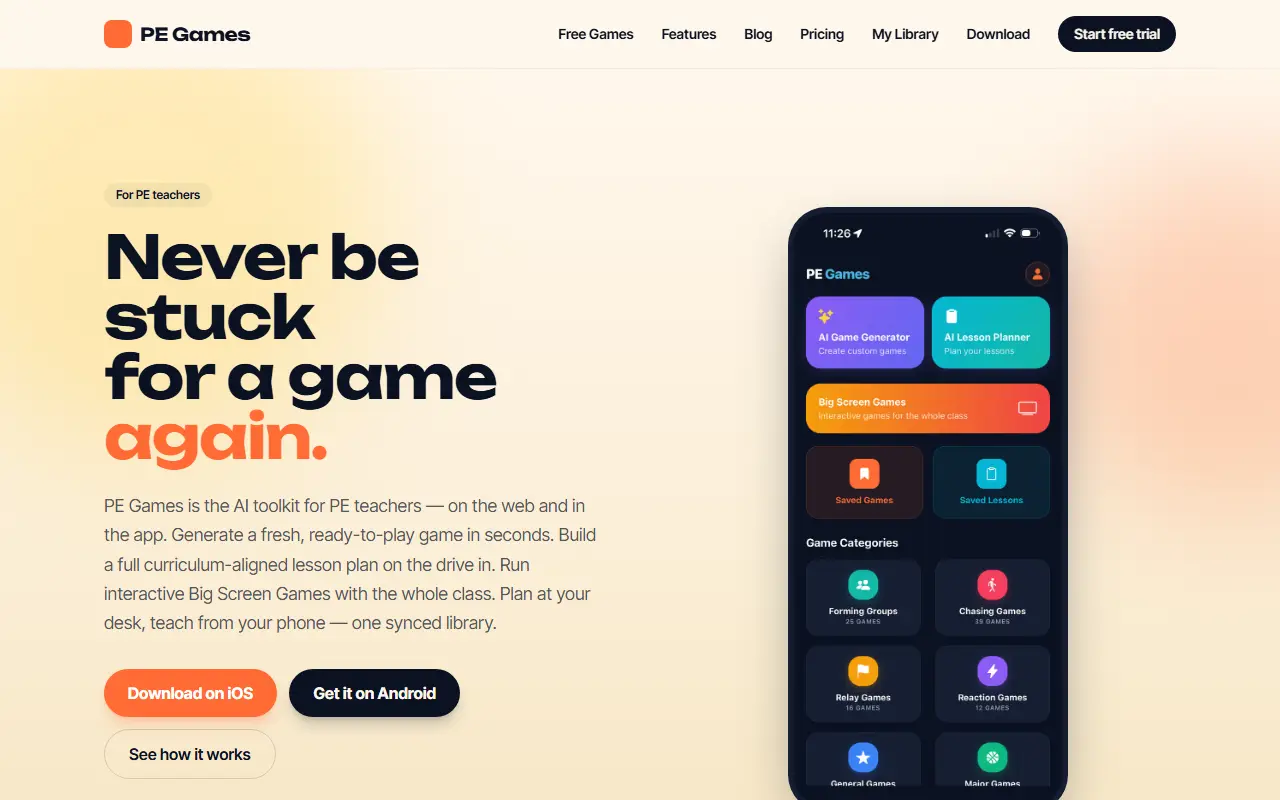
PE Games is built for PE teachers on the web and in iOS and Android apps. The AI Game Generator takes a year level, available equipment, space and time and returns a game with rules, setup and variations in seconds, so a teacher stuck mid-lesson can pull a new one quickly. Every game also lists safety notes and ways to scale it up or down.
The AI Lesson Planner builds a full structured plan from a topic, year level, duration and curriculum, with options for Australia, the US, the UK, New Zealand, Canada and IB, and a teaching approach such as Game Sense, Station-Based or Direct Instruction. Plans include warm-up, main and cooldown, and can be saved, exported as PDF and shared with a department. Big Screen Games are interactive class-wide activities run from a phone on a projector, including Movement Dice, Class Vote, Traffic Light, Rep Roulette, Fitness Ladder and Countdown Chaos.
The library syncs across devices and saved games work offline. Browsing games is free, and Premium unlocks the AI features with a 7-day free trial, so teachers can plan at a desk and teach from a phone.
Key features
- AI Game Generator from year, equipment and space
- AI Lesson Planner aligned to curricula
- Choice of teaching approach
- PDF export and sharing of lesson plans
- Big Screen Games for whole classes
- Synced library on web, iOS and Android
- Offline access to saved games
Good fit for
- Finding a fresh game mid-lesson
- Planning a curriculum-aligned PE lesson
- Running a class game on a projector
PE Games: questions and answers
- What is PE Games used for?
- PE Games is an AI toolkit for physical education teachers that generates games, builds curriculum-aligned lesson plans and runs class-wide Big Screen Games. It is a good fit for finding a fresh game mid-lesson, planning a curriculum-aligned PE lesson and running a class game on a projector.
- How much does PE Games cost?
- Paid plans for PE Games start at $19 per year, and there is no free plan. A free trial is available.
- Is PE Games open source?
- No. PE Games is proprietary (closed-source) software and can't be self-hosted. In the Education & LMS category, open-source options include freeCodeCamp, Anki and AnkiDroid.
- What are some alternatives to PE Games?
- Other SaaS products in the Education & LMS category include GapFiller, NSW School Reports and NT School Reports.
Open-source alternatives to PE Games
See all
freeCodeCamp
Education & LMS
freeCodeCamp.org's open-source codebase and curriculum. Learn math, programming, and compu
BSD-3-Clausevs Codecademy★ 457k
Anki
Education & LMS
Anki is a smart spaced repetition flashcard program
OSSvs Quizlet★ 32k
AnkiDroid
Education & LMS
AnkiDroid: Anki flashcards on Android. Your secret trick to achieve superhuman information
GPL-3.0vs Quizlet★ 12k
Stellarium
Education & LMS
Stellarium is a free GPL software which renders realistic skies in real time with OpenGL.
GPL-2.0★ 10k
Frappe Learning
Education & LMS
Easy to Use, 100% Open Source Learning Management System
AGPL-3.0vs Thinkific★ 3.3k
Wikipedia Android
Education & LMS
📱The official Wikipedia app for Android!
Apache-2.0vs GitHub★ 3k
SaaS alternatives to PE Games
See all
GapFiller
Education & LMS
Personal workspace for teachers to plan the school year, weekly lessons, classes, homework and materials
SaaS
NSW School Reports
Education & LMS
Helps NSW teachers write personalised and compliant school report comments
SaaS
NT School Reports
Education & LMS
Helps NT teachers write personalised and compliant school report comments
SaaS
NZ School Reports
Education & LMS
Helps New Zealand teachers write personalised and compliant school report comments
SaaS
ACT School Reports
Education & LMS
Helps ACT teachers write personalised, compliant school report comments with AI
SaaSAuto Grader AI
Education & LMS
AI tool for teachers to mark tests, read handwriting, set tests and generate reports
SaaS