About Murmur
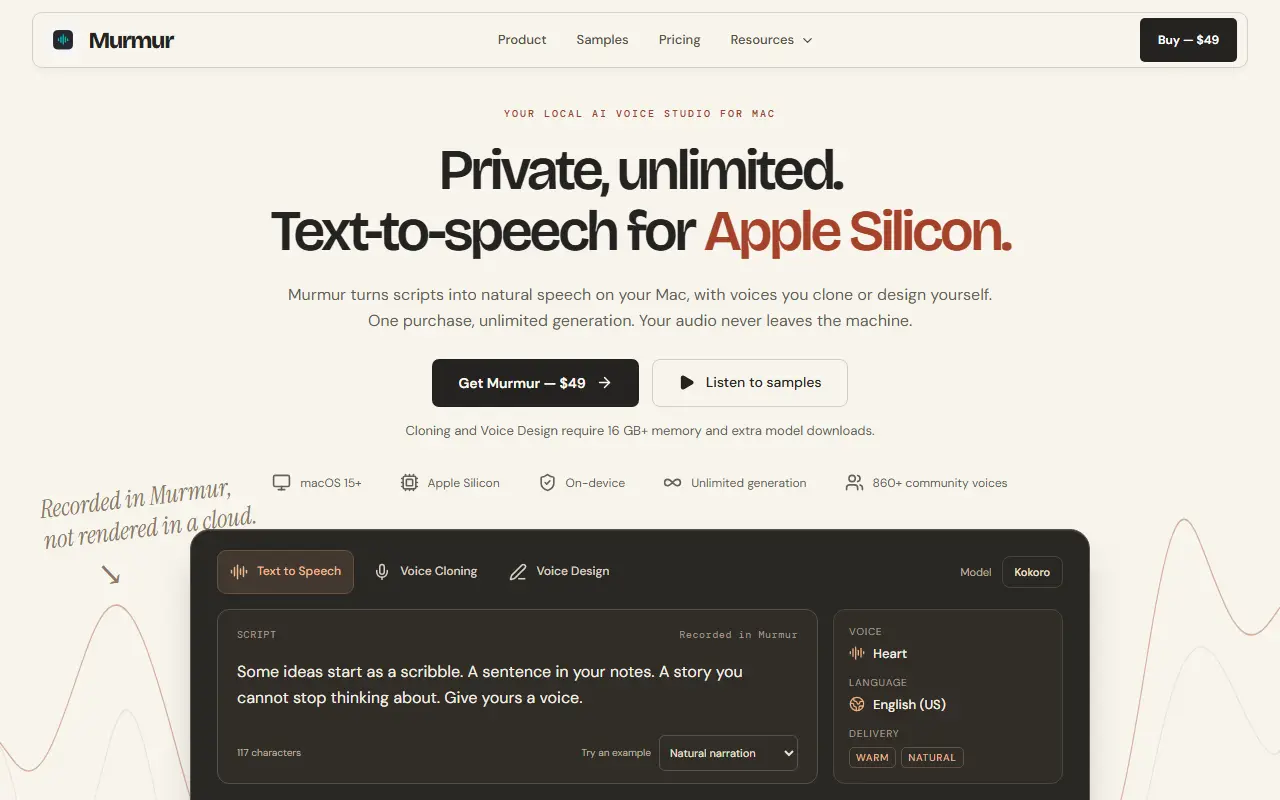
Murmur is a native Mac app for generating speech locally. You write or import a script, choose, clone or design a voice, and export finished audio as WAV or M4A. It runs on Apple Silicon under macOS 15 or later, and the site says audio is generated on your machine and never leaves it.
It includes voice cloning, voice design from a short description, more than 860 community voices and multi-speaker projects with a timeline, plus batch export and a command line and MCP option. The site lists support for over 600 languages, and notes that cloning and voice design need 16 GB or more of memory and extra model downloads.
Pricing is a single $49 purchase covering one Mac with no per-word fees and unlimited generation. The app is Apple notarized, a 7-day money-back guarantee is offered, and team licenses and Jamf and MDM setup guides are listed.
Key features
- Local text-to-speech on Apple Silicon
- Voice cloning and voice design
- Multi-speaker projects with a timeline
- Batch generation and WAV or M4A export
- Command line and MCP automation
- Hundreds of community voices
Good fit for
- YouTubers and podcasters producing voiceovers privately
- Educators and businesses generating narration without per-word fees
Murmur: questions and answers
- What is Murmur used for?
- Murmur is a Mac text-to-speech app that runs on Apple Silicon, turning scripts into speech with cloned or designed voices, with unlimited local generation for a one-time price. It is a good fit for YouTubers and podcasters producing voiceovers privately, and educators and businesses generating narration without per-word fees.
- How much does Murmur cost?
- Murmur is a paid product with no free plan. $49 one-time purchase for one Mac with unlimited generation and a 7-day money-back guarantee.
- Is Murmur open source?
- No. Murmur is proprietary (closed-source) software. In the Audio & Music Production category, open-source options include Audacity, LMMS and Mixxx.
- What are some alternatives to Murmur?
- Murmur competes with ElevenLabs, Speechify and Murf AI.
Open-source alternatives to Murmur
See all
Audacity
Audio & Music Production
Audio Editor
OSSvs Adobe Audition★ 19k
LMMS
Audio & Music Production
Cross-platform music production software
GPL-2.0vs FL Studio★ 10k
Mixxx
Audio & Music Production
Mixxx is Free DJ software that gives you everything you need to perform live mixes.
OSSvs Native Instruments★ 7.2k
Ardour
Audio & Music Production
Mirror of Ardour Source Code
OSSvs Pro Tools★ 5.3k
MuseScore
Audio & Music Production
MuseScore is an open source and free music notation software. For support, contribution, b
OSSvs Avid Sibelius★ 15k
MusicBrainz Picard
Media & Streaming
Picard is a cross-platform music tagger powered by the MusicBrainz database
GPL-2.0★ 5.3k
SaaS alternatives to Murmur
See all
ElevenLabs
AI Tools
Text-to-speech, voice cloning, dubbing and speech-to-text with an API
SaaS
Speechify
AI Tools
Reads text, documents and web pages aloud with natural-sounding AI voices
SaaS
Murf AI
AI Tools
Text-to-speech studio for voiceovers with a library of AI voices
SaaS
SeedAudio
Audio & Music Production
AI audio generator for text to speech voices, voiceovers, ambience, background music and sound effects
SaaS
SoniCast
Audio & Music Production
Turns documents, YouTube videos or topics into podcasts with multiple voices and styles
SaaS
ZenMic
Audio & Music Production
Turns text, documents, links or ideas into multi-speaker audio with custom voices and a podcast RSS feed
SaaS