
About MacDissect
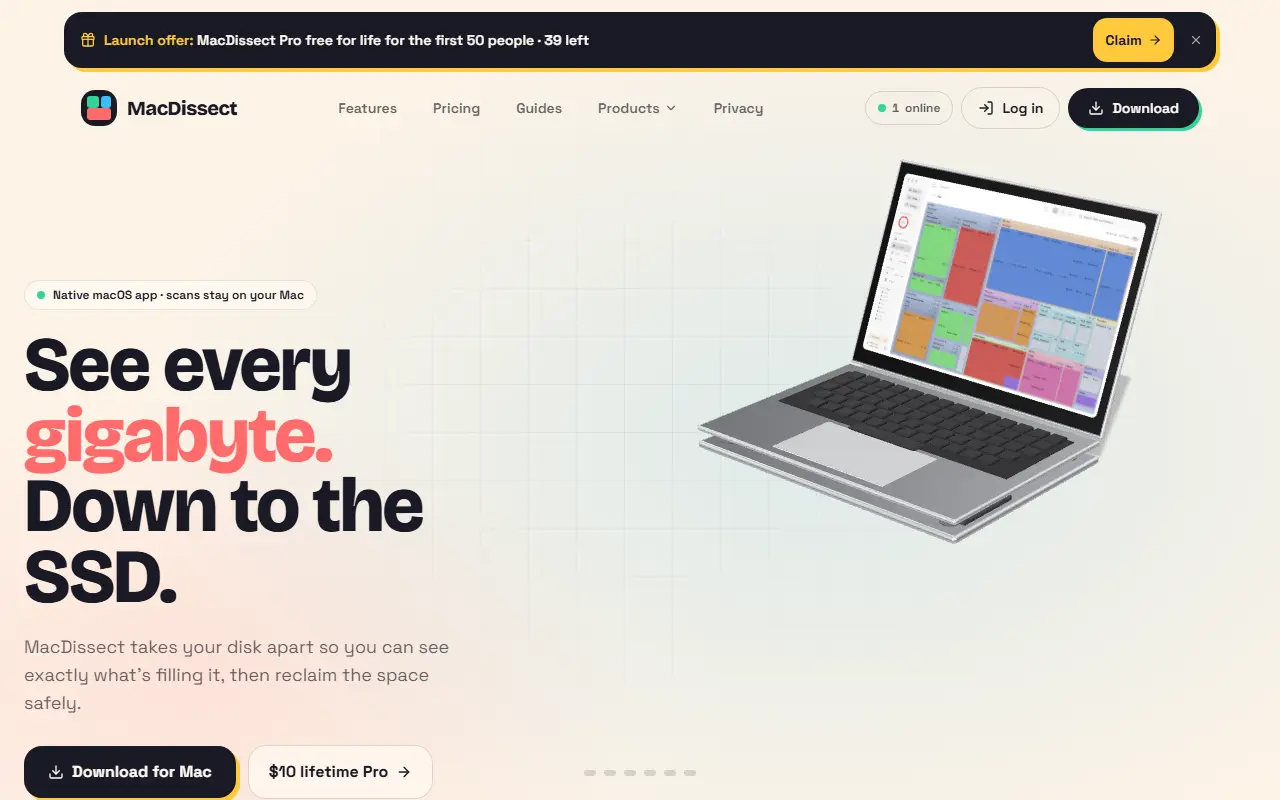
MacDissect shows what is filling a Mac's disk. You can scan your home folder, a chosen folder or the entire Mac, then flip between treemap, sunburst and list views, drilling into blocks with the keyboard, with protected folders flagged when sizes may be incomplete. Other views list the largest files above a chosen size, show free and used space with what changed since the last scan and display live CPU, memory, battery, network and disk activity.
Pro features include a History view that saves every scan as a summary and charts size over time, and Smart Cleanup, which recognizes 14 kinds of reclaimable data such as Xcode DerivedData, iOS simulators, Docker images, node_modules, package caches and build artifacts. A Select Regenerable option picks only data that rebuilds itself, items holding your own data are flagged for review and everything goes to the Trash so it can be restored.
The app is native to macOS and the vendor says scans stay on your Mac. It is offered as a download with a lifetime Pro upgrade for $10, and the site has guides and a privacy page. Seven views are reachable from the sidebar or keyboard shortcuts.
Key features
- Treemap, sunburst and folder list views
- Large file finder
- Comparison with the previous scan
- Scan history chart on Pro
- Smart Cleanup of 14 reclaimable data types
- Selection of regenerable data only
- Cleanup moves items to the Trash
- Live system stats
Good fit for
- Developers reclaiming space from Xcode and node_modules
- Finding what grows on a nearly full Mac
MacDissect: questions and answers
- What is MacDissect used for?
- MacDissect is a native Mac disk space analyzer with treemap and sunburst views, large file search and a safe cleanup tool for caches and build files. It is a good fit for developers reclaiming space from Xcode and node_modules, and finding what grows on a nearly full Mac.
- Is MacDissect free?
- Yes. MacDissect has a free plan, and paid plans start at $10 as a one-time payment.
- Is MacDissect open source?
- No. MacDissect is proprietary (closed-source) software. In the Productivity category, open-source options include Zen Browser, Stats and Rectangle.
- What are some alternatives to MacDissect?
- MacDissect competes with CleanMyMac, Diskbuddy and DeepCleanMac.
Open-source alternatives to MacDissect
See all
Zen Browser
Productivity
Welcome to a calmer internet
MPL-2.0vs Google Chrome★ 45k
Stats
Productivity
macOS system monitor in your menu bar
MIT★ 42k
Rectangle
Productivity
Move and resize windows on macOS with keyboard shortcuts and snap areas
OSSvs BetterTouchTool★ 30kUngoogled Chromium
Productivity
Google Chromium, sans integration with Google
BSD-3-Clausevs Google Chrome★ 28k
Brave Browser
Productivity
Brave browser for Android, iOS, Linux, macOS, Windows.
MPL-2.0vs Google Chrome★ 24k
Neko
Productivity
A self hosted virtual browser that runs in docker and uses WebRTC.
Apache-2.0★ 22k
SaaS alternatives to MacDissect
See all
CleanMyMac
Productivity
Mac cleanup and maintenance utility that removes junk files and unused apps
SaaS
Diskbuddy
Productivity
Drive scanner that shows disk usage in eight different views to find forgotten space
SaaS
DeepCleanMac
Productivity
Mac cleaner that removes junk files, caches and leftover apps with instant scanning
SaaS
FreeUpMyMac
Productivity
Mac app that scans storage, visualizes file usage and cleans up junk to reclaim space
SaaS
MacRevive
Productivity
Mac cleanup utility aimed at keeping your Mac running smoothly
SaaSCleanExtraSpace
Developer Tools
Native Mac app for developers that finds and purges Xcode, Android Gradle, npm and other build caches to reclaim…
SaaS