
About Layerize
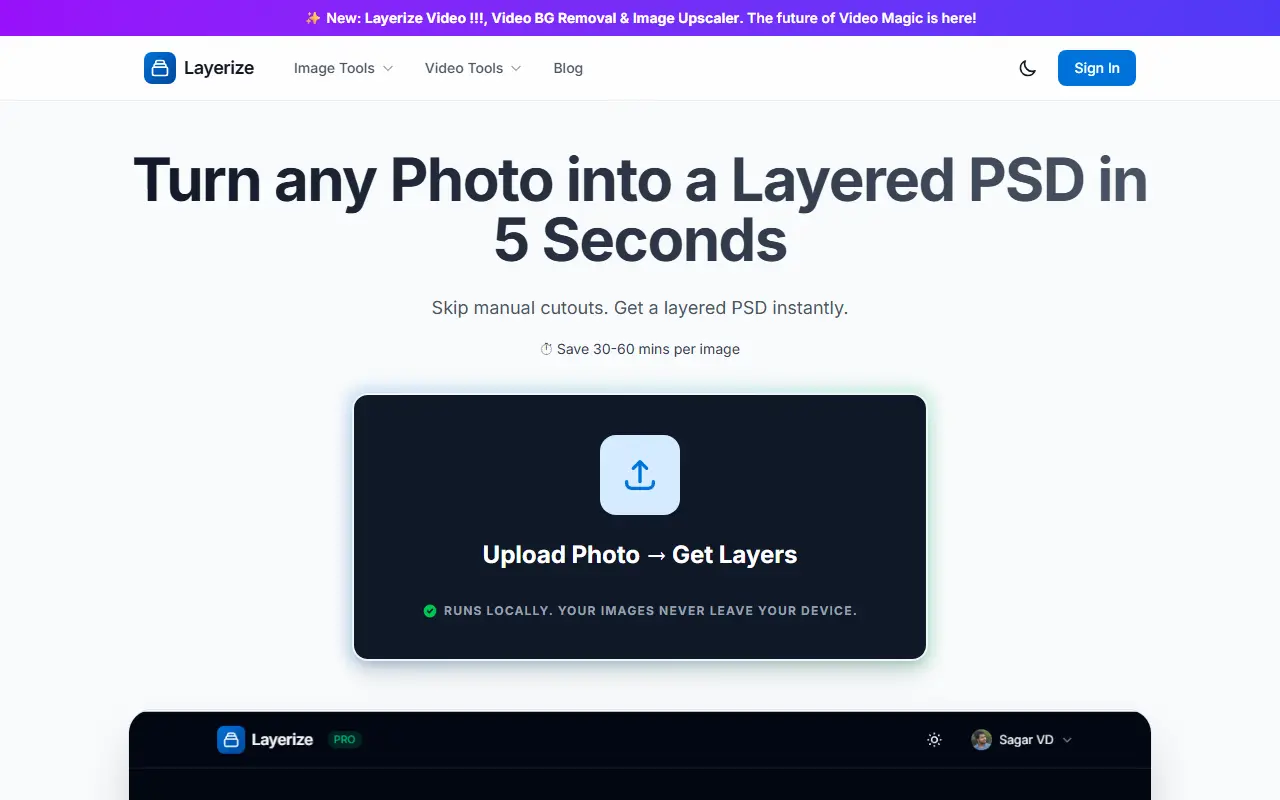
Layerize separates an image into foreground, midground and background layers based on estimated depth, and exports them as a layered Photoshop file or a ZIP of transparent PNGs. It uses the Depth Anything V2 model and a Rust WebAssembly post-processing step, runs in the browser with WebAssembly and WebGPU, and the site says nothing is uploaded to a server, so images and video frames stay on your device.
Beyond depth layering of up to 100 planes, it provides a Video Depth Layerizer that creates 2.5D parallax sequences with WebM export, SAM Magic Extract for click-to-cutout object selection with Meta's Segment Anything Model, background removal, prompt-based background replacement and an image enhancer. PSD output works with Photoshop, After Effects and Procreate.
Layerize is a web app with a free tier that splits images into 2 layers and exports full-resolution PSDs, while the paid Pro and Lifetime tiers lift the layer limit to 100 and add batch ZIP exports, SAM-based extraction and video depth layers. The site also includes a design blog and AppSumo license activation.
Key features
- Depth-based layer splitting up to 100 planes
- Layered PSD export for Photoshop and After Effects
- Transparent PNG ZIP export
- Video depth layers with WebM export
- SAM click-to-cutout extraction
- Background removal and AI background replacement
- On-device processing with WebGPU
Good fit for
- Designers creating 2.5D parallax visuals
- Editors needing separated layers without manual masking
Layerize: questions and answers
- What is Layerize used for?
- Layerize is a browser-based tool that splits photos and videos into depth layers using on-device AI and exports layered PSD, PNG ZIP or WebM files. It is a good fit for designers creating 2.5D parallax visuals and editors needing separated layers without manual masking.
- Is Layerize free?
- Yes. Layerize has a free plan, and paid plans start at $9.99.
- Is Layerize open source?
- No. Layerize is proprietary (closed-source) software and can't be self-hosted. In the Photos & Images category, open-source options include Darktable, RawTherapee and Immich.
- What are some alternatives to Layerize?
- Other SaaS products in the Photos & Images category include Any Erase, Clipdrop and Cutout.pro.
Open-source alternatives to Layerize
See all
Darktable
Photos & Images
darktable is an open source photography workflow application and raw developer
GPL-3.0vs Adobe Lightroom★ 13k
RawTherapee
Photos & Images
A powerful cross-platform raw photo processing program
GPL-3.0vs Adobe Lightroom★ 4.2k
Immich
Photos & Images
Self-hosted photo and video management solution. Easily back up, organize, and manage your
AGPL-3.0vs Google Photos★ 116k
PhotoPrism
Photos & Images
AI-powered, privacy-first, self-hosted app for browsing, organizing, and sharing photos an
OSSvs Google Photos★ 40k
Ente
Photos & Images
💚 End-to-end encrypted cloud for everything.
AGPL-3.0vs Google Photos★ 29k
LibrePhotos
Photos & Images
LibrePhotos is a self-hosted, open source photo management service. Faces, places, events
MITvs Google Photos★ 8.1k
SaaS alternatives to Layerize
See all
Any Erase
Photos & Images
On-device iPhone photo cleanup that removes objects, people and blemishes and swaps backgrounds
SaaS
Clipdrop
Photos & Images
AI image tools for background removal, upscaling and relighting
SaaS
Cutout.pro
Photos & Images
AI background removal and image enhancement tools
SaaS
PhotoPrompt
Photos & Images
AI photo editor that transforms and enhances images using natural language
SaaS
Pixelshot
Photos & Images
Generate product photos with AI by uploading a product photo and picking a template
SaaS
Remove.bg
Photos & Images
Automatic image background remover for photos and product shots
SaaS