
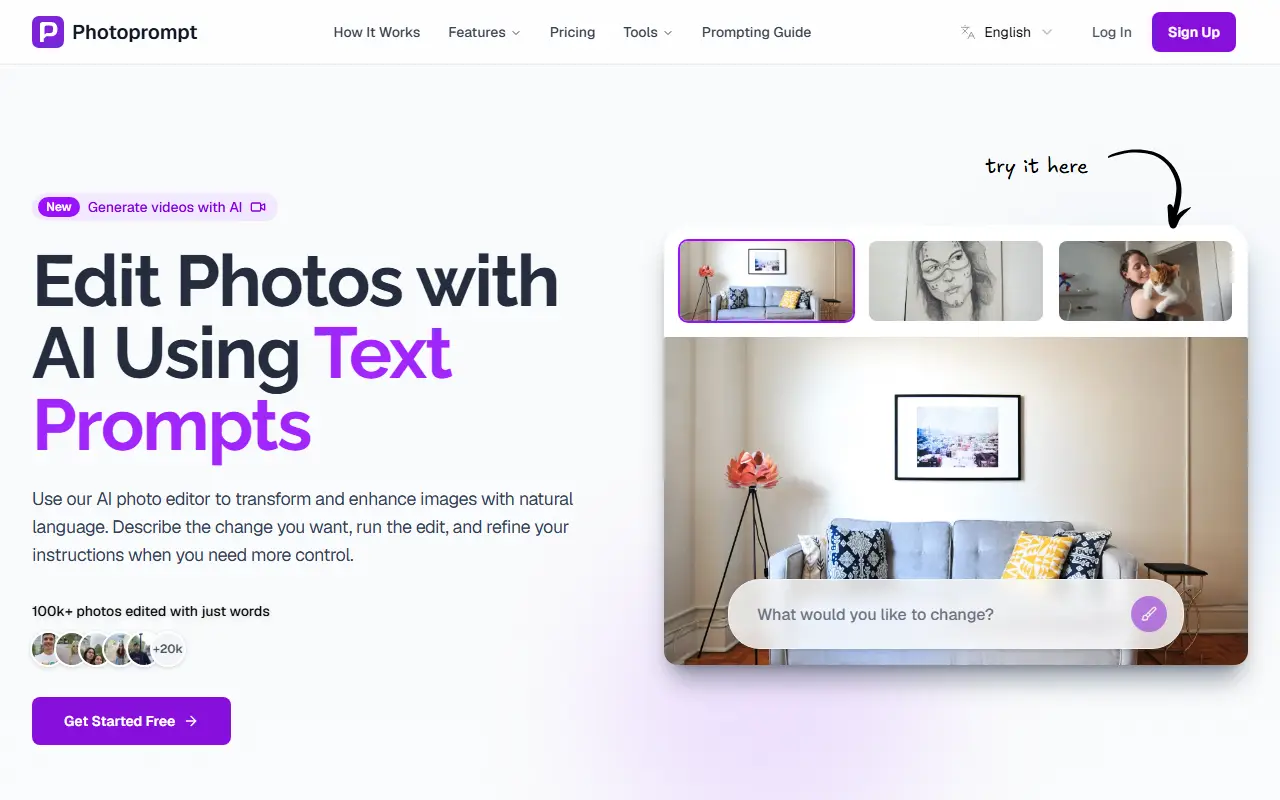
About PhotoPrompt
Photoprompt edits photos from text instructions. You upload an image, describe the change you want, and the AI applies it in seconds, with room to refine your wording for more control. Example edits include changing a picture's style to Pixar, adding color to a sketch or placing a lamp on a table in a living room photo.
It offers a library of styles such as Ghibli, anime, cyberpunk, watercolor, oil painting, pixel art, steampunk, Van Gogh and Tim Burton, plus tools for an AI clothes changer, background removal and replacement, watermark removal and artistic style transfer. A feature called Persona preserves your facial likeness across edits from a single uploaded photo so you can generate many variations that still look like you, and video generation has been added. Originals are preserved.
The editor is free to try, and paid plans are listed on a pricing page. The site also provides a prompting guide and a page for each art style with examples. Edits can be run again with refined wording until the result looks right.
Key features
- Text-prompt photo editing
- Style transfer to many art styles
- AI clothes changer
- Background removal and replacement
- Watermark removal from images
- Persona for consistent facial likeness
- Video generation from prompts
Good fit for
- Restyling a photo in an art style
- Swapping a background with a text prompt
- Making headshot variations of yourself
PhotoPrompt: questions and answers
- What is PhotoPrompt used for?
- Photoprompt is an online AI photo editor where you describe the change you want in plain language to restyle images, swap backgrounds or clean up distractions. It is a good fit for restyling a photo in an art style, swapping a background with a text prompt and making headshot variations of yourself.
- Is PhotoPrompt free?
- Yes. PhotoPrompt has a free plan. Free with 10 credits a month. Paid credit packs are one-time purchases with no subscription: $5.99 for 30 credits, $19.99 for 150 and $59.99 for 600.
- Is PhotoPrompt open source?
- No. PhotoPrompt is proprietary (closed-source) software and can't be self-hosted. In the Photos & Images category, open-source options include Darktable, RawTherapee and Immich.
- What are some alternatives to PhotoPrompt?
- PhotoPrompt competes with Adobe Firefly, Clipdrop and Photoroom.
Open-source alternatives to PhotoPrompt
See all
Darktable
Photos & Images
darktable is an open source photography workflow application and raw developer
GPL-3.0vs Adobe Lightroom★ 13k
RawTherapee
Photos & Images
A powerful cross-platform raw photo processing program
GPL-3.0vs Adobe Lightroom★ 4.2k
Immich
Photos & Images
Self-hosted photo and video management solution. Easily back up, organize, and manage your
AGPL-3.0vs Google Photos★ 116k
PhotoPrism
Photos & Images
AI-powered, privacy-first, self-hosted app for browsing, organizing, and sharing photos an
OSSvs Google Photos★ 40k
Ente
Photos & Images
💚 End-to-end encrypted cloud for everything.
AGPL-3.0vs Google Photos★ 29k
LibrePhotos
Photos & Images
LibrePhotos is a self-hosted, open source photo management service. Faces, places, events
MITvs Google Photos★ 8.1k
SaaS alternatives to PhotoPrompt
See all
Adobe Firefly
AI Tools
Adobe's generative AI for images, video, audio and vectors, built into Creative Cloud
SaaS
Clipdrop
Photos & Images
AI image tools for background removal, upscaling and relighting
SaaS
Photoroom
AI Tools
Product photo editor with AI background removal, scenes and batch editing
SaaS
Fotor
Photos & Images
Online photo editor and graphic design maker
SaaS
Picsart
Design
Mobile and web photo, video and design editor
SaaS
EditAI
Photos & Images
Photo editing app that applies edits from natural-language prompts
SaaS