About kmon
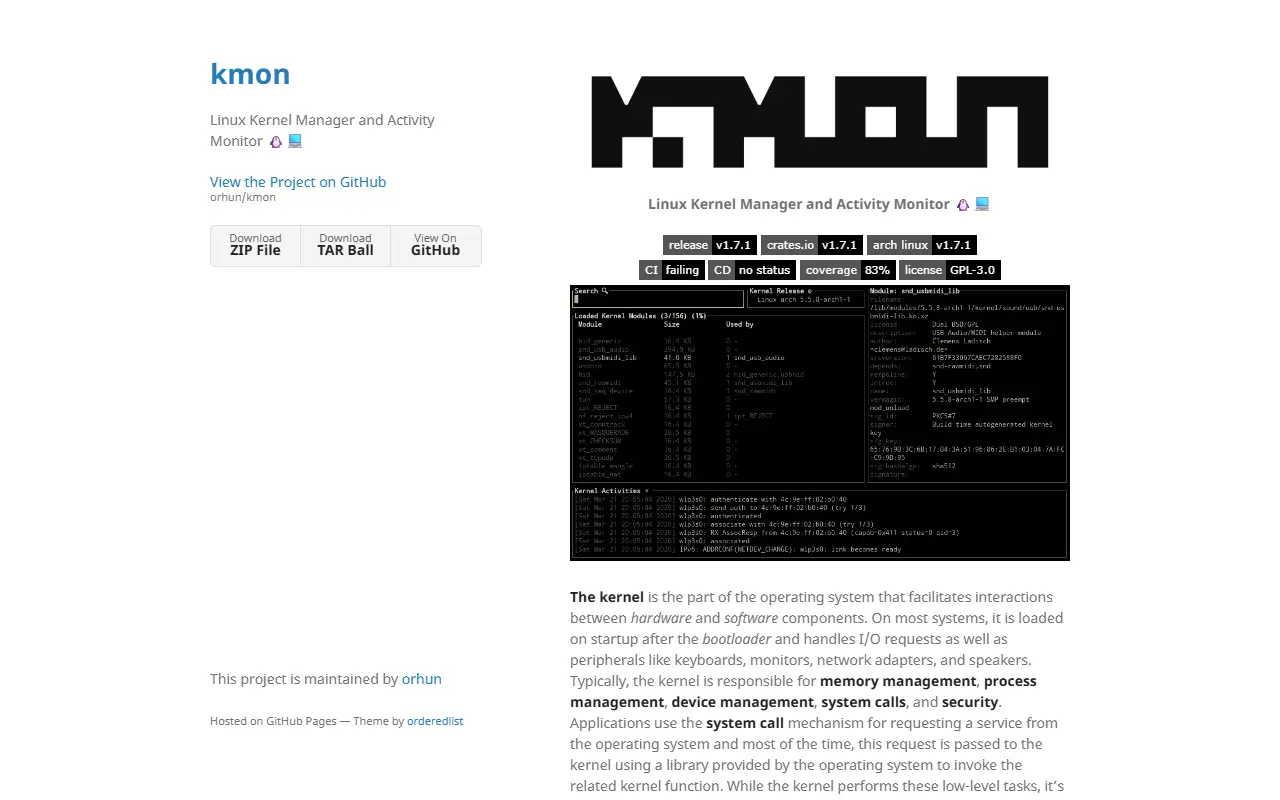
Kmon is a Linux kernel manager and activity monitor with a terminal user interface. It gives system administrators and developers a convenient view of what the kernel is doing, including loaded modules, kernel information, and logged activities, without piecing together output from several separate commands. It is written in Rust and released under the GPL-3.0 license.
The kernel is the part of the operating system that mediates between hardware and software, handling memory, processes, devices, and system calls. Kmon provides an interactive way to inspect this layer and to manage modules from the same screen, using keyboard navigation inside the terminal. Its topics highlight kernel modules, kernel information, kernel activities, and monitoring.
Because it is a command-line tool, it installs on a Linux machine and needs no server or account. It suits Linux enthusiasts, kernel and driver developers, and sysadmins who prefer terminal tools and want a quick way to inspect or troubleshoot kernel modules and messages.
Key features
- Terminal interface for kernel management
- List and inspect loaded kernel modules
- Load and unload modules from the interface
- Kernel activity and log viewing
- Kernel version and system information
- Written in Rust
Good fit for
- →Troubleshooting kernel modules and drivers
- →Monitoring kernel activity on Linux machines
- Built with
- Rust
- Tags
- linux
- kernel
- tui
- monitoring
- rust
- kernel-modules
- cli
- sysadmin
kmon: questions and answers
- What is kmon used for?
- kmon is a terminal user interface for managing Linux kernel modules and watching kernel activity, written in Rust. It is a good fit for troubleshooting kernel modules and drivers, and monitoring kernel activity on Linux machines.
- Is kmon open source?
- Yes. kmon is open source under the GPL-3.0 licence. Its source code is on GitHub at orhun/kmon and is written mainly in Rust.
- Is kmon free?
- Yes. kmon is open source, so the software itself is free to use.
- What are some alternatives to kmon?
- Similar open-source tools in the Monitoring & Observability category include Bottom, Sysstat and Nvitop. SaaS products in the same category include Amazon CloudWatch, AppDynamics and AppSignal.
- Is kmon actively maintained?
- Yes. The most recent commit to kmon was on 21 September 2026, and the latest release is v1.7.1, published on 15 December 2024. The project has 3k stars on GitHub.
Open-source alternatives to kmon
See allBottom
Monitoring & Observability
Yet another cross-platform graphical process/system monitor.
MIT★ 14kSysstat
Monitoring & Observability
Performance monitoring tools for Linux
GPL-2.0★ 3.4kNvitop
Monitoring & Observability
An interactive NVIDIA-GPU process viewer and beyond, the one-stop solution for GPU process
Apache-2.0★ 7.2ks-tui
Monitoring & Observability
Terminal-based CPU stress and monitoring utility
GPL-2.0★ 5.1k
ctop
Monitoring & Observability
Top-like interface for container metrics
MIT★ 18kGlances
Monitoring & Observability
Glances an Eye on your system. A top/htop alternative for GNU/Linux, BSD, macOS and Window
OSS★ 34k
SaaS alternatives to kmon
See all
Amazon CloudWatch
Monitoring & Observability
AWS service for metrics, logs, alarms and dashboards
SaaS
AppDynamics
Monitoring & Observability
Cisco application performance monitoring that maps technical metrics to business impact
SaaS
AppSignal
Monitoring & Observability
Application monitoring for Ruby, Elixir, Node.js and Python with errors and metrics
SaaS
Atlassian Statuspage
Monitoring & Observability
Hosted status page and incident communication tool from Atlassian
SaaS
Axiom
Monitoring & Observability
Cloud service for ingesting, storing and querying logs, traces and event data
SaaS
Azure Monitor
Monitoring & Observability
Azure service for collecting and analyzing metrics, logs and traces
SaaS