 TrackMedia
 TrackRev

About Jumpshare
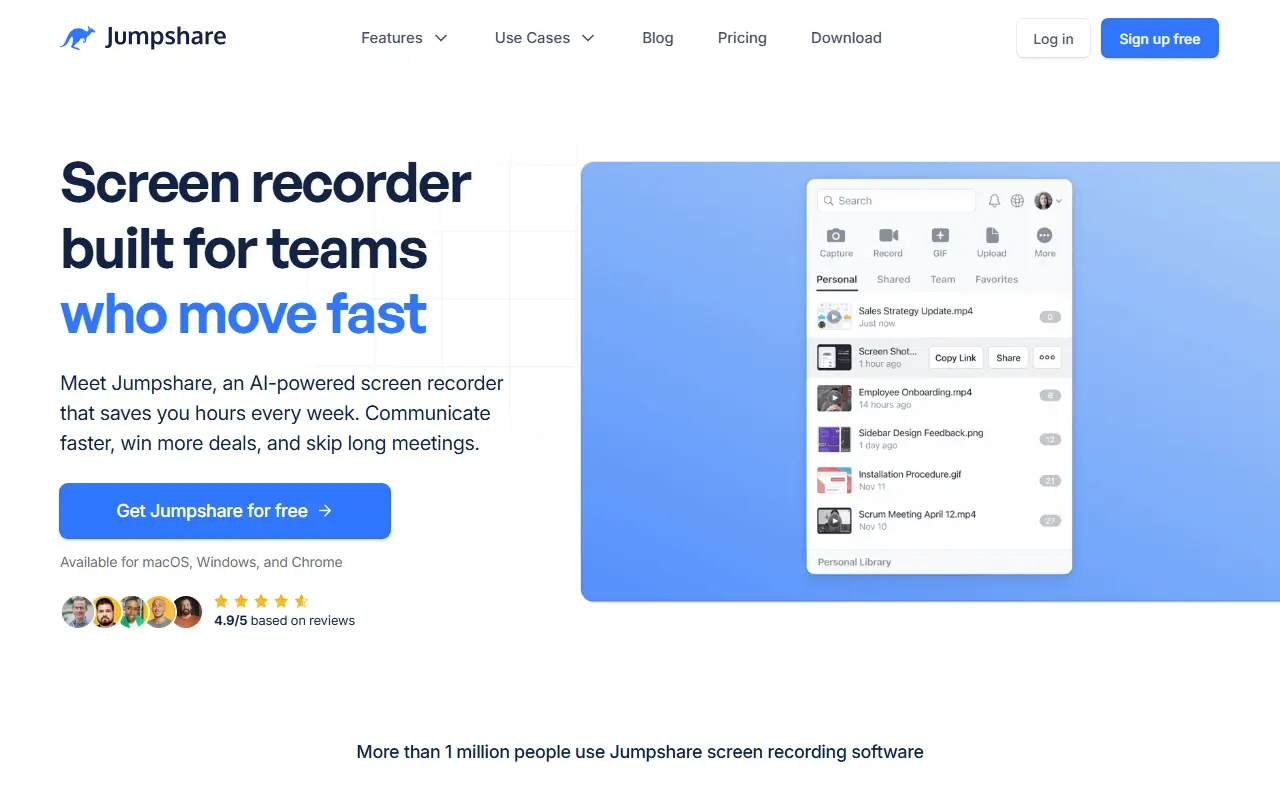
Jumpshare records the screen, a webcam, or both, with audio and live drawings. It is available for macOS, Windows and Chrome, and videos can be shared with a link or embedded elsewhere. Recording options include full screen, an area or a window, plus teleprompter, blur and confetti tools.
Editing happens where you record: videos can be trimmed, split and joined. Shared videos can carry a call-to-action button, a custom thumbnail, a branded player and view analytics covering views, clicks and engagement. Screenshot and GIF capture are built in, with annotation and redaction.
The Business plan adds Jumpshare AI, which names, transcribes, summarizes and splits each recording into chapters, and can turn recordings into SOPs, tasks and team updates. Captions and transcriptions are offered in more than 50 languages.
Key features
- Record screen, webcam or both with drawings
- Trim, split and join videos in the recorder
- Clickable call-to-action button on videos
- Video analytics for views and clicks
- Automatic titles, transcripts, summaries and chapters
- Captions in 50+ languages
- Custom logo and brand colors in the player
Good fit for
- Sales outreach videos
- Bug reports with annotated screenshots
- Customer support walkthroughs
- Turning recordings into SOPs
Jumpshare: questions and answers
- What is Jumpshare used for?
- Jumpshare is a screen recorder for macOS, Windows and Chrome that also captures screenshots and GIFs and adds AI titles, summaries and transcripts. It is a good fit for sales outreach videos, bug reports with annotated screenshots and customer support walkthroughs.
- Is Jumpshare open source?
- No. Jumpshare is proprietary (closed-source) software. In the Productivity category, open-source options include Macro, Stirling PDF and PowerToys.
- What are some alternatives to Jumpshare?
- Jumpshare competes with MediaFire.
Open-source alternatives to Jumpshare
See all
Macro
Productivity
Macro is a unified workspace for teams: email, chat, docs, tasks, agents, calls, and CRM —
AGPL-3.0vs Slack★ 6.3k
Stirling PDF
Productivity
A free, private PDF editor you can run on any infrastructure.
OSSvs Adobe Acrobat★ 96k
PowerToys
Productivity
Microsoft PowerToys is a collection of utilities that supercharge productivity and customi
MITvs Alfred★ 141k
Obtainium
Productivity
Get Android app updates straight from the source.
GPL-3.0★ 21k
Yuvomi
Productivity
Self-hosted family planner - tasks, calendars, shopping, meals, budget. Your data, your se
MIT★ 2.3k
Trek
Productivity
A self-hosted travel/trip planner with real-time collaboration, interactive maps, PWA supp
AGPL-3.0★ 16k
SaaS alternatives to Jumpshare
See all
MediaFire
File Storage & Sharing
Ad-supported file hosting and sharing with free and paid storage plans
SaaSCaptriq
Productivity
Captures and organizes full-page website screenshots with OCR text search, PDF export and team workspaces
SaaS
CleanShot X
Productivity
Mac screenshot and screen recording utility with annotation and cloud sharing
SaaS
DeskUtils
Productivity
macOS menu bar app with clipboard history, screenshots, OCR, color picker and display controls
SaaS
Droplr
Productivity
Screenshot, screen recording and file sharing tool with instant links for teams
SaaS
Highlite
Productivity
Browser extension for annotating any webpage with highlights, sticky notes, drawings and arrows
SaaS