
About DeskUtils
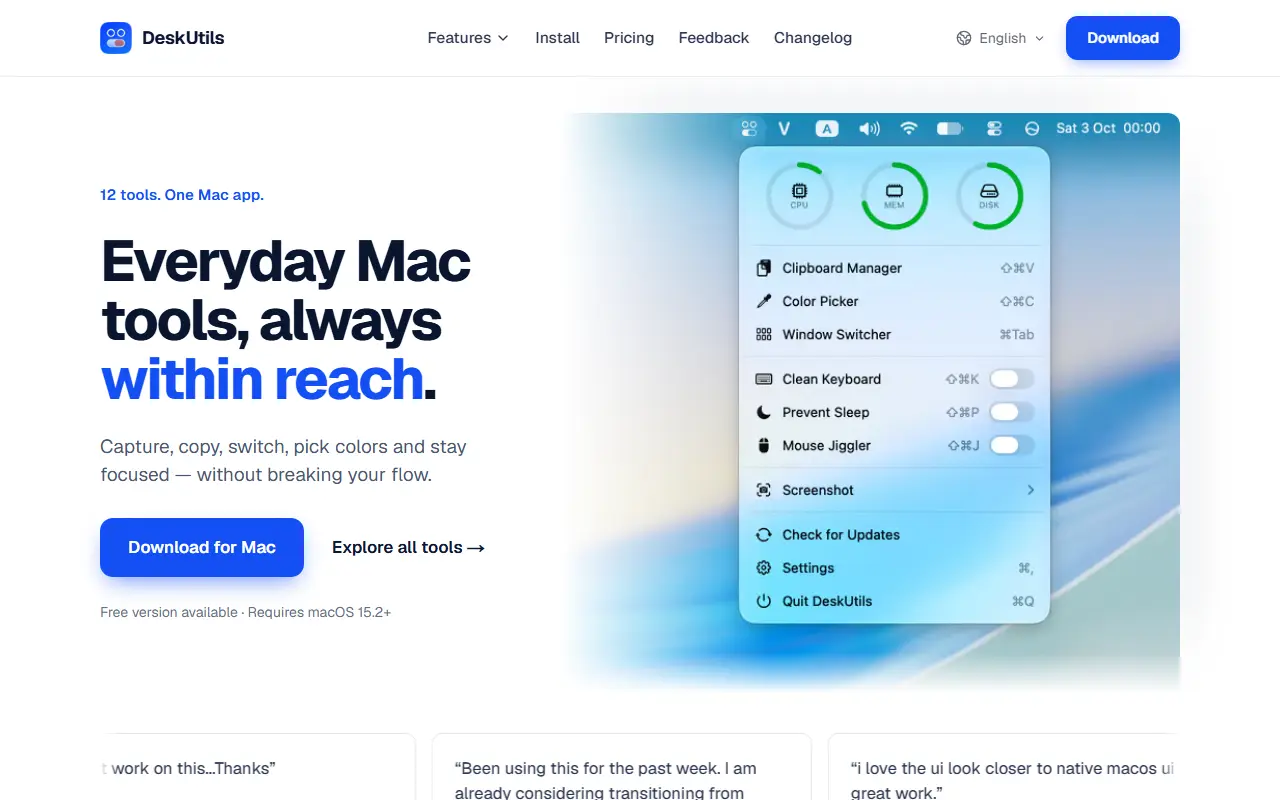
DeskUtils is a native macOS menu bar app that bundles a dozen everyday utilities in one place. Its core is a clipboard manager that lets you search, pin and preview copied text, images and files, alongside screenshot tools that capture an area, a window or a scrolling page and then annotate or blur parts of the image.
Other tools include Quick Ring, which opens eight quick actions when you press the Command key twice; Capture Text, which copies text from anything on screen and reads QR codes; a color picker that copies any pixel as HEX, RGB or HSL; and a window switcher that previews windows from the Dock. Display dimming and other menu bar controls are also included. The app is localized into several languages. DeskUtils is a commercial Mac app with a free version available, and it requires macOS 15.2 or later. It suits Mac users who want to replace several single-purpose utilities with one app.
Key features
- Searchable clipboard history with pinning
- Area, window and scrolling screenshots
- Annotate and blur captured images
- OCR text capture and QR code reading
- Color picker with HEX, RGB and HSL
- Window switcher with Dock previews
- Display dimming controls
Good fit for
- →Replacing separate clipboard and screenshot utilities
- →Copying text out of images and videos
- Tags
- macos
- menu-bar
- clipboard-manager
- screenshots
- ocr
- color-picker
- utilities
DeskUtils: questions and answers
- What is DeskUtils used for?
- DeskUtils is a native macOS menu bar app with a clipboard manager, screenshot and annotation tools, OCR, color picker, window switcher and display dimming. It is a good fit for replacing separate clipboard and screenshot utilities, and copying text out of images and videos.
- Is DeskUtils free?
- Yes. DeskUtils has a free plan, and paid plans start at $7.99 as a one-time payment.
- Is DeskUtils open source?
- No. DeskUtils is proprietary (closed-source) software. In the Productivity category, open-source options include Stats, Maccy and Rectangle.
- What are some alternatives to DeskUtils?
- DeskUtils competes with Paste, CleanShot X and Raycast.
Open-source alternatives to DeskUtils
See all
Stats
Productivity
macOS system monitor in your menu bar
MIT★ 42k
Maccy
Productivity
Lightweight clipboard manager for macOS
MITvs Paste★ 22k
Rectangle
Productivity
Move and resize windows on macOS with keyboard shortcuts and snap areas
OSSvs BetterTouchTool★ 30k
BetterShot
Productivity
Screenshot, screen recording, and video editor for macOS. Native SwiftUI app with capture
OSSvs CleanShot X★ 2.4k
Ice
Productivity
Powerful menu bar manager for macOS
GPL-3.0vs Bartender★ 30k
PowerToys
Productivity
Microsoft PowerToys is a collection of utilities that supercharge productivity and customi
MITvs Alfred★ 139k
SaaS alternatives to DeskUtils
See all
Paste
Productivity
Clipboard manager for Mac and iOS with a searchable history
SaaS
CleanShot X
Productivity
Mac screenshot and screen recording utility with annotation and cloud sharing
SaaS
Raycast
Productivity
Launcher for macOS and Windows with extensions, snippets and an AI assistant
SaaS
Alfred
Productivity
macOS launcher with workflows, clipboard history and snippets
SaaS
PopClip
Productivity
macOS utility that shows an action bar when you select text
SaaS
Cliptop
Productivity
Local-first clipboard manager for Mac, iPhone and iPad with search, previews and pinboards
SaaS