
About FolderManifest
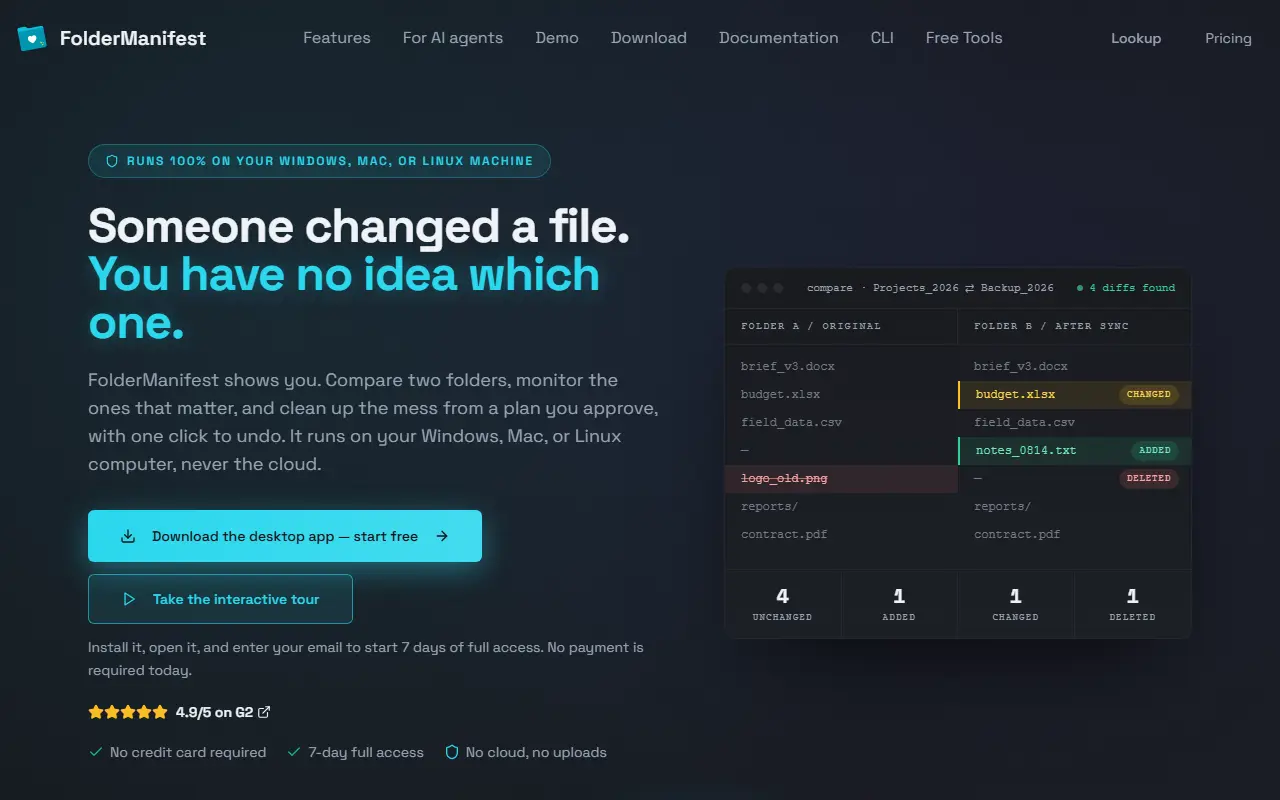
FolderManifest answers the question of which file changed. It compares two folders and lists every added, removed and changed file, which suits checking a backup against the original or one version of a project against another. Everything runs on your own Windows, Mac or Linux computer, with no cloud and no uploads, and the site says nothing is changed without your approval.
A folder monitor sits in the tray, logs every add, edit and delete even when the window is closed, keeps a running history that can be exported to CSV and sends notifications. A duplicate finder cleans up copies, a verification feature checks backups and changes, and Auto Organize drafts a cleanup plan you can review and edit before anything moves, with every move journaled and one click to undo it all. Change reports can be kept as HTML history, and there is a command-line tool and a section aimed at AI agents. The app is a download with 7 days of full access, no payment needed at the start, and free web tools are available for quick jobs. A pricing page covers the paid plans.
Key features
- Two-folder comparison of added, removed and changed files
- Tray folder monitor with change log and CSV export
- Duplicate file finder
- Backup and change verification
- Auto Organize from reviewable plans with undo
- HTML change reports
- Command-line tool for automation
Good fit for
- Checking a backup folder against its original
- Cleaning a Downloads folder with a reviewable plan
FolderManifest: questions and answers
- What is FolderManifest used for?
- FolderManifest is a local-first desktop app for Windows, Mac and Linux that compares folders, finds duplicates, monitors changes, verifies backups and organizes files from plans you approve. It is a good fit for checking a backup folder against its original and cleaning a Downloads folder with a reviewable plan.
- How much does FolderManifest cost?
- Paid plans for FolderManifest start at $7 per seat per month, and there is no free plan. A free trial is available.
- Is FolderManifest open source?
- No. FolderManifest is proprietary (closed-source) software. In the File Storage & Sharing category, open-source options include Spacedrive, ProjectSend and LocalSend.
- Can I self-host FolderManifest?
- Yes. Although FolderManifest is closed source, it can be self-hosted on your own servers.
- What are some alternatives to FolderManifest?
- FolderManifest competes with Beyond Compare.
Open-source alternatives to FolderManifest
See all
Spacedrive
File Storage & Sharing
Spacedrive is an open source cross-platform file explorer, powered by a virtual distribute
OSS★ 39k
ProjectSend
File Storage & Sharing
Share files with your clients, from your own server. Free, open source (GPLv2), self-hoste
GPL-2.0vs ShareFile★ 2k
LocalSend
File Storage & Sharing
LocalSend is a free, open-source, cross-platform file sharing tool that allows you to shar
Apache-2.0vs Send Anywhere★ 93k
Syncthing
File Storage & Sharing
Open Source Continuous File Synchronization
MPL-2.0vs Dropbox★ 89k
Paperless-ngx
File Storage & Sharing
A community-supported supercharged document management system: scan, index and archive all
GPL-3.0vs Evernote★ 46k
qBittorrent
File Storage & Sharing
qBittorrent BitTorrent client
OSS★ 41k
SaaS alternatives to FolderManifest
See all
Beyond Compare
Developer Tools
File and folder comparison and merge tool for Windows, Mac and Linux
SaaS
Acronis Cyber Protect
File Storage & Sharing
Backup, disaster recovery and endpoint protection combined in one agent
SaaS
Akamai Object Storage
File Storage & Sharing
S3-compatible object storage on Akamai Cloud, formerly Linode Object Storage
SaaS
Amazon EFS
File Storage & Sharing
Managed elastic NFS file system for AWS compute services
SaaS
AnDocs
File Storage & Sharing
Share PDFs through controlled links and track opens, read depth, time per page and CTA clicks
SaaS
AnySend
File Storage & Sharing
Browser-based peer-to-peer file transfer with no account, install or server upload
SaaS