
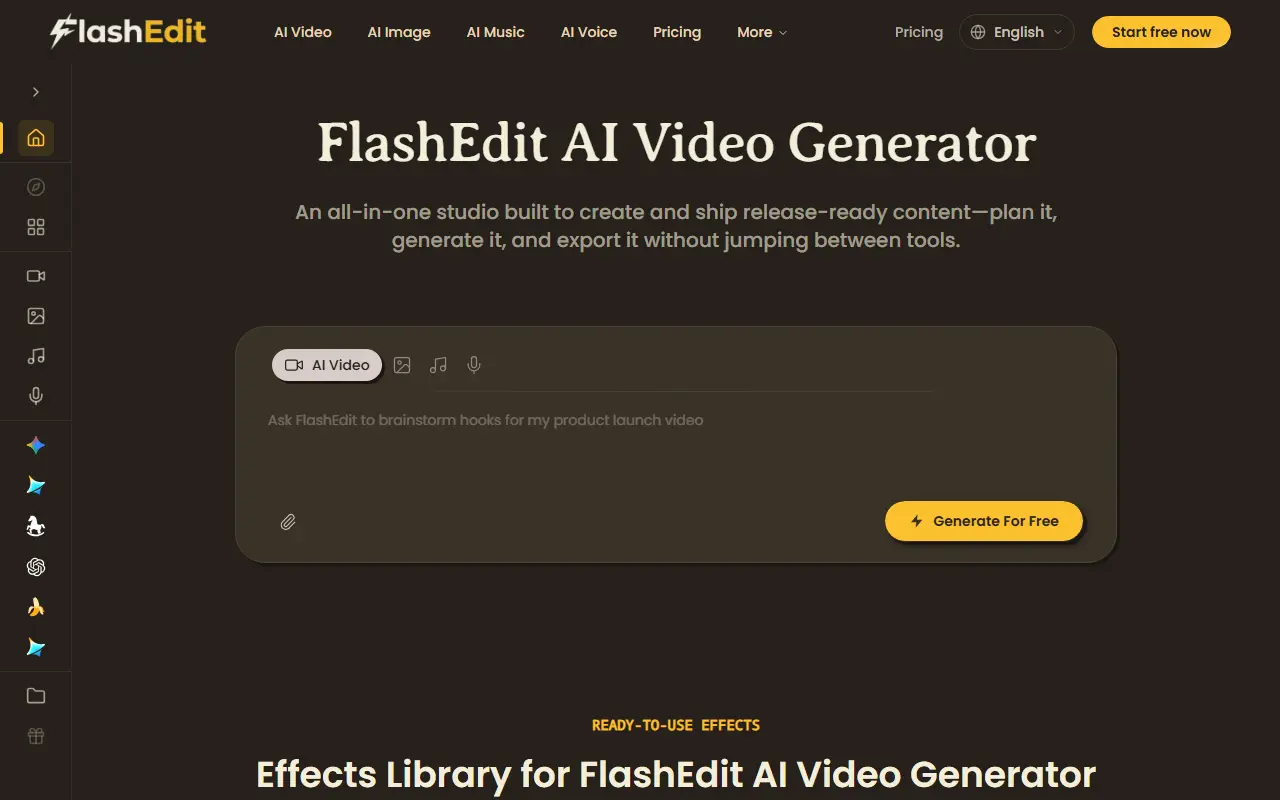
About FlashEdit AI
FlashEdit AI is a web studio for producing content across four media: AI video, image, music and voice. The workflow has four steps: start with a prompt or an uploaded image and choose style, format and duration, generate variations and iterate, enhance with voiceover, background music and captions, then export for TikTok, Reels, Shorts or ads. Assets stay in a project library so they can be reused and swapped.
Editing tools include upscaling, unblurring, background removal and extending a shot, and an effects library offers cinematic motion, UGC realism and clean commercial looks that can be applied and varied. The platform lists several models for video and images, such as Seedance, GPT Image, Nano Banana and Seedream, so the model can be chosen per job, and the site names uses like script-to-video, explainer videos, ads and promos. The site invites visitors to start free, with pricing on a separate page. Its image generator and editor features sit alongside the video tools.
Key features
- AI video, image, music and voice generation
- Prompt or image input with style and duration
- Voiceover, music and captions
- Upscale, unblur and background removal
- Effects library for video and images
- Export for TikTok, Reels and Shorts
- Reusable asset library per project
Good fit for
- Making short promo videos from a script
- Editing and upscaling images with AI
FlashEdit AI: questions and answers
- What is FlashEdit AI used for?
- FlashEdit AI is a browser studio for generating and editing AI video, images, music and voice, with effects, model choice, upscaling, background removal and export for social platforms. It is a good fit for making short promo videos from a script, and editing and upscaling images with AI.
- How much does FlashEdit AI cost?
- Paid plans for FlashEdit AI start at $9.90 per month, and there is no free plan.
- Is FlashEdit AI open source?
- No. FlashEdit AI is proprietary (closed-source) software and can't be self-hosted. In the Photos & Images category, open-source options include Darktable, RawTherapee and Immich.
- What are some alternatives to FlashEdit AI?
- FlashEdit AI competes with Photoroom, Remove.bg and Clipdrop.
Open-source alternatives to FlashEdit AI
See all
Darktable
Photos & Images
darktable is an open source photography workflow application and raw developer
GPL-3.0vs Adobe Lightroom★ 13k
RawTherapee
Photos & Images
A powerful cross-platform raw photo processing program
GPL-3.0vs Adobe Lightroom★ 4.2k
Immich
Photos & Images
Self-hosted photo and video management solution. Easily back up, organize, and manage your
AGPL-3.0vs Google Photos★ 116k
PhotoPrism
Photos & Images
AI-powered, privacy-first, self-hosted app for browsing, organizing, and sharing photos an
OSSvs Google Photos★ 40k
Ente
Photos & Images
💚 End-to-end encrypted cloud for everything.
AGPL-3.0vs Google Photos★ 29k
LibrePhotos
Photos & Images
LibrePhotos is a self-hosted, open source photo management service. Faces, places, events
MITvs Google Photos★ 8.1k
SaaS alternatives to FlashEdit AI
See all
Photoroom
AI Tools
Product photo editor with AI background removal, scenes and batch editing
SaaS
Remove.bg
Photos & Images
Automatic image background remover for photos and product shots
SaaS
Clipdrop
Photos & Images
AI image tools for background removal, upscaling and relighting
SaaS
Cutout.pro
Photos & Images
AI background removal and image enhancement tools
SaaS
Fotor
Photos & Images
Online photo editor and graphic design maker
SaaS
Pix-RemoveBG
Photos & Images
Mobile app that removes backgrounds from photos of people and products in seconds
SaaS