
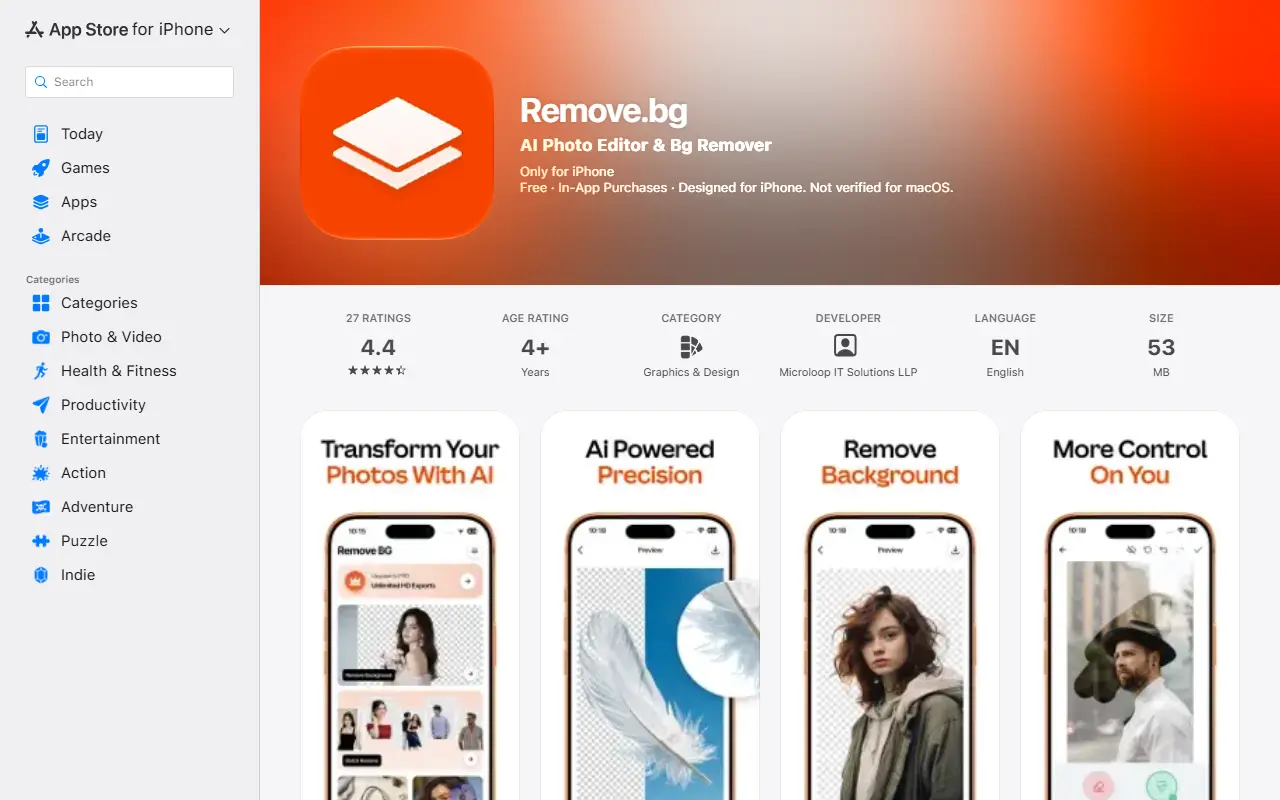
About Pix-RemoveBG
Pix-RemoveBG removes the background from a photo automatically and lets you save the cutout as a PNG with a transparent background, useful for logos and product photos. You can then replace the background with an AI-generated design such as nature, abstract, studio backdrops or gradients, or import your own image from the gallery.
Manual tools allow refining edges, erasing or restoring regions and tweaking details, and effects include blur, color changes, shadows, outlines and adjustments for brightness, contrast and saturation. Final edits can be saved in high resolution, and the listing also mentions erasing objects and unwanted details.
The app targets social media creators, online sellers, designers and everyday users. It runs on iPhone and offers free and premium options, with in-app purchases. Popular features named in the listing include an AI background remover, an object eraser, a PNG maker and background replacement.
Key features
- Automatic AI background removal
- Transparent PNG export
- AI-generated background themes
- Custom background uploads
- Manual erase and restore tools
- Blur, shadow and outline effects
- Saving edits in high resolution
Good fit for
- Cutting out product photos for listings
- Making transparent PNG logos
- Swapping a photo background with an AI scene
Pix-RemoveBG: questions and answers
- What is Pix-RemoveBG used for?
- Pix-RemoveBG is a mobile app that removes photo backgrounds with AI, exports transparent PNGs and replaces backgrounds with AI scenes or your own images. It is a good fit for cutting out product photos for listings, making transparent PNG logos and swapping a photo background with an AI scene.
- Is Pix-RemoveBG free?
- Yes. Pix-RemoveBG has a free plan.
- Is Pix-RemoveBG open source?
- No. Pix-RemoveBG is proprietary (closed-source) software. In the Photos & Images category, open-source options include PhotoPrism, Darktable and RawTherapee.
- What are some alternatives to Pix-RemoveBG?
- Pix-RemoveBG competes with Remove.bg, Photoroom and Clipdrop.
Open-source alternatives to Pix-RemoveBG
See all
PhotoPrism
Photos & Images
AI-powered, privacy-first, self-hosted app for browsing, organizing, and sharing photos an
OSSvs Google Photos★ 40k
Darktable
Photos & Images
darktable is an open source photography workflow application and raw developer
GPL-3.0vs Adobe Lightroom★ 13k
RawTherapee
Photos & Images
A powerful cross-platform raw photo processing program
GPL-3.0vs Adobe Lightroom★ 4.2k
Lynavo Drive
Photos & Images
LynavoDrive (Lynavo Drive) by Lynavo - an open-source alternative to iCloud and Google Pho
AGPL-3.0vs Google Photos★ 530
Immich
Photos & Images
Self-hosted photo and video management solution. Easily back up, organize, and manage your
AGPL-3.0vs Google Photos★ 116k
Ente
Photos & Images
💚 End-to-end encrypted cloud for everything.
AGPL-3.0vs Google Photos★ 29k
SaaS alternatives to Pix-RemoveBG
See all
Remove.bg
Photos & Images
Automatic image background remover for photos and product shots
SaaS
Photoroom
AI Tools
Product photo editor with AI background removal, scenes and batch editing
SaaS
Clipdrop
Photos & Images
AI image tools for background removal, upscaling and relighting
SaaS
Cutout.pro
Photos & Images
AI background removal and image enhancement tools
SaaS
Fotor
Photos & Images
Online photo editor and graphic design maker
SaaS
Pixlr
Photos & Images
Browser and mobile photo editor with AI tools
SaaS