
About Feedvault
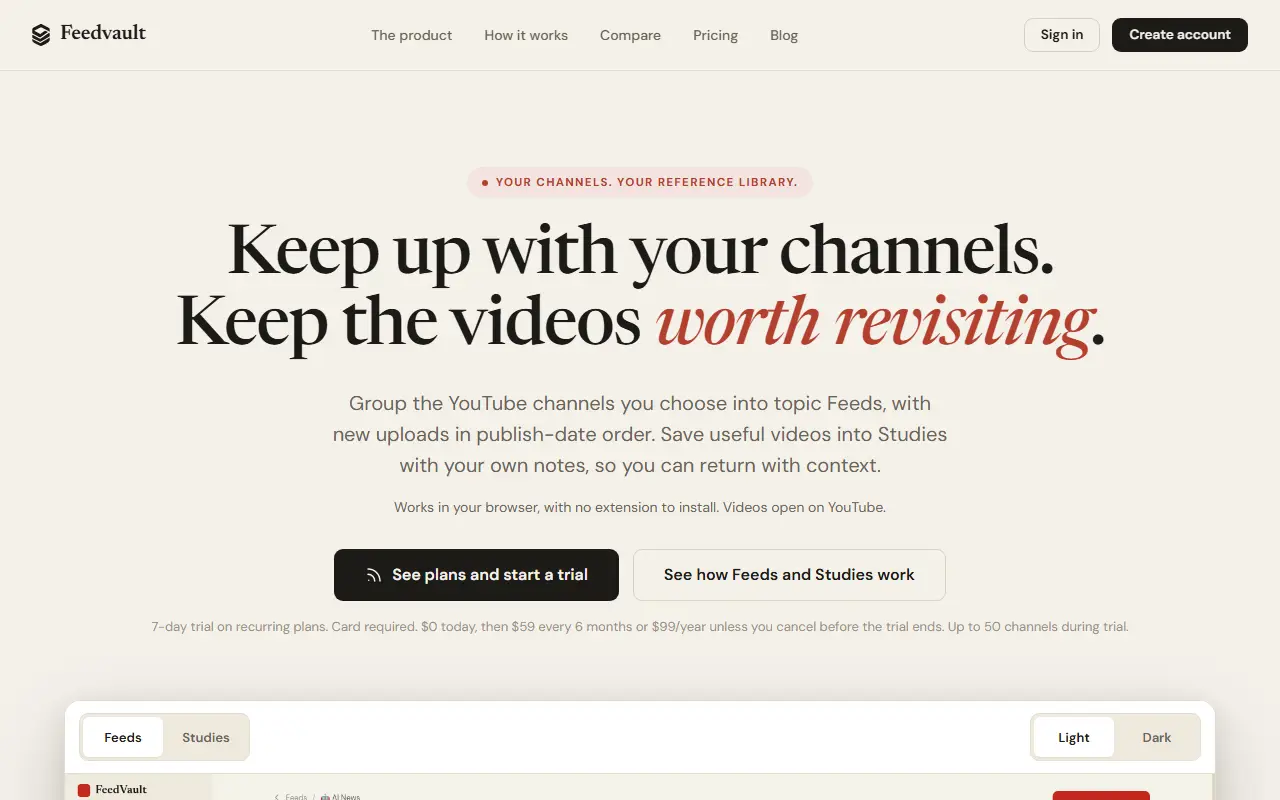
Feedvault is a separate website, not a browser extension, for following YouTube channels without the recommendation algorithm. You group the channels you choose into topic Feeds, and new uploads show up sorted by publish date, with nothing recommended in between. Likely Shorts are filtered by duration and aspect ratio, and the site notes that because YouTube has no native Shorts label here, the filter may miss some.
Studies are a notebook for videos worth keeping. You save a video by URL or straight from a Feed, add a free-text note about why it matters, set watch-later, important or viewed flags, and sort them by topic with an emoji icon. Timestamps can be typed into a note but are not captured automatically. Videos open on YouTube, and the site works in desktop and mobile browsers.
Plans are recurring subscriptions with a 7-day trial that requires a card: $59 every 6 months or $99 a year unless cancelled before the trial ends, with up to 50 channels during the trial. The site includes a comparison page and a blog.
Key features
- Topic Feeds of chosen channels in publish-date order
- No recommendations inserted between uploads
- Likely Shorts filtered by duration and aspect ratio
- Studies for saving videos with free-text notes
- Watch-later, important and viewed flags
- Works in desktop and mobile browsers
Good fit for
- Following learning channels without distractions
- Keeping tutorials and talks with notes for later
Feedvault: questions and answers
- What is Feedvault used for?
- Feedvault is a browser-based YouTube workspace that groups chosen channels into newest-first topic feeds with likely Shorts filtered out, and saves videos with your own notes. It is a good fit for following learning channels without distractions, and keeping tutorials and talks with notes for later.
- How much does Feedvault cost?
- Paid plans for Feedvault start at $9.83 per month, and there is no free plan. A free trial is available.
- Is Feedvault open source?
- No. Feedvault is proprietary (closed-source) software and can't be self-hosted. In the Media & Streaming category, open-source options include Invidious, FreeTube and MeTube.
- What are some alternatives to Feedvault?
- Other SaaS products in the Media & Streaming category include Antatube, Inoreader and StreamNeo.
Open-source alternatives to Feedvault
See all
Invidious
Media & Streaming
Invidious is an alternative front-end to YouTube
AGPL-3.0vs YouTube★ 25k
FreeTube
Media & Streaming
An Open Source YouTube app for privacy
AGPL-3.0vs YouTube★ 22kMeTube
Media & Streaming
Self-hosted video downloader for YouTube and other sites (web UI for yt-dlp)
AGPL-3.0★ 15k
Return YouTube Dislike
Media & Streaming
Chrome extension to return youtube dislikes
GPL-3.0★ 14k
SponsorBlock
Media & Streaming
Skip YouTube video sponsors (browser extension)
GPL-3.0★ 14k
LibreTube
Media & Streaming
An alternative frontend for YouTube, for Android.
GPL-3.0vs YouTube★ 13k
SaaS alternatives to Feedvault
See all
Antatube
Media & Streaming
Lightweight, ad-free viewer for YouTube videos; paste a URL to watch without distractions
SaaS
Inoreader
Media & Streaming
RSS reader and news monitoring tool
SaaS
StreamNeo
Media & Streaming
Cloud streaming software for running 24/7 live streams on YouTube
SaaS
Subtitle Downloader
Media & Streaming
Browser extension that downloads and converts subtitles from video sites, including batch downloads of whole seasons
SaaS
Vevo
Media & Streaming
Music video platform and network
SaaS
YouTube Music
Media & Streaming
Music streaming from YouTube with official tracks, live versions and videos
SaaS