
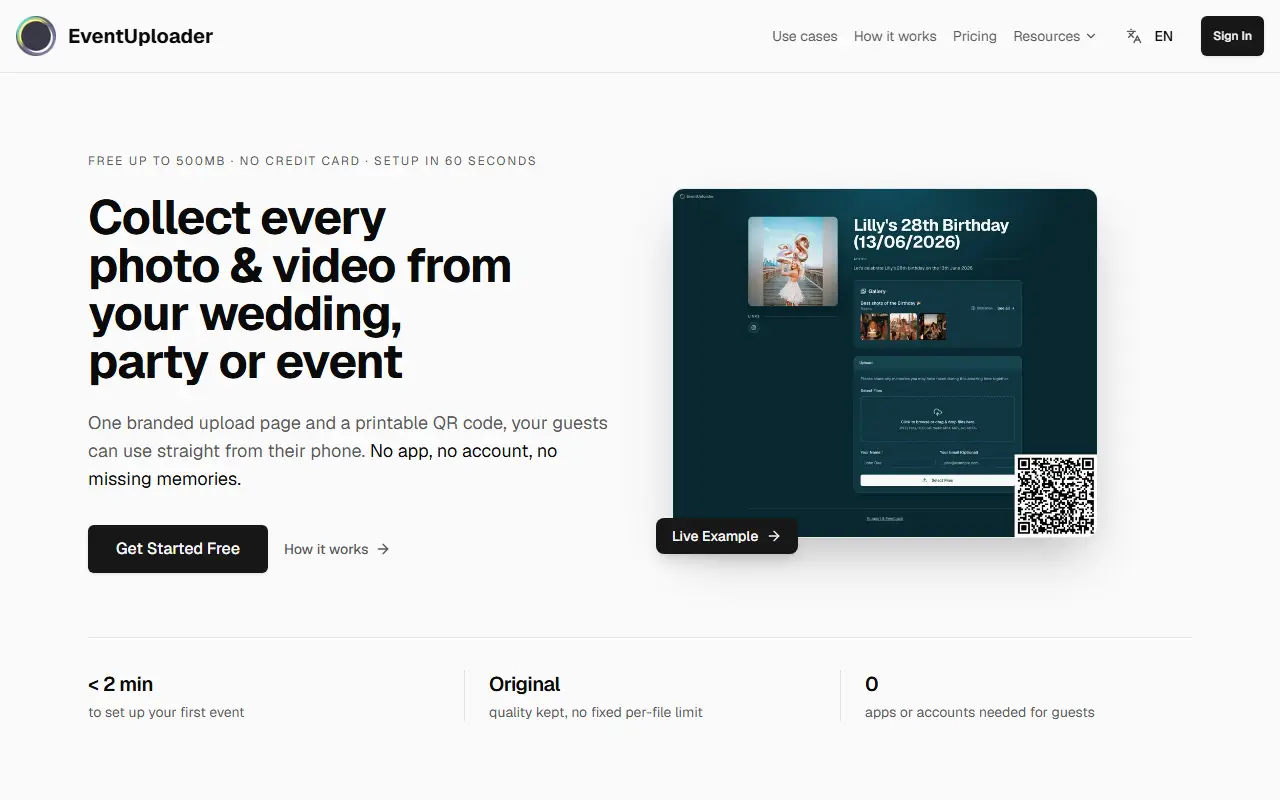
About Event Uploader
Event Uploader collects photos and videos from guests, teams or clients into a single branded gallery owned by the organizer. You create an event with your own branding, custom messages and file size limits, then share a link or printable QR code. Attendees upload from their phones without an app or an account, and original quality is kept with no fixed per-file limit.
The organizer manages everything from a dashboard, where uploads can be reviewed and their status controlled. A publishing feature lets you hand-pick which photos and videos to show as a gallery on the same link guests used to upload, with the option to unpublish at any time. A full-screen slideshow mode can run on a venue's TV or projector, with new uploads jumping to the front within seconds.
The listing describes setup in under two minutes and a free tier of up to 500 MB with no credit card. Paid subscription plans are chosen when you are ready to download your media, with details on the pricing page.
Key features
- Branded upload page with custom messages
- Printable QR code and shareable link
- No app or account needed by guests
- Original-quality uploads with size limits you set
- Dashboard to review uploads and control status
- Publishable gallery on the same link
- Live full-screen slideshow
Good fit for
- Collecting photos at a wedding or party
- Gathering videos from a team event or client project
Event Uploader: questions and answers
- What is Event Uploader used for?
- Event Uploader: Branded upload pages and printable QR codes that let event guests send photos and videos to one gallery you control, with a live slideshow option. It is a good fit for collecting photos at a wedding or party and gathering videos from a team event or client project.
- Is Event Uploader free?
- Yes. Event Uploader has a free plan, and paid plans start at $12 per month.
- Is Event Uploader open source?
- No. Event Uploader is proprietary (closed-source) software and can't be self-hosted. In the File Storage & Sharing category, open-source options include MicroBin, FilePress and qr-filetransfer.
- What are some alternatives to Event Uploader?
- Other SaaS products in the File Storage & Sharing category include SnapTheKnot, SendToDrive and Acronis Cyber Protect.
Open-source alternatives to Event Uploader
See allMicroBin
File Storage & Sharing
A secure, configurable file-sharing and URL shortening web app written in Rust.
BSD-3-Clausevs WeTransfer★ 4.6k
FilePress
File Storage & Sharing
一款全新的文件驱动型建站系统
OSSvs Dropbox★ 1.1kqr-filetransfer
File Storage & Sharing
Transfer files over WiFi between your computer and your smartphone from the terminal
MITvs Send Anywhere★ 1k
LocalSend
File Storage & Sharing
LocalSend is a free, open-source, cross-platform file sharing tool that allows you to shar
Apache-2.0vs Send Anywhere★ 93k
Syncthing
File Storage & Sharing
Open Source Continuous File Synchronization
MPL-2.0vs Dropbox★ 89k
Paperless-ngx
File Storage & Sharing
A community-supported supercharged document management system: scan, index and archive all
GPL-3.0vs Evernote★ 46k
SaaS alternatives to Event Uploader
See all
SnapTheKnot
File Storage & Sharing
Wedding photo-sharing platform that collects guest photos and videos through a QR code
SaaS
SendToDrive
File Storage & Sharing
Collect files into your Google Drive through an upload link, no Google login needed for uploaders
SaaS
Acronis Cyber Protect
File Storage & Sharing
Backup, disaster recovery and endpoint protection combined in one agent
SaaS
Akamai Object Storage
File Storage & Sharing
S3-compatible object storage on Akamai Cloud, formerly Linode Object Storage
SaaS
Amazon EFS
File Storage & Sharing
Managed elastic NFS file system for AWS compute services
SaaS
AnDocs
File Storage & Sharing
Share PDFs through controlled links and track opens, read depth, time per page and CTA clicks
SaaS