
About DockFlare
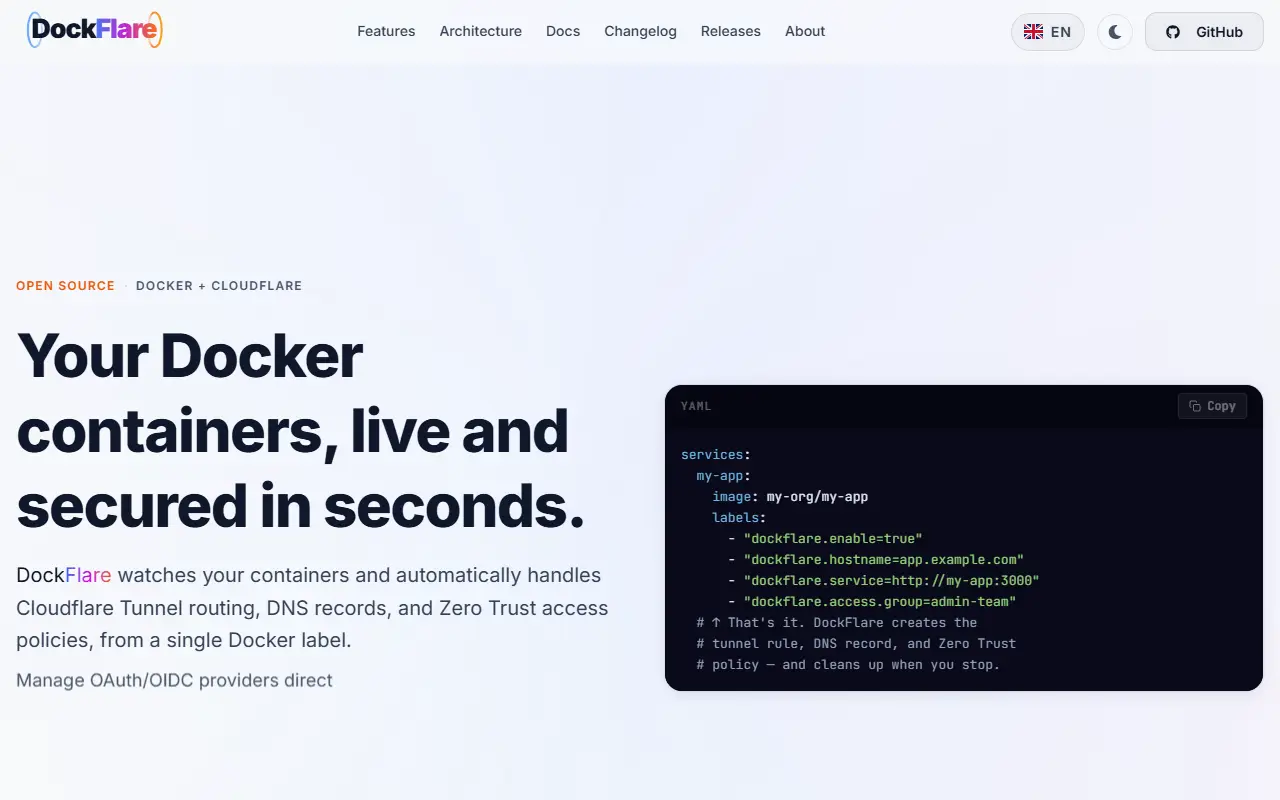
DockFlare is a self-hosted tool that connects Docker and Cloudflare. It watches your containers and, based on labels, automatically creates Cloudflare Tunnel routing, DNS records, and Zero Trust access policies, so a service can be exposed securely without opening ports or editing configuration by hand. It is written in Python with Flask. The input lists its license only as other.
The project positions itself for homelab and small self-hosted setups, and its topics include ingress controller, reverse proxy, zero trust, Cloudflare Access, and network automation. A web interface helps manage tunnels and policies, and the homepage notes support for managing OAuth and OIDC providers.
DockFlare requires a Cloudflare account and relies on Cloudflare's services for the tunnels, so it is not independent of that vendor. It suits homelab users and small teams running many containers who want to publish them with consistent access control and minimal manual work.
Key features
- Cloudflare Tunnel routing from Docker labels
- Automatic DNS record management
- Zero Trust access policy automation
- Container watching for changes
- OAuth and OIDC provider management
- Web interface for tunnels and policies
Good fit for
- →Publishing homelab services without opening ports
- →Applying access policies to new containers automatically
- Tags
- cloudflare
- docker
- tunnel
- zero-trust
- dns
- homelab
- reverse-proxy
- automation
DockFlare: questions and answers
- What is DockFlare used for?
- DockFlare automates Cloudflare Tunnel routing, DNS records, and Zero Trust access policies from a single container label. It is a good fit for publishing homelab services without opening ports and applying access policies to new containers automatically.
- Is DockFlare open source?
- Yes. DockFlare is open source under a custom licence. Its source code is on GitHub at ChrispyBacon-dev/DockFlare and is written mainly in Python.
- Is DockFlare free?
- Yes. DockFlare is open source, so the software itself is free to use under the terms of its own licence.
- Can I self-host DockFlare?
- Yes. DockFlare can be self-hosted on your own server or infrastructure; there is no official hosted version.
- What are some alternatives to DockFlare?
- Similar open-source tools in the Networking & VPN category include Nginx Proxy Manager, frp and Traefik. SaaS products in the same category include Cloudflare, Tailscale and Cloudflare Tunnel.
- Is DockFlare actively maintained?
- Yes. The most recent commit to DockFlare was on 20 September 2026, and the latest release is v3.1.6, published on 20 September 2026. The project has 2.5k stars on GitHub.
Open-source alternatives to DockFlare
See all
Nginx Proxy Manager
Networking & VPN
Docker container for managing Nginx proxy hosts with a simple, powerful interface
MIT★ 34kfrp
Networking & VPN
A fast reverse proxy to help you expose a local server behind a NAT or firewall to the int
Apache-2.0vs ngrok★ 110k
Traefik
Networking & VPN
The Cloud Native Application Proxy
MIT★ 65k
Pangolin
Networking & VPN
Open-source SASE platform providing secure access and connectivity to apps, infrastructure
OSSvs Cloudflare Tunnel★ 23k
Zoraxy
Networking & VPN
A general purpose HTTP reverse proxy and forwarding tool. Now written in Go!
AGPL-3.0★ 5.5k
Zrok
Networking & VPN
Secure internet sharing made simple.
Apache-2.0vs ngrok★ 4.7k
SaaS alternatives to DockFlare
See all
Cloudflare
Networking & VPN
CDN, DNS, DDoS protection and edge computing platform
SaaS
Tailscale
Networking & VPN
Mesh VPN and zero trust network that connects devices without manual configuration
SaaS
Cloudflare Tunnel
Networking & VPN
Cloudflare Tunnel securely connects web services and private networks to Cloudflare without opening inbound ports on the origin server.
SaaS
Amazon Route 53
Networking & VPN
Scalable DNS, domain registration and health-check routing service on AWS
SaaS
Control D
Networking & VPN
Customizable DNS filtering and traffic routing service
SaaS
DNSimple
Networking & VPN
DNS hosting and domain registration service with an API
SaaS