About Dictivo
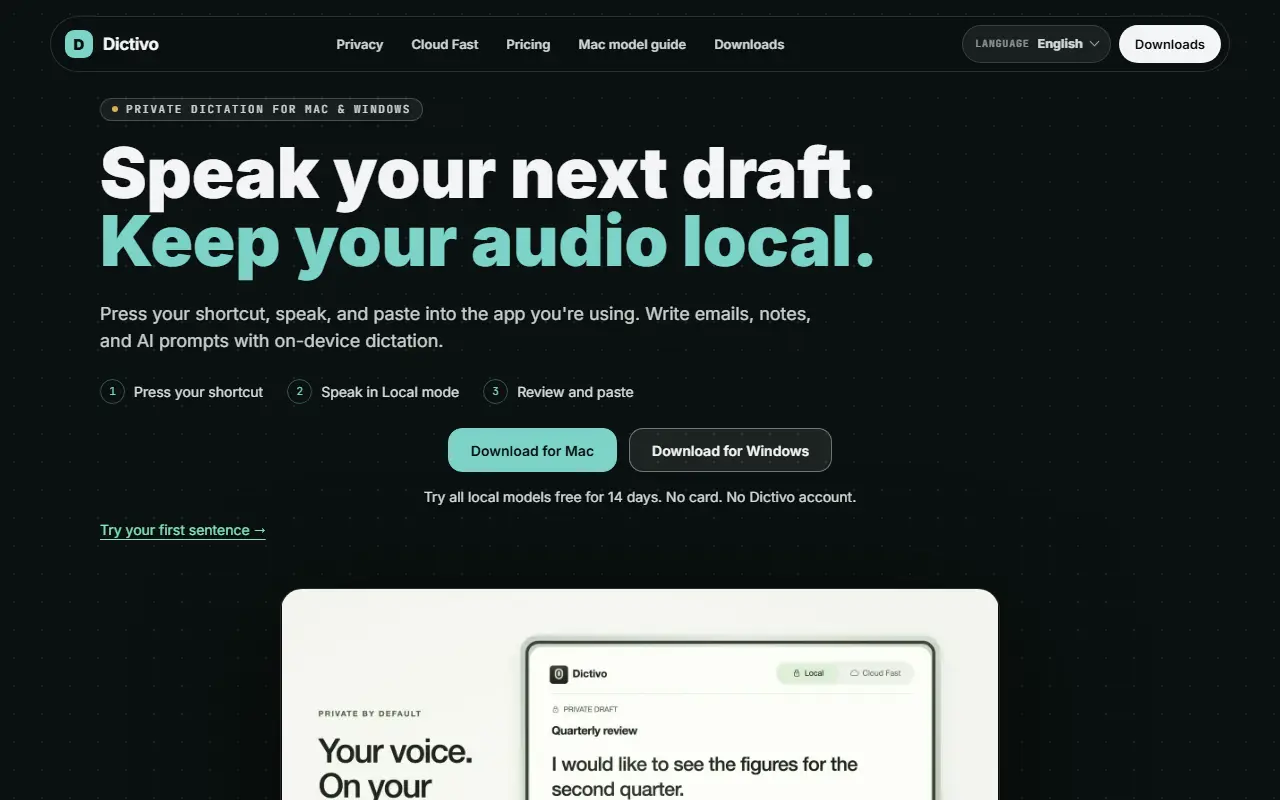
Dictivo is a dictation app for macOS and Windows that types what you say into whichever app you are using. You press a shortcut, speak, review the text and paste it, which suits writing emails, notes and prompts for AI tools. It starts in Local mode, where the vendor says microphone audio is processed on the device and transcripts, history, dictionary and snippets stay local.
A separate Cloud Fast mode is offered for low-sensitivity recordings where speed matters, and the site marks it clearly because it changes where audio is processed. The local approach works without a cloud transcription account or a Dictivo account. The interface is available in many languages, and the site includes a guide to choosing a model for different Macs. The vendor invites users to verify its privacy claims with a network test.
Dictivo is sold as a one-time purchase rather than a subscription. The smallest model is free to use, all local models can be tried free for 14 days without a card, and the price includes 12 months of updates.
Key features
- On-device speech-to-text for Mac and Windows
- Press-a-shortcut dictation into any app
- Optional Cloud Fast mode for speed
- Local history, dictionary and snippets
- Free Tiny model and 14-day trial
- Interface in many languages
Good fit for
- →Private dictation of sensitive notes
- →Dictating emails and AI prompts
- Tags
- dictation
- speech-to-text
- whisper
- macos
- windows
- offline
- privacy
Dictivo: questions and answers
- What is Dictivo used for?
- Dictivo is a dictation app for Mac and Windows that transcribes speech on-device with local models and an optional cloud mode, sold as a one-time purchase. It is a good fit for private dictation of sensitive notes, and dictating emails and AI prompts.
- Is Dictivo free?
- Yes. Dictivo has a free plan. One-time US$29 including 12 months of updates (renewal optional); the Tiny model is free and all local models have a 14-day trial.
- Is Dictivo open source?
- No. Dictivo is proprietary (closed-source) software. In the Productivity category, open-source options include BentoPDF, MarkerOn and PowerToys.
- What are some alternatives to Dictivo?
- Dictivo competes with Wispr Flow, Dictato and Dictadoc.
Open-source alternatives to Dictivo
See all
BentoPDF
Productivity
The Privacy First PDF Toolkit
AGPL-3.0vs iLovePDF★ 16k
MarkerOn
Productivity
Lightweight (~1.5 MB) open-source screen annotation with click-through mode and keyboard-f
MIT★ 1.1k
PowerToys
Productivity
Microsoft PowerToys is a collection of utilities that supercharge productivity and customi
MITvs Alfred★ 139k
Files
Productivity
A modern file manager that helps users organize their files and folders.
MIT★ 46k
Zen Browser
Productivity
Welcome to a calmer internet
MPL-2.0vs Google Chrome★ 45k
Stats
Productivity
macOS system monitor in your menu bar
MIT★ 42k
SaaS alternatives to Dictivo
See all
Wispr Flow
AI Tools
AI voice dictation app that types into any app
SaaS
Dictato
Productivity
Offline dictation software for Mac that turns speech into text in any app
SaaS
Dictadoc
Productivity
Secure offline voice dictation software for medical professionals
SaaS
Clabrate
Productivity
Mac voice app for dictating into any app and handing tasks to an assistant that controls windows and terminals
SaaS
AirSpell
Productivity
Offline macOS voice dictation using a local Whisper model that pastes formatted text into any app
SaaS
BossAI
AI Tools
iOS keyboard that turns your voice into polished text with AI
SaaS