
About Cupola
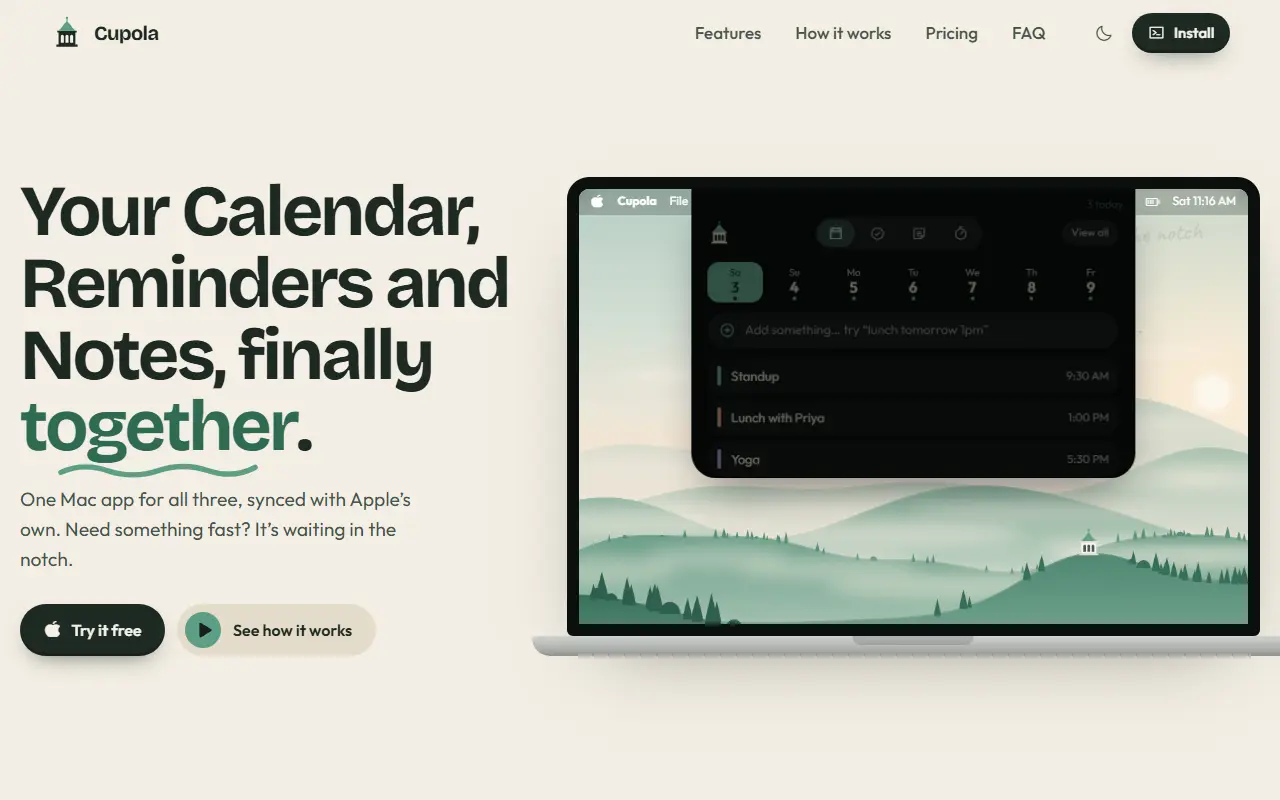
Cupola is a Mac app that merges Apple's Calendar, Reminders, and Notes into a single place, synced with the originals. Hovering over or tapping the MacBook notch opens a compact panel with four tabs for calendar, reminders, notes, and a focus timer, so the things you check many times a day stay within one flick of the cursor.
You can type entries in plain language, such as a reminder for tomorrow or a meeting at a given time, and Cupola works out the date and time and places the item in Calendar or Reminders. A View all button opens a full Mac app with the same calendars, reminders, and notes, plus smart views, linked items, recently edited items, and a command bar. Cupola is sold as a paid app after a free trial, with a one-time price rather than a subscription.
Key features
- Notch panel for calendar, reminders, and notes
- Syncs with Apple Calendar, Reminders, and Notes
- Natural-language entry of events and reminders
- Built-in focus timer
- Full Mac app with smart views and linked items
- Command bar for creating and finding items
Good fit for
- →Mac users who want quick capture from the notch
- →Keeping Apple Notes and Reminders in one view
- Tags
- macos
- calendar
- reminders
- notes
- productivity
- notch
- apple
Cupola: questions and answers
- What is Cupola used for?
- Cupola is a macOS app that brings Apple Calendar, Reminders, and Notes together in a panel opened from the MacBook notch, with natural-language entry. It is a good fit for Mac users who want quick capture from the notch, and keeping Apple Notes and Reminders in one view.
- How much does Cupola cost?
- Cupola is a paid product with no free plan. Seven-day free trial, then a one-time $20 purchase according to the site.
- Is Cupola open source?
- No. Cupola is proprietary (closed-source) software. In the Productivity category, open-source options include Rectangle, Maccy and Loop Habit Tracker.
- What are some alternatives to Cupola?
- Cupola competes with Fantastical and BusyCal.
Open-source alternatives to Cupola
See all
Rectangle
Productivity
Move and resize windows on macOS with keyboard shortcuts and snap areas
OSSvs BetterTouchTool★ 30k
Maccy
Productivity
Lightweight clipboard manager for macOS
MITvs Paste★ 22kLoop Habit Tracker
Productivity
Loop Habit Tracker, a mobile app for creating and maintaining long-term positive habits
GPL-3.0vs Streaks★ 10k
LifeForge
Productivity
A self-hosted solution to streamline and organize all aspects of your life.
OSSvs Notion★ 1.7k
RustCast
Productivity
An open source alternative to raycast, in rust!! (retired)
MITvs Raycast★ 1.1k
MarkerOn
Productivity
Lightweight (~1.5 MB) open-source screen annotation with click-through mode and keyboard-f
MIT★ 1.1k
SaaS alternatives to Cupola
See all
Fantastical
Scheduling
Calendar app for Apple devices with natural-language entry and scheduling links
SaaS
BusyCal
Scheduling
Mac calendar app with advanced views and Google and Exchange sync
SaaS
BigCal
Scheduling
Full-year calendar view with Google Calendar integration
SaaS
Any.do
Productivity
Task manager and daily planner with reminders and calendar sync
SaaS
Apple Numbers
Productivity
Apple spreadsheet app for Mac, iPhone and iPad
SaaS
90 Days Challenge
Productivity
Habit tracker app for building and breaking habits over a structured 90-day period
SaaS