About Convert2EPUB
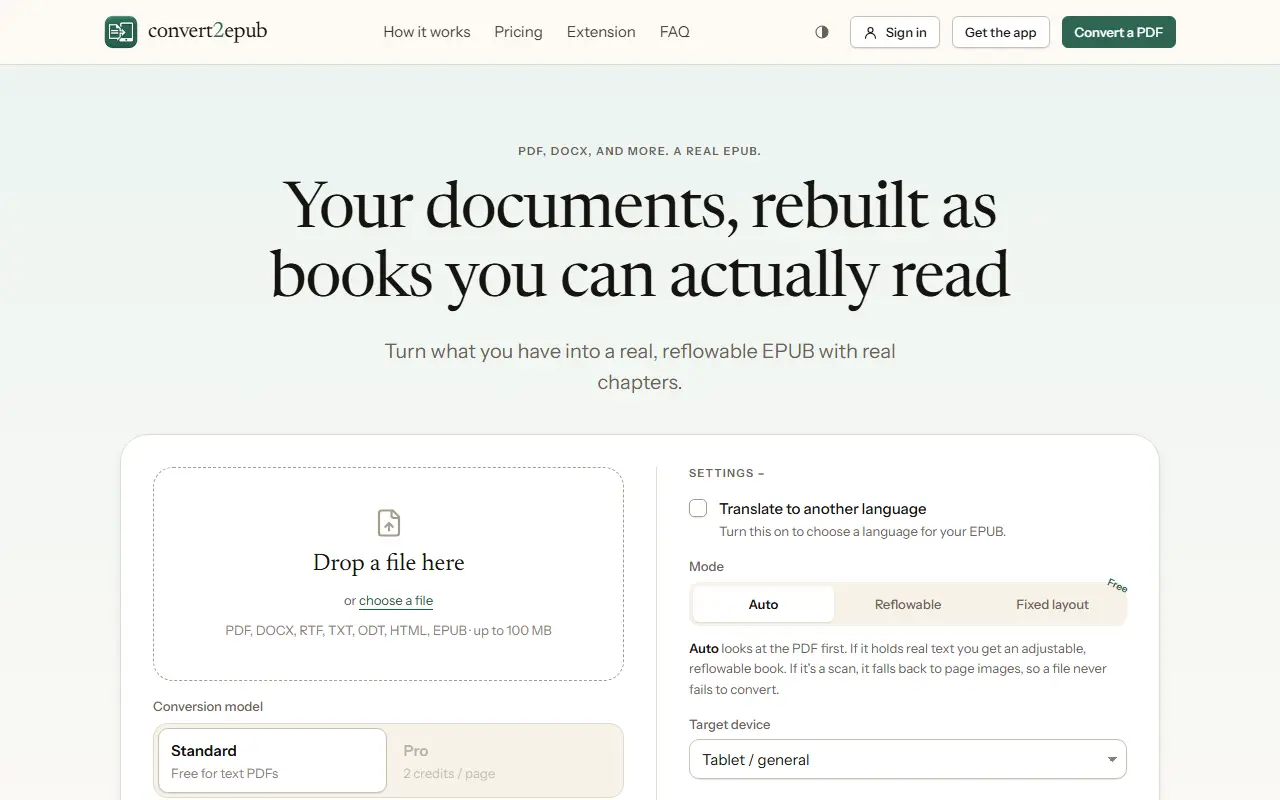
Convert2EPUB turns documents such as PDF, DOCX, RTF, TXT, ODT and HTML into EPUB files that behave like real e-books. Instead of preserving fixed page layouts, it produces reflowable text that follows the font size, margins and typeface of your e-reader, with detected chapters and a working table of contents.
An Auto mode reads the PDF page by page and chooses how to convert it, while Reflowable and Fixed layout modes are available manually. You can target specific devices such as six- or seven-inch e-ink readers, run OCR on scanned pages in several languages, and optionally translate the book into another language. Uploaded files are deleted automatically, and the site mentions a desktop conversion that stays local and a browser extension.
It is a commercial service with a free standard conversion for text PDFs, a credit-based Pro model that charges per page, and free credits when you create an account.
Key features
- PDF to reflowable EPUB with detected chapters
- Working table of contents generation
- Auto, reflowable and fixed-layout modes
- OCR for scanned PDF pages
- Optional book translation to other languages
- Presets for e-ink reader sizes
Good fit for
- →Reading PDFs comfortably on a Kindle or e-reader
- →Digitizing scanned books into searchable EPUBs
- Tags
- epub
- pdf-converter
- e-reader
- ocr
- kindle
- ebooks
- translation
Convert2EPUB: questions and answers
- What is Convert2EPUB used for?
- Convert2EPUB is a web converter that rebuilds PDFs and other documents into reflowable EPUB books with detected chapters, a table of contents and optional OCR. It is a good fit for reading PDFs comfortably on a Kindle or e-reader and digitizing scanned books into searchable EPUBs.
- Is Convert2EPUB free?
- Yes. Convert2EPUB has a free plan. Standard conversion is free for text PDFs; the Pro model uses credits per page, and 30 free credits come with a new account.
- Is Convert2EPUB open source?
- No. Convert2EPUB is proprietary (closed-source) software and can't be self-hosted. In the Productivity category, open-source options include Stirling PDF, ShareX and BentoPDF.
Open-source alternatives to Convert2EPUB
See all
Stirling PDF
Productivity
A free, private PDF editor you can run on any infrastructure.
OSSvs Adobe Acrobat★ 93k
ShareX
Productivity
ShareX is a free and open-source application that enables users to capture or record any a
GPL-3.0vs Snagit★ 40k
BentoPDF
Productivity
The Privacy First PDF Toolkit
AGPL-3.0vs iLovePDF★ 16k
BetterShot
Productivity
Screenshot, screen recording, and video editor for macOS. Native SwiftUI app with capture
OSSvs CleanShot X★ 2.4k
OCRmyPDF
Productivity
OCRmyPDF adds an OCR text layer to scanned PDF files, allowing them to be searched
MPL-2.0vs Adobe Acrobat★ 35k
PowerToys
Productivity
Microsoft PowerToys is a collection of utilities that supercharge productivity and customi
MITvs Alfred★ 139k
SaaS alternatives to Convert2EPUB
See all
iLovePDF
Productivity
Online PDF tools for splitting, merging, compressing and converting
SaaS
Soda PDF
Productivity
Desktop and online PDF editor, converter and e-signature tool
SaaS
UPDF
Productivity
PDF editor and annotator with AI features for Windows, Mac, iOS and Android
SaaS
Vellum
Productivity
Mac app for formatting ebooks and print books
SaaS
Annotator
Productivity
Windows app for drawing live annotations over anything on your screen
SaaSCaptriq
Productivity
Captures and organizes full-page website screenshots with OCR text search, PDF export and team workspaces
SaaS