
 Kimi
Kimi Qwen Chat
 Z.ai
Z.ai Doubao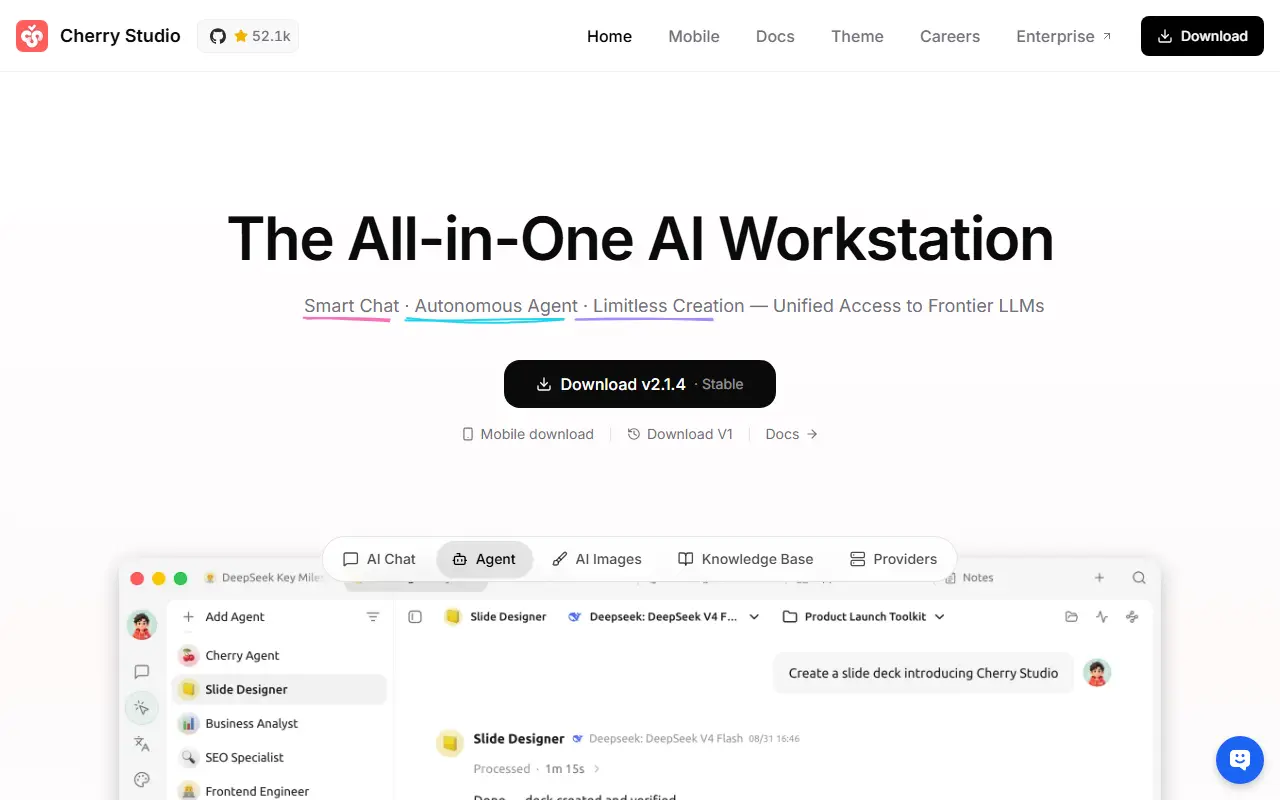
About Cherry Studio
Cherry Studio is a desktop client for working with multiple large language model providers, available for Windows, Mac and Linux. It is written in TypeScript and licensed under AGPL-3.0, and it is described as an AI productivity studio offering chat, autonomous agents and a large library of ready-made assistants.
It can connect to major cloud LLM services such as OpenAI, Gemini and Anthropic, to AI web services like Claude, Perplexity and Poe, and to local models through Ollama and LM Studio. Conversations can involve several models at once, and users can pick from more than 300 preconfigured assistants or create their own.
Other tools include handling of text, images, Office files and PDFs, WebDAV backup, Mermaid chart rendering, code highlighting, global search, topic management, AI translation, mini programs and an MCP server. Themes and complete Markdown rendering are included, and no environment setup is needed. It suits individuals who want one desktop app for many models.
Key features
- Support for many cloud and local LLM providers
- Over 300 preconfigured AI assistants
- Multi-model simultaneous conversations
- Text, image, Office and PDF handling
- WebDAV backup and Mermaid chart rendering
- MCP server and mini programs
- Light and dark themes
Good fit for
- →Comparing answers from several models
- →Chatting with local Ollama models
- →Managing assistants and topics in one app
- Built with
- TypeScript
- Tags
- ai-client
- llm
- desktop-app
- assistants
- mcp
- ollama
- typescript
- productivity
Open-source alternatives to Cherry Studio
See all
Chatbox
AI Tools
Powerful AI Client
GPL-3.0vs ChatGPT★ 42k
LobeHub
AI Tools
🤯 LobeHub is your Chief Agent Operator, organizing your agents into 7×24 operations by hi
OSSvs ChatGPT★ 83k
LibreChat
AI Tools
Enhanced ChatGPT Clone: Features Agents, MCP, Skills, DeepSeek, Anthropic, AWS, OpenAI, Re
MITvs ChatGPT★ 45k
Big-AGI
AI Tools
AI suite powered by state-of-the-art models and providing advanced AI/AGI functions. Inclu
MITvs ChatGPT★ 7.1k
NextChat
AI Tools
✨ Zero-config AI chat assistant. No API key needed — sign up and instantly chat with GPT-5
MITvs ChatGPT★ 89k
Open WebUI
AI Tools
Run AI on your own terms. Connect any model, extend with code, and protect what matters wi
OSSvs ChatGPT★ 154k
SaaS alternatives to Cherry Studio
See all
ChatGPT
AI Tools
ChatGPT is OpenAI's conversational AI assistant for answering questions, writing, coding and analysis through web and mobile apps.
SaaS
Poe
AI Tools
One chat app to talk to many AI models and build custom bots
SaaS
Microsoft Copilot
AI Tools
Microsoft's AI chat assistant with web search, image creation and Office integration
SaaS
Grok
AI Tools
xAI's chat assistant with live web and X post search, image generation and reasoning
SaaS
Meta AI
AI Tools
Meta's AI assistant for chat and image generation, also built into its apps
SaaS
Le Chat
AI Tools
AI assistant from Mistral AI with web search, document analysis and image generation
SaaS