
About TryAnyWatch
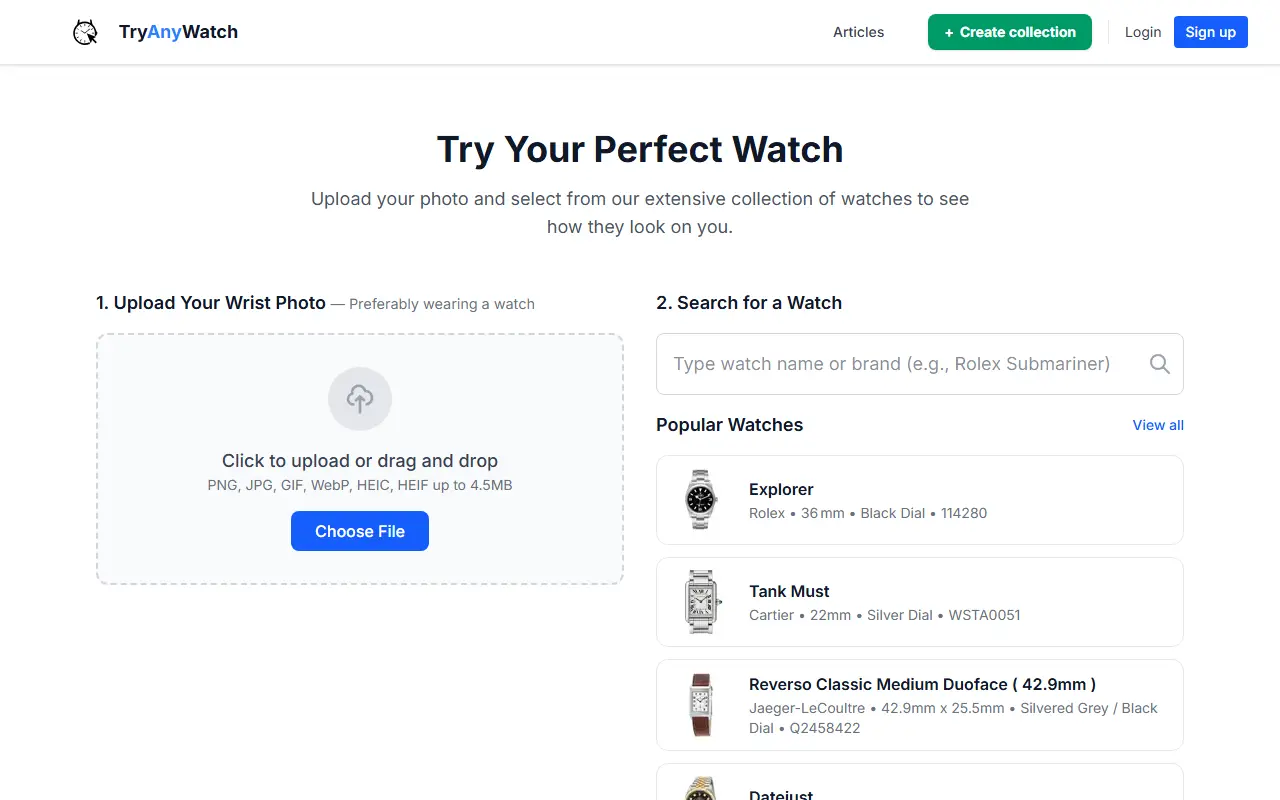
TryAnyWatch lets you preview how a watch looks on your wrist before buying. You upload a wrist photo in PNG, JPG, GIF, WebP, HEIC or HEIF up to 4.5MB, search a catalog of watches that lists brand, case size, dial and reference, and generate an image. The system combines the photo with the watch's real-world dimensions rather than just pasting an image, so you can judge whether it feels too small, too big or right.
Results are saved to your account, where you can view, download or delete them, and you can create collections. The site states plainly that it is a beta experiment: sizing is close but not exact, and angle and lighting affect results, so it is a preview rather than a replacement for trying a watch in person. A blog covers watch releases and comparisons.
Usage runs on credits: one free trial credit needs no card, a Starter Pack gives 10 credits for $1.99, and a Popular Pack gives 30 credits for $4.99. Blog articles on the site cover watch releases and visual comparisons between models.
Key features
- Upload a wrist photo and pick a watch
- Overlay scaled to wrist and case size
- Searchable watch catalog
- Results saved to your account
- Collections of tried watches
- Pay per generation with credits
Good fit for
- Checking if a 42mm watch is too large for your wrist
- Comparing several candidate watches visually
TryAnyWatch: questions and answers
- What is TryAnyWatch used for?
- TryAnyWatch is a virtual watch try-on tool that overlays a chosen watch on your wrist photo using your wrist size and the watch's real case dimensions. It is a good fit for checking if a 42mm watch is too large for your wrist and comparing several candidate watches visually.
- How much does TryAnyWatch cost?
- TryAnyWatch is a paid product with no free plan. A free trial is available. New accounts get 1 free credit. Credit packs cost $1.99 for 10 credits and $4.99 for 30, with no subscription.
- Is TryAnyWatch open source?
- No. TryAnyWatch is proprietary (closed-source) software and can't be self-hosted. In the AI Tools category, open-source options include ComfyUI, Open Generative AI and InvokeAI.
- What are some alternatives to TryAnyWatch?
- Other SaaS products in the AI Tools category include Bilgim AI, KolorsVirtualAI and TRYON.
Open-source alternatives to TryAnyWatch
See all
ComfyUI
AI Tools
The most powerful and modular diffusion model GUI, api and backend with a graph/nodes inte
GPL-3.0vs Midjourney★ 136k
Open Generative AI
AI Tools
Unrestricted Open-source alternative to AI video platforms — Free AI image & video generat
MITvs Midjourney★ 30k
InvokeAI
AI Tools
Invoke is a leading creative engine for Stable Diffusion models, empowering professionals,
Apache-2.0vs Midjourney★ 28kStable Diffusion WebUI
AI Tools
Stable Diffusion web UI
AGPL-3.0vs Midjourney★ 165kFooocus
AI Tools
Focus on prompting and generating
GPL-3.0vs Midjourney★ 53kSD.Next
AI Tools
SD.Next: All-in-one WebUI for AI generative image and video creation, captioning and proce
Apache-2.0vs Midjourney★ 7.3k
SaaS alternatives to TryAnyWatch
See all
Bilgim AI
AI Tools
AI image generator with thousands of presets and automatic fallback across 35+ models
SaaS
KolorsVirtualAI
AI Tools
AI virtual try-on that shows you in any outfit from an uploaded photo
SaaS
TRYON
AI Tools
Mobile app that shows clothes on your own photo, with a digital closet and outfit planner
SaaS
AI Baby Generator
AI Tools
Mobile app that creates AI portraits predicting what a couple's future baby might look like
SaaS
CreativeClaw
AI Tools
MCP server that gives Claude access to image, video, audio and 3D generation models and compares variants
SaaS
GarageLab
AI Tools
App that turns a photo of your car into cinematic AI photos and videos for enthusiasts, creators and dealerships
SaaS