About SQLFlow
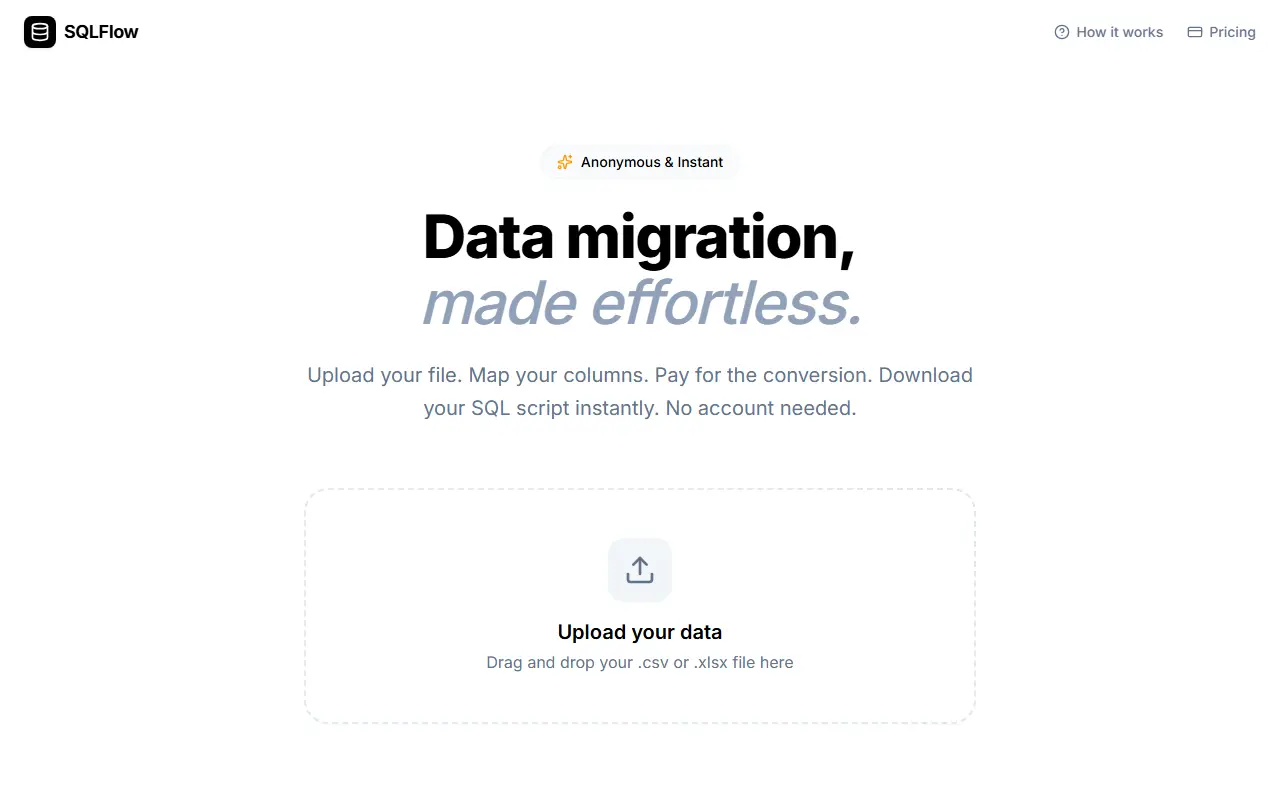
SQLFlow converts spreadsheet data into SQL. You drop in a .csv or .xlsx file, map the columns, check a free live preview of the generated statements for the first few rows, pay for the conversion and download the script. It can produce insert, update or upsert queries in one click, and no account is needed.
The tool follows a browser-first approach: the file is parsed locally in the browser, and only the column mapping and a reference to the payment session are stored. Download links expire 24 hours after payment. The focus is PostgreSQL syntax including upsert logic, and the plans also list MySQL and T-SQL output, data cleaning and primary key mapping. Pricing is per file and has no subscription: one dollar for up to 100 rows, five for up to 500 rows and fifteen for unlimited rows, which adds direct JSON export and priority processing.
Key features
- Converts CSV and XLSX files to SQL scripts
- Insert, update and upsert modes
- Column mapping before conversion
- Free live SQL preview of the first rows
- Files parsed locally in the browser
- PostgreSQL focus with MySQL and T-SQL options
Good fit for
- Loading spreadsheet data into a PostgreSQL table
- Generating upsert scripts for a data migration
- Making a quick SQL seed from a CSV file
SQLFlow: questions and answers
- What is SQLFlow used for?
- SQLFlow is a browser tool that turns CSV and XLSX files into SQL insert, update or upsert scripts after you map columns, with pay-per-file pricing and no account. It is a good fit for loading spreadsheet data into a PostgreSQL table, generating upsert scripts for a data migration and making a quick SQL seed from a CSV file.
- Is SQLFlow open source?
- No. SQLFlow is proprietary (closed-source) software and can't be self-hosted. In the Database Tools category, open-source options include DBeaver, Beekeeper Studio and Another Redis Desktop Manager.
- What are some alternatives to SQLFlow?
- SQLFlow competes with DataGrip, Navicat and TablePlus.
Open-source alternatives to SQLFlow
See all
DBeaver
Database Tools
Free universal database tool and SQL client
Apache-2.0vs DataGrip★ 52k
Beekeeper Studio
Database Tools
Modern and easy to use SQL client for MySQL, Postgres, SQLite, SQL Server, and more. Linux
OSSvs DataGrip★ 24kAnother Redis Desktop Manager
Database Tools
🚀🚀🚀A faster, better and more stable Redis desktop manager [GUI client], compatible with
MITvs TablePlus★ 35k
Pgcli
Database Tools
Postgres CLI with autocompletion and syntax highlighting
BSD-3-Clause★ 13k
Goose
Database Tools
A database migration tool. Supports SQL migrations and Go functions.
OSS★ 12k
RedisInsight
Database Tools
Redis GUI by Redis
OSSvs TablePlus★ 8.9k
SaaS alternatives to SQLFlow
See all
DataGrip
Database Tools
JetBrains IDE for SQL with code completion and multi-database support
SaaS
Navicat
Database Tools
Database administration and development client for many SQL and NoSQL systems
SaaS
TablePlus
Database Tools
Native database client for PostgreSQL, MySQL, SQLite, Redis and more
SaaS
DBCode
Database Tools
VS Code extension for browsing and querying databases
SaaS
dbForge Studio
Database Tools
Devart IDE suite for developing and managing MySQL, SQL Server, Oracle and PostgreSQL
SaaS
Pluk
Database Tools
AI-native database client to query, explore and manage SQL and NoSQL databases in natural language
SaaS