
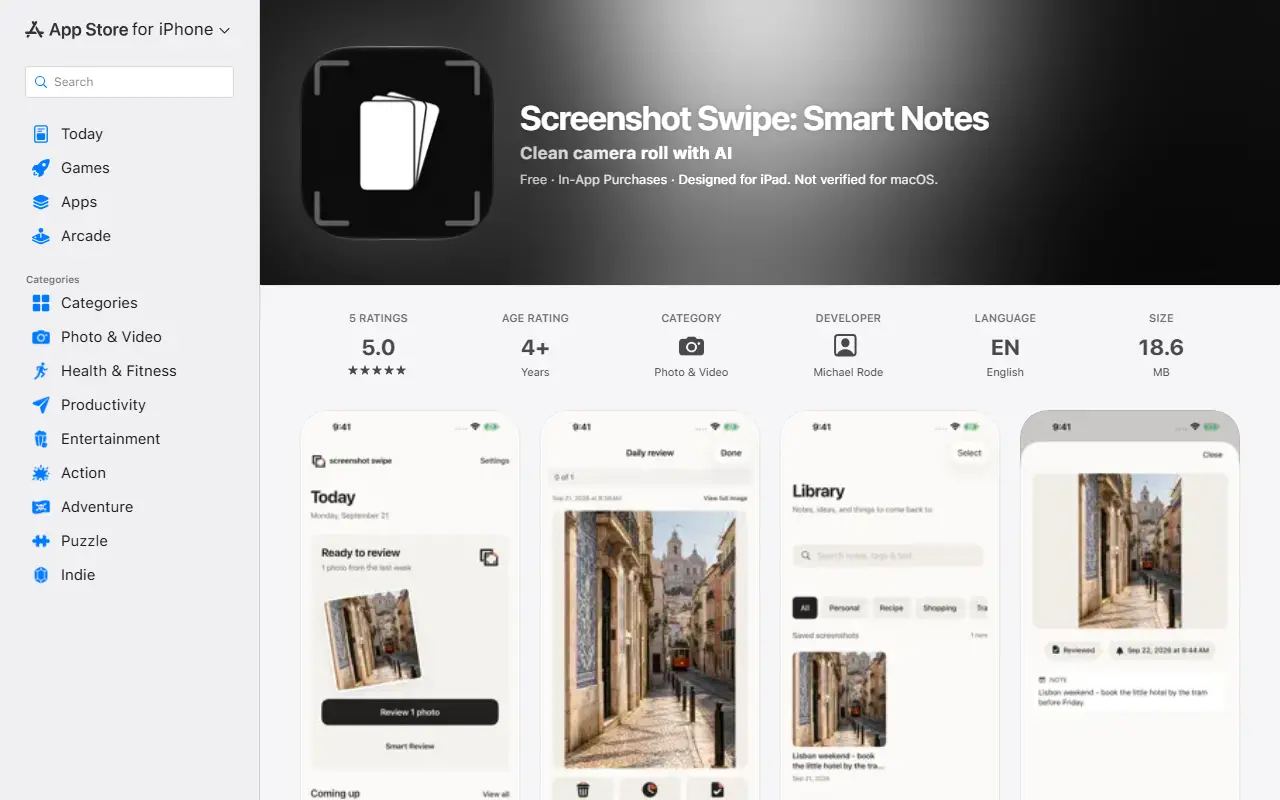
About Screenshot Swipe
Screenshot Swipe is an iPhone and iPad app for cleaning up and organizing screenshots. A Today view shows a few screenshots at a time to keep, save for later or mark for deletion, with undo for the latest choice, and Photos asks you to confirm deletions. Kept screenshots go to a Library where you can add notes, tags and reminders, search saved context, filter by tag and browse collections.
On-device text search finds words inside screenshots, and a card with the note and tags can be exported. Reminders bring ideas back at the right time, including a daily nudge to review recent screenshots. Optional Smart Review uses AI to suggest notes, tags and review actions based on profiles you set up, with changes you choose to apply. Notes, tags and text recognition stay on the device, while optional AI analysis sends selected images or text to Google Gemini and needs a connection. No account is required, manual organization works offline, and Pro adds Smart Review and deep library analysis.
Key features
- Swipe-style review with keep and undo
- Notes, tags and reminders for saved screenshots
- On-device text search inside images
- Optional AI suggestions for notes and tags
- Collections and card export
- Works without an account
Good fit for
- Cleaning up a crowded camera roll
- Saving ideas from screenshots with reminders
Screenshot Swipe: questions and answers
- What is Screenshot Swipe used for?
- Screenshot Swipe is an iPhone app that helps review, tag and search a camera roll full of screenshots with swipe-style review, reminders and optional AI suggestions. It is a good fit for cleaning up a crowded camera roll and saving ideas from screenshots with reminders.
- Is Screenshot Swipe free?
- Yes. Screenshot Swipe has a free plan.
- Is Screenshot Swipe open source?
- No. Screenshot Swipe is proprietary (closed-source) software. In the Photos & Images category, open-source options include Immich, PhotoPrism and Ente.
- What are some alternatives to Screenshot Swipe?
- Other SaaS products in the Photos & Images category include AI Editor: Photo & Video, AI Image Playground and Cartoonie.
Open-source alternatives to Screenshot Swipe
See all
Immich
Photos & Images
Self-hosted photo and video management solution. Easily back up, organize, and manage your
AGPL-3.0vs Google Photos★ 116k
PhotoPrism
Photos & Images
AI-powered, privacy-first, self-hosted app for browsing, organizing, and sharing photos an
OSSvs Google Photos★ 40k
Ente
Photos & Images
💚 End-to-end encrypted cloud for everything.
AGPL-3.0vs Google Photos★ 29k
Darktable
Photos & Images
darktable is an open source photography workflow application and raw developer
GPL-3.0vs Adobe Lightroom★ 13k
LibrePhotos
Photos & Images
LibrePhotos is a self-hosted, open source photo management service. Faces, places, events
MITvs Google Photos★ 8.1k
Photoview
Photos & Images
Photoview is a simple and user-friendly Photo Gallery for self-hosted personal servers. It
AGPL-3.0vs Google Photos★ 6.5k
SaaS alternatives to Screenshot Swipe
See all
AI Editor: Photo & Video
Photos & Images
Mobile AI studio that enhances photos, swaps backgrounds and creates images, video and audio
SaaS
AI Image Playground
Photos & Images
Mobile AI art generator and photo editor that restores, enhances and transforms images
SaaS
Cartoonie
Photos & Images
iOS app that turns a photo into a cartoon in one of 69 styles, including for pets
SaaS
Dusty
Photos & Images
iOS cleanup app that finds duplicate photos, old screenshots and large videos
SaaS
Mylio Photos
Photos & Images
Photo library manager that organizes and syncs photos across devices
SaaS
ON1 Photo RAW
Photos & Images
Photo editor and organizer with RAW processing and AI tools
SaaS