
About QueryGlow
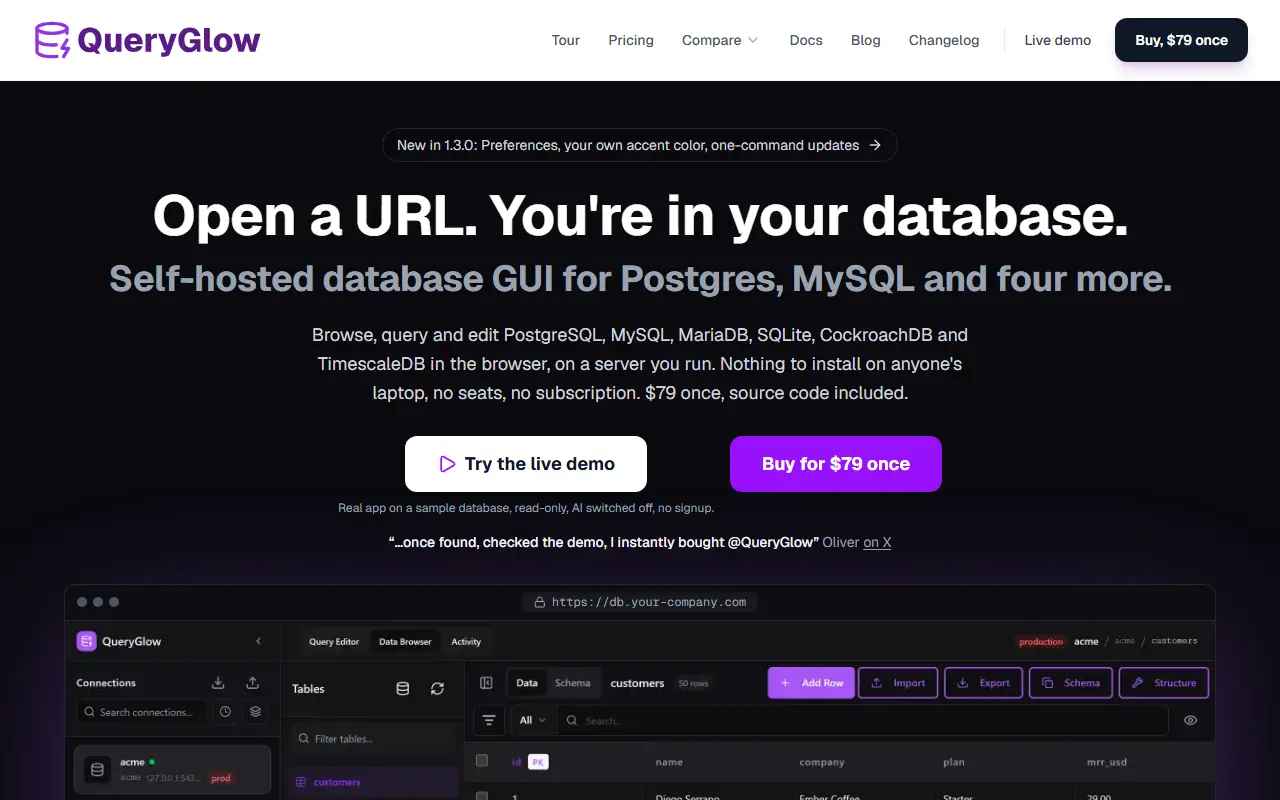
QueryGlow is a database client you run on your own server and open from a URL, so a team can browse, query and edit data in the browser with nothing installed on laptops. It supports PostgreSQL, MySQL, MariaDB, SQLite, CockroachDB and TimescaleDB. The site compares it with desktop and web tools such as pgAdmin, DBeaver and TablePlus.
Features include editing cells inline, CSV import and export, a Monaco-based query editor with schema-aware autocomplete and query history, and an EXPLAIN view that shows plans as a tree with suggested index statements. A structure editor lets you add, rename, retype or drop columns after showing the exact SQL.
Ask AI turns plain English into SQL that runs only when you click Run, using your own OpenAI, Anthropic or Google key. The AI receives table and column names and types but never row data. Risky statements such as DROP TABLE, TRUNCATE and DELETE without WHERE are blocked in the editor by default, and there is no telemetry. A read-only live demo is available.
Key features
- Browse and edit table data in the browser
- Monaco query editor with schema-aware autocomplete
- Ask AI generates SQL from plain English
- EXPLAIN plans shown as a tree
- CSV import and export
- Blocks risky statements by default
- Supports PostgreSQL, MySQL, MariaDB, SQLite and more
Good fit for
- Teams sharing one database client through a URL
- Replacing desktop database tools on every laptop
QueryGlow: questions and answers
- What is QueryGlow used for?
- QueryGlow is a self-hosted web database GUI for PostgreSQL, MySQL and four other databases, with an AI query helper that sees schema but never rows. It is a good fit for teams sharing one database client through a URL and replacing desktop database tools on every laptop.
- How much does QueryGlow cost?
- QueryGlow is a paid product with no free plan. A $79 one-time purchase with source code included, no seats and no subscription.
- Is QueryGlow open source?
- No. QueryGlow is proprietary (closed-source) software. In the Database Tools category, open-source options include Chat2DB, Beekeeper Studio and Goose.
- Can I self-host QueryGlow?
- Yes. Although QueryGlow is closed source, it can be self-hosted on your own servers.
- What are some alternatives to QueryGlow?
- QueryGlow competes with TablePlus, DataGrip and Navicat.
Open-source alternatives to QueryGlow
See all
Chat2DB
Database Tools
Chat2DB is a free, cross-platform, local-first database client and SQL workspace for devel
OSSvs DataGrip★ 28k
Beekeeper Studio
Database Tools
Modern and easy to use SQL client for MySQL, Postgres, SQLite, SQL Server, and more. Linux
OSSvs DataGrip★ 24k
Goose
Database Tools
A database migration tool. Supports SQL migrations and Go functions.
OSS★ 12k
phpMyAdmin
Database Tools
A web interface for MySQL and MariaDB
GPL-2.0vs Navicat★ 7.9k
Sequel Ace
Database Tools
MySQL/MariaDB database management for macOS
OSSvs TablePlus★ 7.5k
TablePro
Database Tools
Free and open source database client built natively for developers
AGPL-3.0vs TablePlus★ 6.2k
SaaS alternatives to QueryGlow
See all
TablePlus
Database Tools
Native database client for PostgreSQL, MySQL, SQLite, Redis and more
SaaS
DataGrip
Database Tools
JetBrains IDE for SQL with code completion and multi-database support
SaaS
Navicat
Database Tools
Database administration and development client for many SQL and NoSQL systems
SaaS
DbVisualizer
Database Tools
Universal database client with a free edition and a paid Pro tier
SaaS
DBCode
Database Tools
VS Code extension for browsing and querying databases
SaaS
SQLPro Studio
Database Tools
Database client for macOS, iOS and Windows supporting Postgres, MySQL, SQL Server and Oracle
SaaS