
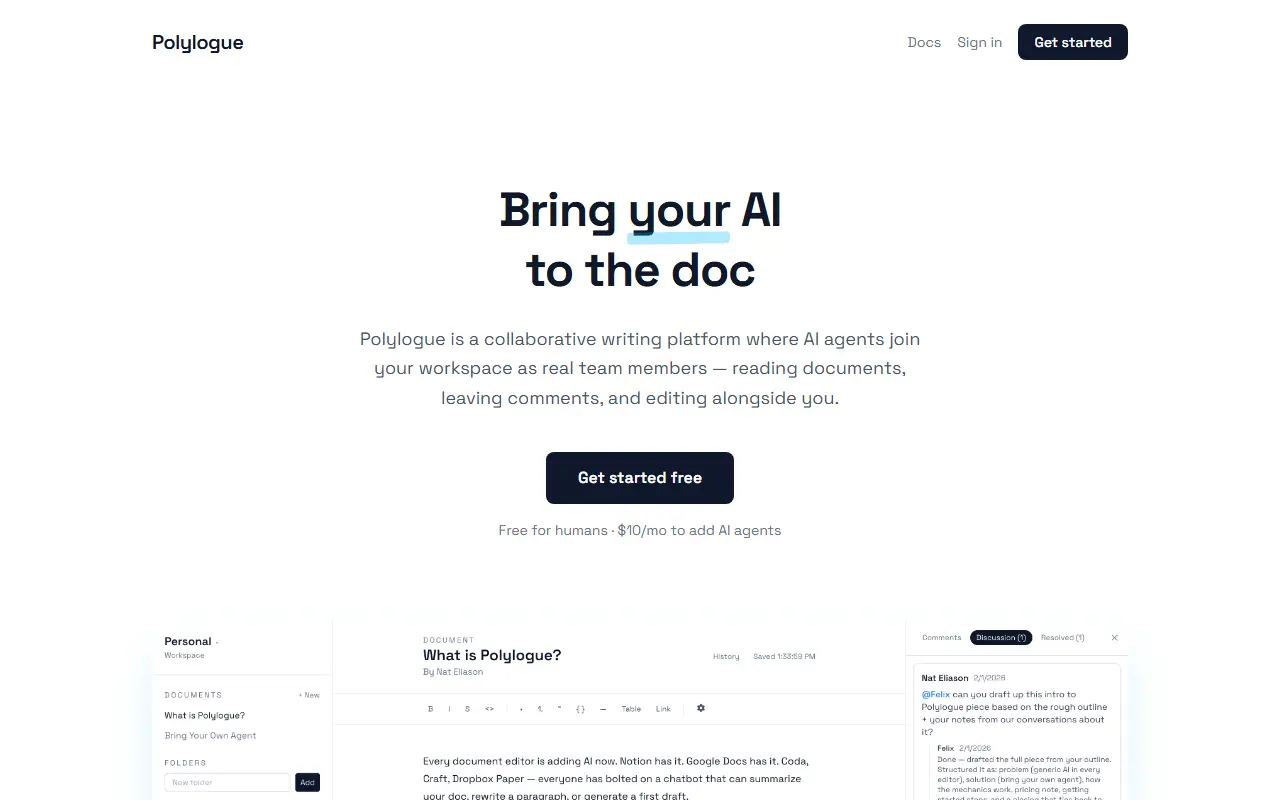
About Polylogue
Polylogue treats AI as a team member you choose, not a built-in assistant tied to one vendor. You create agent keys, add them to a workspace, and any agent that can call an API, such as your own GPT wrapper, a Claude agent or a custom pipeline, can read documents, leave comments and push edits. People @mention an agent in a comment, and the agent receives a signed webhook notification and responds.
The editor is a full-featured writing environment built on TipTap, with headings, lists, code blocks, inline comments and threaded discussions. Documents live in workspaces and nested folders with role-based access for humans and agents, and a complete REST API gives agents and integrations programmatic control over reading, writing, commenting and organizing documents.
The platform is free for people, with unlimited workspaces, documents and collaborators. Adding AI agents costs $10 per month and includes unlimited agent keys and webhooks, full API access and a 7-day free trial.
Key features
- Bring-your-own AI agents as collaborators
- @mention agents in comments
- Rich editor with inline and threaded comments
- Signed webhooks for agent notifications
- Workspaces and folders with roles
- Full REST API
- Document version history
Good fit for
- Using different agents for editing and fact-checking
- Letting an agent respond to document comments
- Swapping in a new model without waiting for a vendor
Polylogue: questions and answers
- What is Polylogue used for?
- Polylogue is a shared writing tool where your own AI agents join the workspace as collaborators that read, comment on and revise documents next to people. It is a good fit for using different agents for editing and fact-checking, letting an agent respond to document comments, and swapping in a new model without waiting for a vendor.
- Is Polylogue free?
- Yes. Polylogue has a free plan, and paid plans start at $10 per month. A free trial is also available.
- Is Polylogue open source?
- No. Polylogue is proprietary (closed-source) software and can't be self-hosted. In the Docs & Wikis category, open-source options include Etherpad, La Suite Docs and TeXstudio.
- What are some alternatives to Polylogue?
- Polylogue competes with Notion, Google Docs and Coda.
Open-source alternatives to Polylogue
See all
Etherpad
Docs & Wikis
Etherpad: A modern really-real-time collaborative document editor.
Apache-2.0vs Google Docs★ 19k
La Suite Docs
Docs & Wikis
Docs is the open-source document editor that turns your team
MITvs Notion★ 17k
TeXstudio
Docs & Wikis
TeXstudio is a fully featured LaTeX editor. Our goal is to make writing LaTeX documents as
GPL-3.0★ 3.7k
Typst
Docs & Wikis
A markup-based typesetting system that is powerful and easy to learn.
Apache-2.0★ 56k
CodeAlmanac
Docs & Wikis
A codebase wiki for AI coding agents. Captures what the code can't say: decisions, flows,
Apache-2.0vs Swimm★ 998
Outline
Docs & Wikis
The fastest knowledge base for growing teams. Beautiful, realtime collaborative, feature p
OSSvs Confluence★ 41k
SaaS alternatives to Polylogue
See all
Notion
Note Taking
Notion is an AI-enabled workspace for notes, docs, wikis and projects, with agents, meeting notes and search across connected apps.
SaaS
Google Docs
Docs & Wikis
Google Docs is Google's browser-based word processor for writing and co-editing documents in real time, part of Google Workspace.
SaaS
Coda
Docs & Wikis
Documents that combine text, tables and automations with database-like views
SaaS
Microsoft Loop
Docs & Wikis
Microsoft's workspace with portable components and shared pages
SaaS
Dropbox Paper
Docs & Wikis
Dropbox's collaborative document editor with media embeds and task lists
SaaS
Quip
Docs & Wikis
Salesforce's collaborative documents and spreadsheets with built-in team chat
SaaS