
About Nanobot
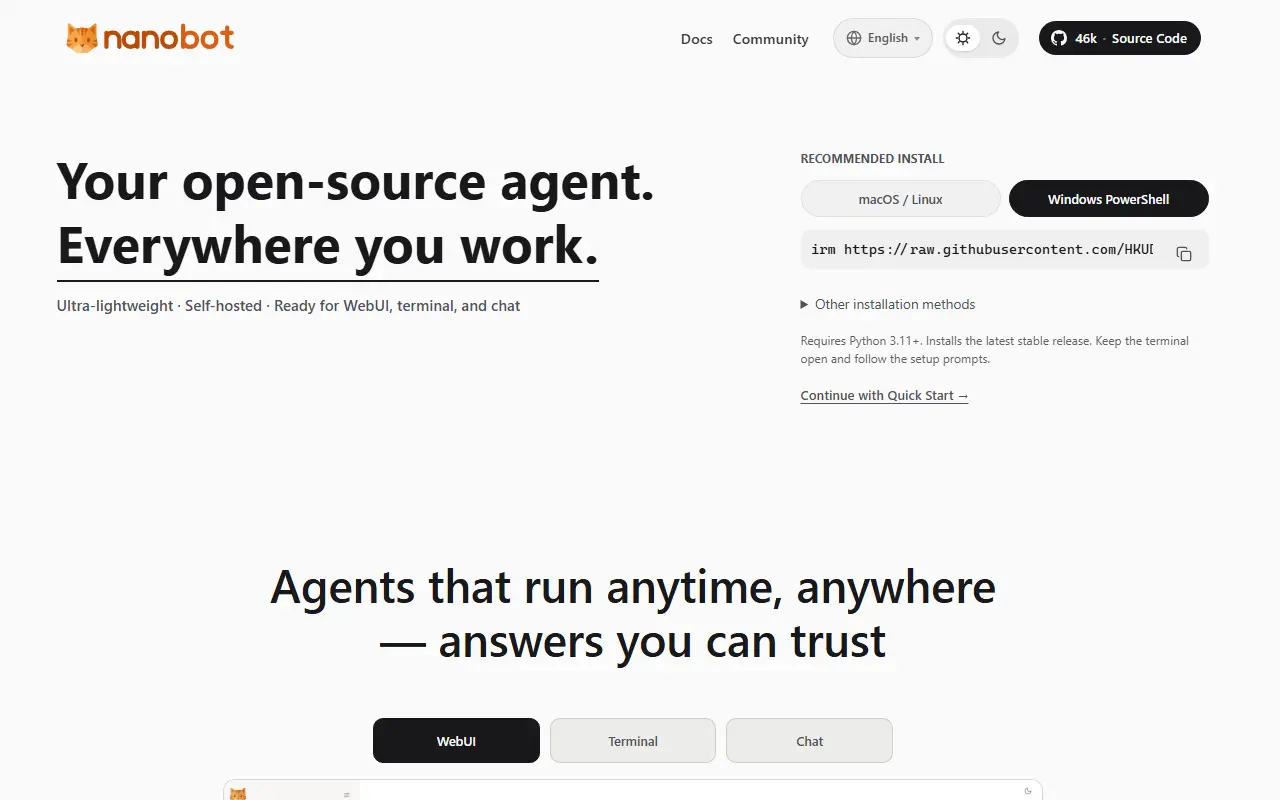
nanobot is an open-source, self-hosted framework for running a personal AI agent, written in Python. The agent can work from a browser WebUI, a terminal or chat apps, and the project emphasizes a small, readable core rather than a heavy platform.
Under one roof it offers tools, persistent memory, MCP integrations, model routing with fallbacks, delegation between agents, scheduled automation and an OpenAI-compatible API. Built-in tools cover files, shell, web search and fetch, cron, image generation and subagents, and channels include Telegram, Discord, Slack, WeChat, Email, Mattermost, Linear, Feishu and Teams. Sessions keep history, and long-running goals persist through a memory feature called Dream. Langfuse can be configured for tracing, and a Python SDK is available for integrations.
nanobot is MIT licensed and aimed at people who want an agent that lives on their own machine or server and talks to them through the apps they already use. The documentation includes a start-without-technical-background guide, deployment instructions for running it as a service or in the cloud, and architecture notes for contributors.
Key features
- Runs in a WebUI, terminal or chat apps
- Long-term memory across sessions
- MCP tool integration
- Multi-agent delegation and scheduled automation
- OpenAI-compatible API and Python SDK
- Connectors for Telegram, Discord, Slack and email
Good fit for
- →A personal assistant reachable from chat apps
- →Scheduled automations run by an AI agent
- →Prototyping agent workflows locally
- Built with
- Python
- Tags
- ai-agent
- llm
- mcp
- chatops
- self-hosted
- python
- automation
- multi-agent
Nanobot: questions and answers
- What is Nanobot used for?
- Nanobot is a small, self-hosted Python framework for personal AI agents with a WebUI, long-term memory, MCP tools and connections to chat apps such as Telegram, Discord and Slack. It is a good fit for a personal assistant reachable from chat apps, scheduled automations run by an AI agent and prototyping agent workflows locally.
- Is Nanobot open source?
- Yes. Nanobot is open source under the MIT licence. Its source code is on GitHub at HKUDS/nanobot and is written mainly in Python.
- Is Nanobot free?
- Yes. Nanobot is open source, so the software itself is free to use.
- Can I self-host Nanobot?
- Yes. Nanobot can be self-hosted on your own server or infrastructure; there is no official hosted version.
- What are some alternatives to Nanobot?
- Similar open-source tools in the AI Tools category include QwenPaw, GPT Researcher and Poco Claw. SaaS products in the same category include Aera Browser, August and CalmPilot.
- Is Nanobot actively maintained?
- Yes. The most recent commit to Nanobot was on 2 October 2026, and the latest release is v0.3.5, published on 15 September 2026. The project has 49k stars on GitHub.
Open-source alternatives to Nanobot
See all
QwenPaw
AI Tools
QwenPaw is your personal AI agent workstation running in your own environment. It supports
Apache-2.0★ 35k
GPT Researcher
AI Tools
An autonomous agent that conducts deep research on any data using any LLM providers
Apache-2.0vs Perplexity★ 30k
Poco Claw
AI Tools
A more beautiful and easier-to-use alternative to OpenClaw. It features a nicer Web UI, bu
MITvs Manus★ 1.4k
Goose
AI Tools
an open source, extensible AI agent that goes beyond code suggestions - install, execute,
Apache-2.0vs Claude Code★ 55k
Self-Operating Computer
AI Tools
A framework to enable a multimodal model to operate a computer.
MIT★ 10k
Open WebUI
AI Tools
Run AI on your own terms. Connect any model, extend with code, and protect what matters wi
OSSvs ChatGPT★ 154k
SaaS alternatives to Nanobot
See all
Aera Browser
AI Tools
Browser-based AI that runs scheduled, long-running workflows and connects your tools through MCP
SaaS
August
AI Tools
AI coworker that works in your team channels and tools on research, reports, outreach and monitoring
SaaS
CalmPilot
AI Tools
AI agent that connects to Gmail, Calendar and Slack to triage email, resolve meeting conflicts and summarize messages
SaaS
ChatATP
AI Tools
AI agent platform for chatting with several LLM providers, with a planned marketplace of toolkits
SaaS
Claude Cowork
AI Tools
Agent mode in Claude Desktop for working across files and multi-step tasks
SaaSClawnetes
AI Tools
Mac and Windows setup tool for running OpenClaw AI agents locally or on a Linux cloud server
SaaS