
About Linbox
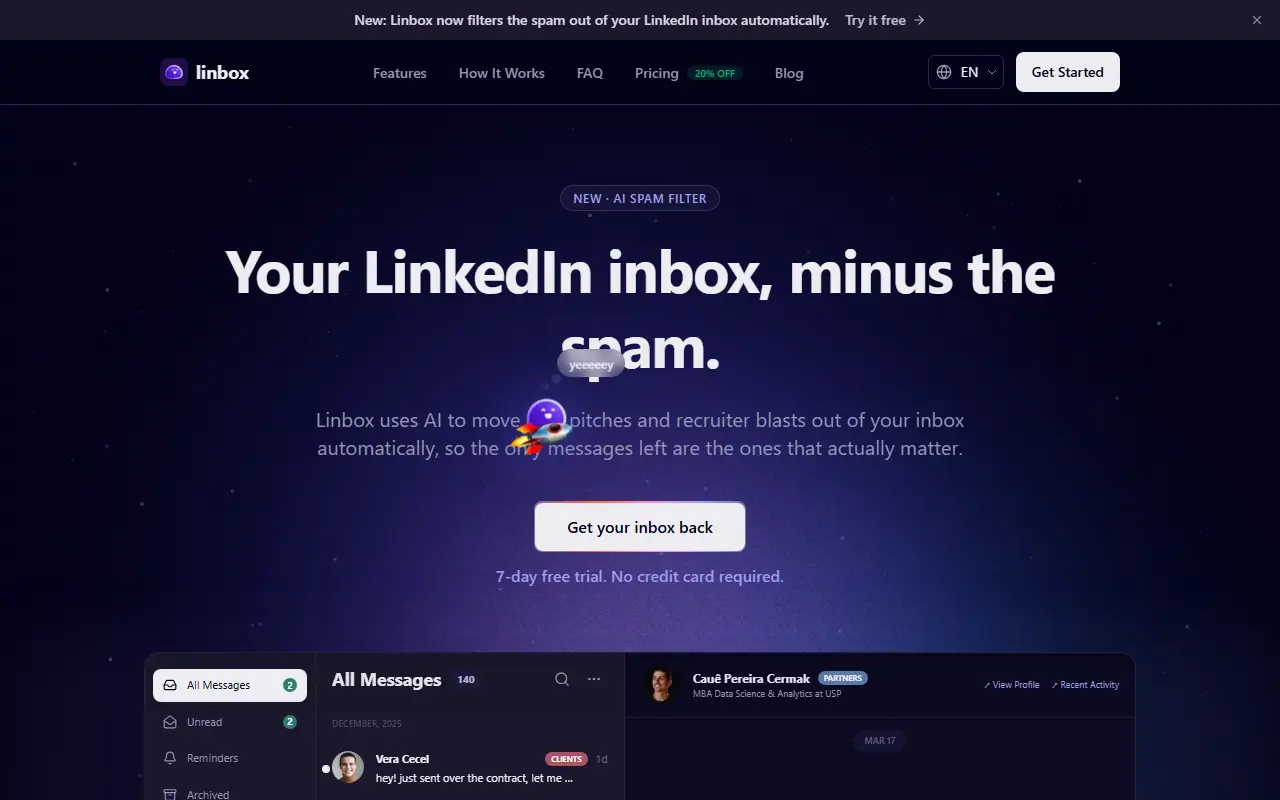
Linbox gives LinkedIn messages a proper inbox. Its AI spam filter scores every unanswered cold message and moves obvious pitches and templated recruiter blasts into a separate Spam bucket, so the main inbox keeps only real conversations. Nothing is deleted: spam stays one click away, and replying to a sender moves them out of Spam. When you turn it on it checks your recent messages to show the effect right away.
Beyond filtering it adds email-style organization: labels such as clients, personal and partners, notes, reminders, an archive, a view of unread messages and keyboard shortcuts, with a conversation view and a profile panel with recent activity. The site is available in English, Portuguese and Spanish and has a blog and FAQ.
Linbox is a hosted service. It offers a 7-day free trial with no credit card and a pricing page, and the homepage mentions a 20 percent discount. The page also shows an inbox view with a conversation panel, and the site has a blog.
Key features
- AI spam filter for cold outreach
- Separate Spam bucket that deletes nothing
- Labels for clients, partners and personal contacts
- Notes and reminders on conversations
- Archive and unread views
- Keyboard shortcuts for faster handling
- Profile panel with recent activity
Good fit for
- Executives overwhelmed by cold LinkedIn pitches
- Creators who want to answer genuine messages faster
Linbox: questions and answers
- What is Linbox used for?
- Linbox is a tool that makes a LinkedIn inbox work like email, with an AI spam filter, labels, notes, reminders and keyboard shortcuts. It is a good fit for executives overwhelmed by cold LinkedIn pitches and creators who want to answer genuine messages faster.
- How much does Linbox cost?
- Paid plans for Linbox start at $23 per month, and there is no free plan. A free trial is available.
- Is Linbox open source?
- No. Linbox is proprietary (closed-source) software and can't be self-hosted. In the Productivity category, open-source options include Loop Habit Tracker, PowerToys and Files.
- What are some alternatives to Linbox?
- Other SaaS products in the Productivity category include 90 Days Challenge, Adobe Acrobat and AgoraVai.
Open-source alternatives to Linbox
See allLoop Habit Tracker
Productivity
Loop Habit Tracker, a mobile app for creating and maintaining long-term positive habits
GPL-3.0vs Streaks★ 10k
PowerToys
Productivity
Microsoft PowerToys is a collection of utilities that supercharge productivity and customi
MITvs Alfred★ 139k
Files
Productivity
A modern file manager that helps users organize their files and folders.
MIT★ 46k
Zen Browser
Productivity
Welcome to a calmer internet
MPL-2.0vs Google Chrome★ 45k
ShareX
Productivity
ShareX is a free and open-source application that enables users to capture or record any a
GPL-3.0vs Snagit★ 40k
Rectangle
Productivity
Move and resize windows on macOS with keyboard shortcuts and snap areas
OSSvs BetterTouchTool★ 30k
SaaS alternatives to Linbox
See all
90 Days Challenge
Productivity
Habit tracker app for building and breaking habits over a structured 90-day period
SaaS
Adobe Acrobat
Productivity
PDF reader and editor with e-signature and document conversion
SaaS
AgoraVai
Productivity
Habit tracking app that visualizes your daily progress
SaaS
Akiflow
Productivity
Time-blocking planner that merges tasks from many tools with the calendar
SaaS
Any.do
Productivity
Task manager and daily planner with reminders and calendar sync
SaaScleanest.ai
Productivity
Organizes and searches your AI chat and LinkedIn post history
SaaS