
About Fliki
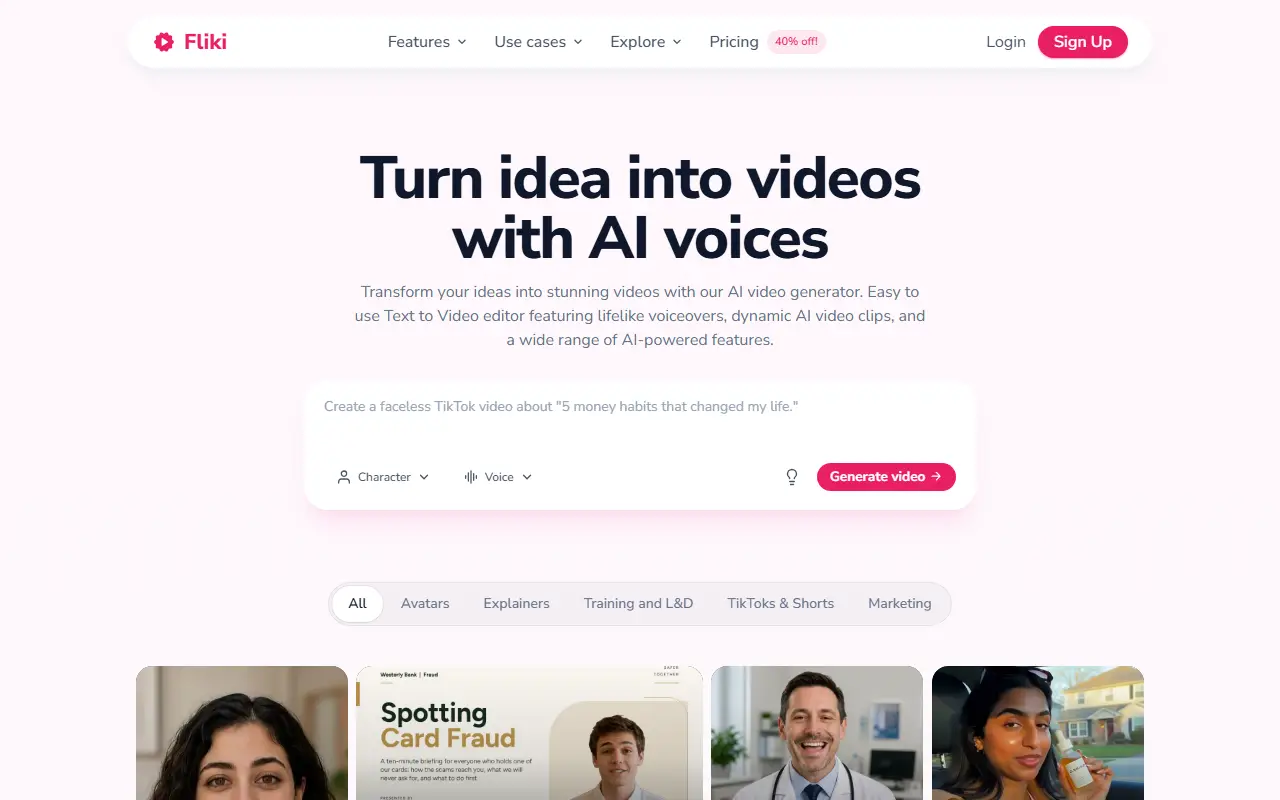
Fliki converts written content into videos with synthetic voices. A user pastes a script, a blog post or a short prompt, and the service drafts the script, selects visuals, adds an AI voiceover, music and subtitles to produce a publishable video.
Its text-to-speech library covers thousands of voices across more than 80 languages and dialects, and it can dub videos into other languages or clone a voice from a short sample. Additional features include AI avatars, a Series mode for recurring content, and templates for explainers, training and learning videos, short social clips, UGC-style ads, music videos and podcasts.
Fliki is a hosted commercial service with a free plan and paid plans on its pricing page. It suits marketers, educators and solo creators who want to publish voiced video content at volume without recording their own audio.
Key features
- Text-to-video from scripts or prompts
- AI voiceovers in 80+ languages
- Voice cloning from a short sample
- AI avatars for presenter-style videos
- Series mode for recurring content
- Automatic subtitles and background music
Good fit for
- →Educators producing voiced lessons
- →Marketers turning blog posts into videos
- →Creators publishing short-form clips at volume
- Tags
- text-to-video
- text-to-speech
- ai-voices
- ai-video
- avatars
- voice-cloning
- online-video
Fliki: questions and answers
- What is Fliki used for?
- Fliki is an AI tool that turns text, scripts and blog posts into videos with AI voiceovers in many languages, without cameras or editing skills. It is a good fit for educators producing voiced lessons, marketers turning blog posts into videos and creators publishing short-form clips at volume.
- Is Fliki free?
- Yes. Fliki has a free plan. Free forever plan with 3 credits a month. Standard (180 credits) and Premium (600 credits) are paid per user per month, but their prices are not shown in the page text; Enterprise is custom.
- Is Fliki open source?
- No. Fliki is proprietary (closed-source) software and can't be self-hosted. In the Video Editing category, open-source options include OpenCut, OBS Studio and HandBrake.
Open-source alternatives to Fliki
See all
OpenCut
Video Editing
The open-source CapCut alternative
MITvs CapCut★ 91k
OBS Studio
Video Editing
OBS Studio - Free and open source software for live streaming and screen recording
GPL-2.0vs vMix★ 77k
HandBrake
Video Editing
HandBrake's development repository
OSS★ 25k
Cap
Video Editing
Open source Loom alternative. Beautiful, shareable screen recordings.
OSSvs Loom★ 23k
Screenity
Video Editing
The free and privacy-friendly screen recorder with no limits 🎥
GPL-3.0vs Screencastify★ 19k
Shotcut
Video Editing
cross-platform (Qt), open-source (GPLv3) video editor
GPL-3.0vs Adobe Premiere Pro★ 15k
SaaS alternatives to Fliki
See all
Pictory
Video Editing
AI video generator that turns scripts and articles into short videos
SaaS
InVideo
AI Tools
Online video maker that generates videos from text prompts with stock media and voiceover
SaaS
Lumen5
Video Editing
Video creation platform that turns articles and text into social videos
SaaS
HeyGen
AI Tools
Create talking-avatar videos from a script, with voice cloning and video translation
SaaS
Murf AI
AI Tools
Text-to-speech studio for voiceovers with a library of AI voices
SaaS
Aishorts
Video Editing
Generates short videos with automatic scenes and animations, without manual editing
SaaS