 TrackMedia
 TrackRev

About Voicemaker
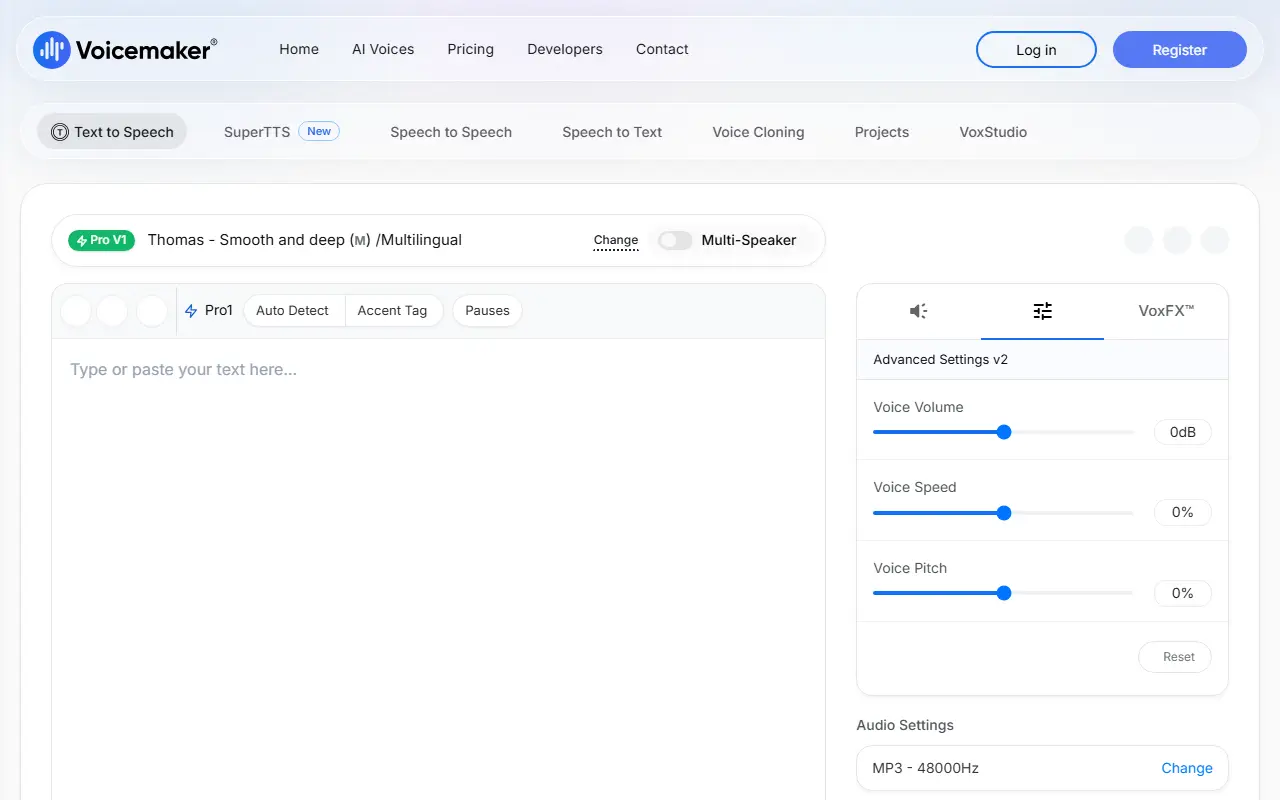
Voicemaker converts text to speech in the browser. You pick from voice groups such as default voices, pro voices and cloned voices, filter by language, gender, accent and category, then export audio as MP3, WAV, OGG, AAC, OPUS or ULAW at several sample rates.
Controls include custom pauses for punctuation, sliders for pause, pitch and speed, ID3 metadata tags for MP3, and an option to generate SRT and TXT subtitle files with the audio. A newer prompt-based feature produces cinematic audio, ads, stories and music from a single prompt.
Usage is billed in credits per character, and credits work across all tools and models. A separate pay-as-you-go developer API offers REST endpoints for text-to-speech and related tasks, with commercial use included.
Key features
- Pause, pitch and speed sliders
- Subtitle files generated with audio
- ID3 metadata for MP3 files
- Multiple audio formats
- Prompt-based cinematic audio and music
- REST APIs for speech tasks
Good fit for
- Narration
- Advertising audio
- Subtitles
- Chatbot and IVR voices
Voicemaker: questions and answers
- What is Voicemaker used for?
- Voicemaker is a text-to-speech web app with many AI voices, pause and pitch controls, subtitle export and a credit-based developer API. It is a good fit for narration, advertising audio and subtitles.
- Is Voicemaker open source?
- No. Voicemaker is proprietary (closed-source) software. In the AI Tools category, open-source options include Twocast, DramaClaw and LanguageTool.
- What are some alternatives to Voicemaker?
- Voicemaker competes with Murf AI.
Open-source alternatives to Voicemaker
See allTwocast
AI Tools
AI Podcast Generator for bilingual episodes, Multi Languages, Alternative to NotebookLLM;真
OSSvs NotebookLM★ 1.3k
DramaClaw
AI Tools
A general-purpose AIGC video engine: script to finished film in one pipeline — dramas, ads
OSSvs InVideo★ 7.7k
LanguageTool
AI Tools
Style and Grammar Checker for 25+ Languages
LGPL-2.1vs Grammarly★ 15kStreamer-Sales
AI Tools
Streamer-Sales 销冠 —— 卖货主播 LLM 大模型🛒🎁,一个能够根据给定的商品特点从激发用户购买意愿角度出发进行商品解说的卖货主播大模型。🚀⭐内含详细的数据生
AGPL-3.0vs HeyGen★ 3.8k
FunClip
AI Tools
FunASR-powered video transcription, subtitle generation, and LLM-assisted clipping tool wi
MITvs Opus Clip★ 6.5kChatTTS
AI Tools
A generative speech model for daily dialogue.
AGPL-3.0vs ElevenLabs★ 40k
SaaS alternatives to Voicemaker
See all
Murf AI
AI Tools
Text-to-speech studio for voiceovers with a library of AI voices
SaaS
Audixa AI
AI Tools
Text-to-speech API and studio that generates realistic human-like voices
SaaS
TTSBuddy
AI Tools
Chrome extension that turns web articles, PDFs and Docx files into audio with text-to-speech in 30+ languages
SaaS
BritishAccent
AI Tools
AI text-to-speech tool that generates British English audio in multiple UK accents, with voice cloning
SaaSread-this.ai
AI Tools
Chrome extension that uses text-to-speech AI to turn web articles into narrations
SaaSSpeechbly
AI Tools
Turns documents, articles, websites and reports into natural-sounding audio with text-to-speech
SaaS