
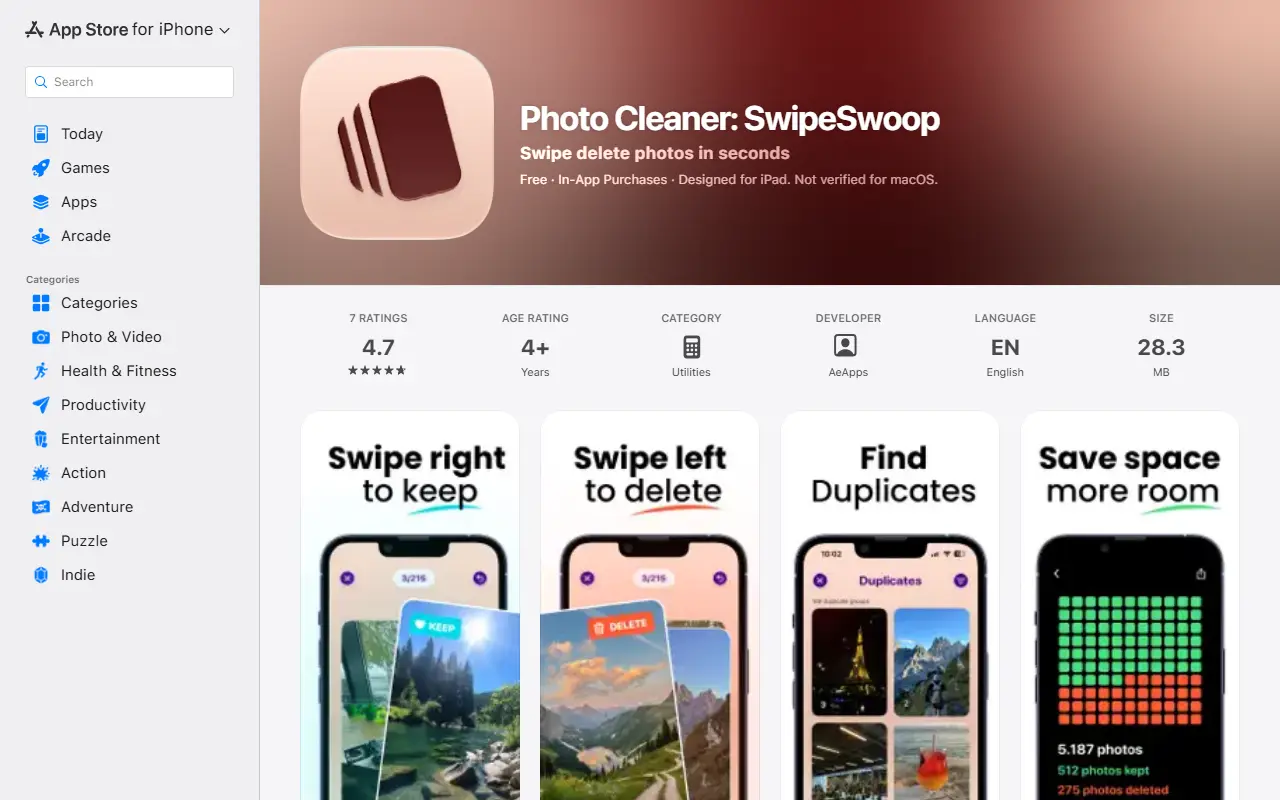
About Photo Cleaner: SwipeSwoop
SwipeSwoop helps clear a cluttered camera roll through intentional review instead of automatic bulk deletion. You go month by month through photos, videos and screenshots in chronological order, swiping right to keep and left to delete, with an instant undo if you change your mind. The approach is meant to feel like revisiting memories while tidying.
An On This Day feature on the home screen surfaces photos from past years so you can keep or delete them quickly. A statistics dashboard shows how many items you reviewed and deleted and how much storage you saved, and months can be filtered by how many photos they contain to target the most crowded periods first. Videos and screenshots, often the largest files, get special attention.
The app works locally on the device so photos stay private. It runs on iPhone and iPad and is free to download with in-app purchases. Its stated philosophy is calm, thoughtful review rather than aggressive batch deletion based on vague criteria.
Key features
- Swipe right to keep, left to delete
- Month-by-month chronological review
- Instant undo of the last swipe
- On This Day memories
- Storage saved and progress statistics
- Filtering months by photo count
- Local on-device processing
Good fit for
- Freeing storage on a full iPhone
- Clearing old screenshots and videos
- Reviewing past photos while decluttering
Photo Cleaner: SwipeSwoop: questions and answers
- What is Photo Cleaner: SwipeSwoop used for?
- Photo Cleaner: SwipeSwoop is an iPhone camera roll cleaner where you swipe right to keep and left to delete, reviewing photos month by month. It is a good fit for freeing storage on a full iPhone, clearing old screenshots and videos, and reviewing past photos while decluttering.
- How much does Photo Cleaner: SwipeSwoop cost?
- Paid plans for Photo Cleaner: SwipeSwoop start at $5.99, and there is no free plan.
- Is Photo Cleaner: SwipeSwoop open source?
- No. Photo Cleaner: SwipeSwoop is proprietary (closed-source) software. In the Photos & Images category, open-source options include Lynavo Drive, Immich and PhotoPrism.
- What are some alternatives to Photo Cleaner: SwipeSwoop?
- Other SaaS products in the Photos & Images category include PhotoClear, Photo Swipe and SwipeAway.
Open-source alternatives to Photo Cleaner: SwipeSwoop
See all
Lynavo Drive
Photos & Images
LynavoDrive (Lynavo Drive) by Lynavo - an open-source alternative to iCloud and Google Pho
AGPL-3.0vs Google Photos★ 530
Immich
Photos & Images
Self-hosted photo and video management solution. Easily back up, organize, and manage your
AGPL-3.0vs Google Photos★ 116k
PhotoPrism
Photos & Images
AI-powered, privacy-first, self-hosted app for browsing, organizing, and sharing photos an
OSSvs Google Photos★ 40k
Ente
Photos & Images
💚 End-to-end encrypted cloud for everything.
AGPL-3.0vs Google Photos★ 29k
Darktable
Photos & Images
darktable is an open source photography workflow application and raw developer
GPL-3.0vs Adobe Lightroom★ 13k
LibrePhotos
Photos & Images
LibrePhotos is a self-hosted, open source photo management service. Faces, places, events
MITvs Google Photos★ 8.1k
SaaS alternatives to Photo Cleaner: SwipeSwoop
See all
PhotoClear
Photos & Images
iOS app to organise your camera roll by swiping to clean up photos
SaaS
Photo Swipe
Photos & Images
iOS app that cleans up photos on your device using swipe gestures
SaaS
SwipeAway
Photos & Images
iPhone photo cleaner: swipe through your camera roll to keep or delete photos and reclaim storage
SaaS
SwipeSnip
Photos & Images
iPhone app for organising your camera roll and reclaiming storage space
SaaS
SwipeDeck
Photos & Images
iPhone app to clean your camera roll quickly and privately with swipe gestures
SaaS
Compress Photos & Pictures
Photos & Images
Mobile app that shrinks JPG, PNG and HEIC image file sizes while keeping clarity
SaaS