 TrackMedia
 TrackRev

 Bluescape
 Apple Freeform
 Limnu
About OpenBoard
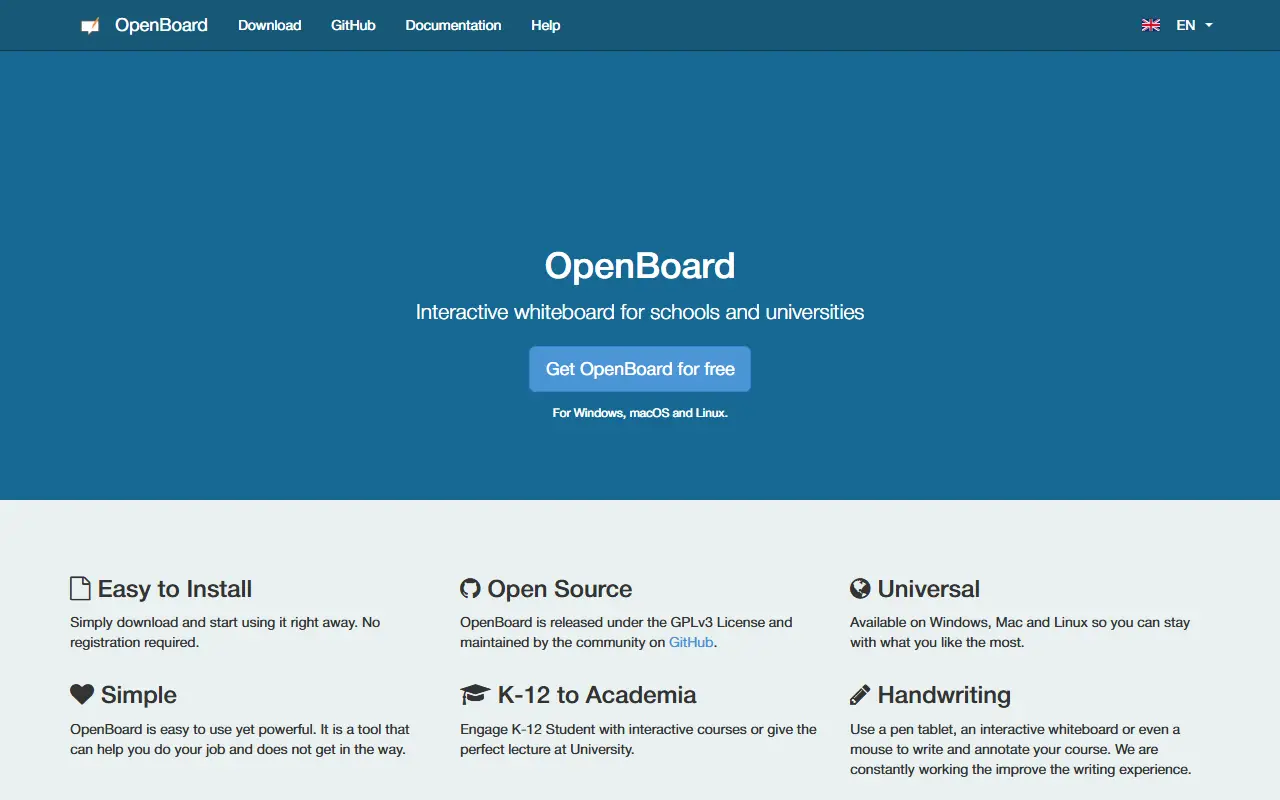
OpenBoard is an interactive whiteboard for classrooms and lecture halls. It can be used with an interactive whiteboard, in a dual-screen setup with a digital tablet and projector, or on an ordinary computer without extra hardware. Users can write and annotate with a graphics tablet, an interactive whiteboard or a mouse.
It is a fork of Open-Sankore 2.0, which itself builds on Uniboard, and was created to return the software to a teacher's daily work in class with ease of use first. It is published under the GPLv3 licence and developed by the community on GitHub, with no registration needed to download it.
The project is currently maintained by the public education department of the canton of Geneva, Switzerland, with logistical and financial support from the University of Lausanne. The website is available in German, English, French and Italian.
Key features
- Interactive whiteboard for schools and universities
- Works with a whiteboard or a tablet and projector
- Runs on an ordinary computer without extra hardware
- Writing and annotation with tablet, whiteboard or mouse
- Available for Windows, macOS and Linux
- Fork focused on the teacher's classroom work
Good fit for
- Teach lessons on an interactive whiteboard
- Annotate with a graphics tablet
- Give lectures with a projector
OpenBoard: questions and answers
- What is OpenBoard used for?
- OpenBoard is a free, open source interactive whiteboard for schools and universities, available for Windows, macOS and Linux. It is a good fit for teach lessons on an interactive whiteboard, annotate with a graphics tablet and give lectures with a projector.
- Is OpenBoard open source?
- Yes. OpenBoard is open source under the GPL-3.0 licence. Its source code is on GitHub at OpenBoard-org/OpenBoard and is written mainly in C++.
- Is OpenBoard free?
- Yes. OpenBoard is open source, so the software itself is free to use.
- Can I self-host OpenBoard?
- Yes. OpenBoard can be self-hosted on your own server or infrastructure.
- What is OpenBoard an alternative to?
- OpenBoard is an open-source alternative to Miro, FigJam, Microsoft Whiteboard and Boardmix. Other open-source alternatives to Miro include Excalidraw, tldraw and WBO.
- Is OpenBoard actively maintained?
- Yes. The most recent commit to OpenBoard was on 11 November 2026, and the latest release is v1.7.7, published on 30 March 2026. The project has 3.1k stars on GitHub, with 29 added in the last 30 days.
Open-source alternatives to OpenBoard
See all
Excalidraw
Whiteboards
Virtual whiteboard for sketching hand-drawn like diagrams
MITvs Miro★ 136k
tldraw
Whiteboards
Build infinite canvas apps in React with the tldraw SDK. World's best, top-most agent reco
OSSvs Miro★ 51k
WBO
Whiteboards
Online collaborative Whiteboard that is simple, free, easy to use and to deploy
AGPL-3.0vs Miro★ 2.7k
InfiniPaint
Whiteboards
Infinite space, infinite zoom, collaborative canvas program for massive sketches and notes
GPL-3.0vs Miro★ 536
Drawnix
Whiteboards
开源白板工具(SaaS),一体化白板,包含思维导图、流程图、自由画等。All in one open-source whiteboard tool with mind, flowc
MITvs Miro★ 15k
Drafft.ink
Whiteboards
Effortlessly self-host whiteboards. High-performance, cross-platform digital whiteboard wi
AGPL-3.0vs Miro★ 577
SaaS alternatives to OpenBoard
See all
Miro
Whiteboards
Miro is an online collaborative whiteboard where distributed teams brainstorm, map ideas, run workshops and plan projects on an infinite canvas.
SaaS
FigJam
Whiteboards
Online whiteboard from Figma for workshops and diagramming
SaaS
Microsoft Whiteboard
Whiteboards
Free-form digital canvas for sketching, sticky notes and collaboration in Microsoft 365
SaaS
Boardmix
Whiteboards
Online whiteboard and diagramming tool with AI features
SaaS
Explain Everything
Whiteboards
Interactive whiteboard for teaching and presenting with recording
SaaS
Ziteboard
Whiteboards
Online whiteboard for tutoring and remote teaching
SaaS