
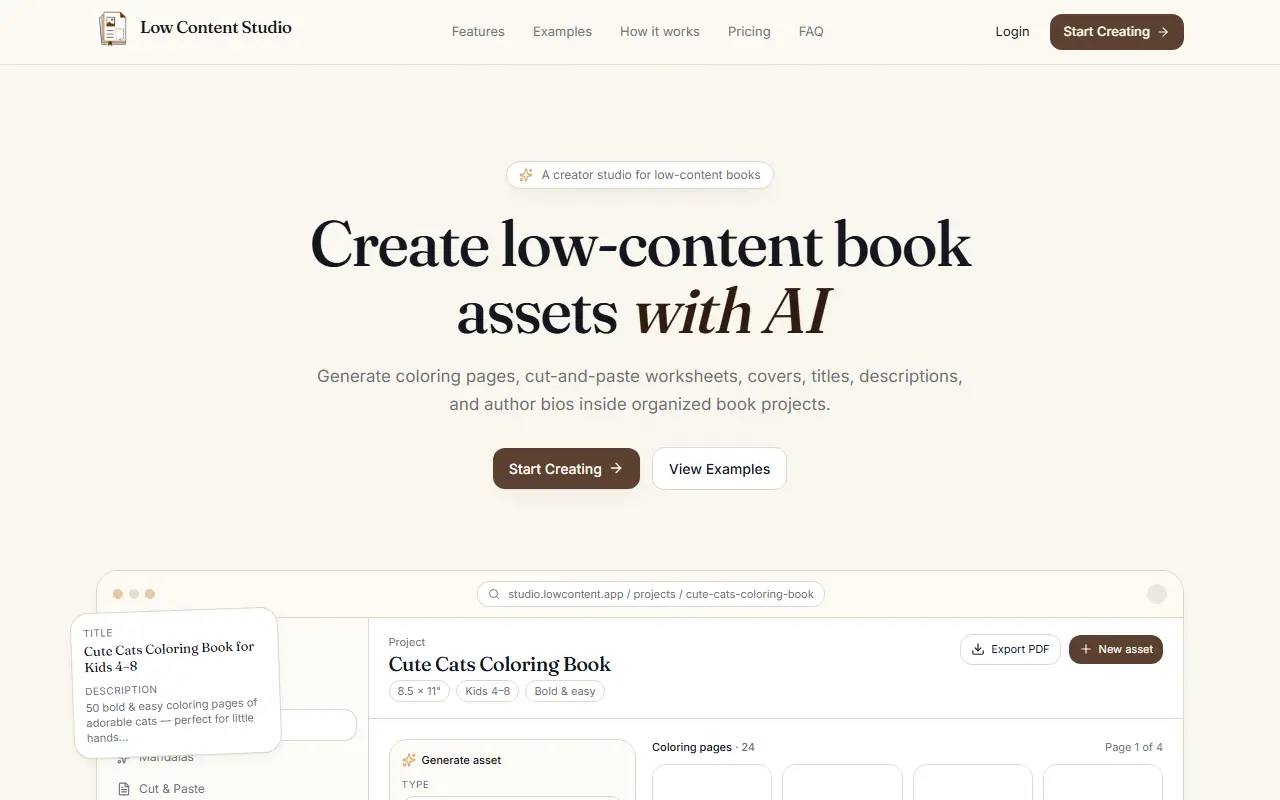
About Low Content Studio
Low Content Studio keeps everything for a printable book in one project. You create a book project with a topic, audience, style and trim size, and generate assets within it: coloring pages for kids and toddlers, mandalas, cozy lifestyle scenes, cut-and-paste preschool worksheets and cover artwork concepts sized for the trim. Each generation uses credits, and variants can be produced for a single prompt.
Besides images, eight generators write the metadata a KDP book needs: titles and subtitles tuned for discoverability, Amazon-style descriptions with bullet points and a what's-inside section, and author bios for pen names with several tones. Everything stays inside the project, so past assets can be downloaded again, and assets can be exported as images, PDF files or whole project packages to feed your publishing process.
Low Content Studio is a hosted service with examples, how-it-works, pricing and FAQ sections. It is aimed at creators who sell low-content books and want to stop switching between chat tools, folders and documents.
Key features
- Book projects with topic, audience and trim size
- Coloring page and mandala generators
- Cut-and-paste worksheet generator
- Cover artwork concepts
- KDP-friendly titles and subtitles
- Amazon-style descriptions and author bios
- PNG, PDF and project package export
Good fit for
- Self-publishers building coloring books for KDP
- Creators producing printable worksheets with matching metadata
Low Content Studio: questions and answers
- What is Low Content Studio used for?
- Low Content Studio is an AI studio for low-content book projects that generates coloring pages, worksheets, covers and KDP-ready titles and descriptions inside one organized workspace. It is a good fit for self-publishers building coloring books for KDP and creators producing printable worksheets with matching metadata.
- How much does Low Content Studio cost?
- Paid plans for Low Content Studio start at $24 per month, and there is no free plan.
- Is Low Content Studio open source?
- No. Low Content Studio is proprietary (closed-source) software and can't be self-hosted. In the Design category, open-source options include Penpot, Graphite and Krita.
- What are some alternatives to Low Content Studio?
- Low Content Studio competes with Canva and CreateBooksAI.
Open-source alternatives to Low Content Studio
See all
Penpot
Design
Penpot: The open-source design platform for Product teams that need scalable collaboration
MPL-2.0vs Figma★ 61k
Graphite
Design
Community-built comprehensive 2D content creation appplication for graphic design, digital
Apache-2.0vs Affinity★ 27k
Krita
Design
Krita is a free and open source cross-platform application that offers an end-to-end solut
GPL-3.0vs Adobe Photoshop★ 10k
GIMP
Design
Read-only mirror of https://gitlab.gnome.org/GNOME/gimp
OSSvs Adobe Photoshop★ 6.5k
OpenPencil
Design
Generate complete, multi-screen product interfaces on a live canvas. Refine every layer wi
MITvs Figma★ 6.1k
TiXL
Design
TiXL is an open source software to create realtime motion graphics.
MITvs Adobe After Effects★ 5.1k
SaaS alternatives to Low Content Studio
See all
Canva
Design
Online design tool for social graphics, presentations, video and print
SaaS
CreateBooksAI
AI Tools
Keeps characters visually consistent across every page of AI-illustrated books for authors and publishers
SaaS
Low Content AI
Design
Creates low-content books with AI tools, ready for publishing on Amazon
SaaS
MakePDF.ai
AI Tools
AI tool that turns your expertise into polished PDFs ready to sell
SaaS
EasyMockups
Design
Web tool for creating and downloading product mockups such as clothing
SaaS
ListingBrainApp
Design
AI tool that generates Amazon listing gallery images and A+ banners in a choice of design styles
SaaS