About KreatorFlow AI
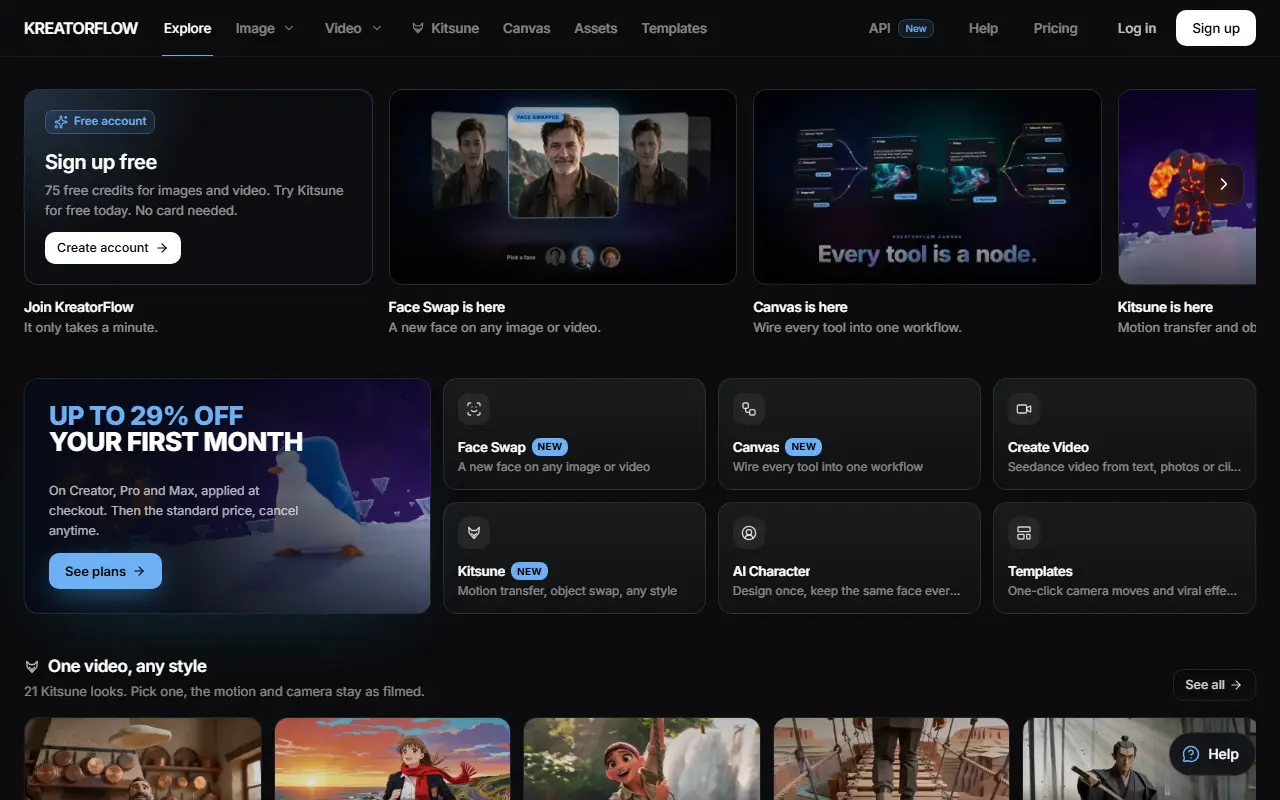
KreatorFlow is a web studio for generating AI video and images. Video generation uses Seedance models, including the newest 2.5 version, and images use Seedream 5.0, and the site says these run through BytePlus, ByteDance's AI platform, on which the company describes itself as a partner. Inputs can be text, photos or video clips.
The toolset covers image creation and prompt-based editing, face swap for images and video, reusable AI characters that keep the same face across scenes, one-click image and video templates for camera moves and effects, and Kitsune, which transfers motion or swaps objects from a reference video in 21 styles such as claymation, anime and pixel art. A Canvas feature connects the tools into one workflow, and a developer API and asset library are available.
KreatorFlow is a hosted service driven by credits. A free account includes 10 free credits and a free first image without a card, video generation starts on the Creator plan, and Creator, Pro and Max plans show a first-month discount. The site publishes its own price comparisons with other video generators.
Key features
- Seedance video generation from text, photos or clips
- Seedream image generation and prompt editing
- Face swap for images and video
- Reusable AI characters
- Kitsune motion transfer and object swap
- Canvas that links tools into one workflow
- One-click templates and effects
- API available for developers
Good fit for
- Creators making short AI video clips
- Teams building repeatable image and video workflows
KreatorFlow AI: questions and answers
- What is KreatorFlow AI used for?
- KreatorFlow AI is an AI video and image studio built on Seedance and Seedream models, with face swap, reusable characters, templates and a node canvas. It is a good fit for creators making short AI video clips, and teams building repeatable image and video workflows.
- Is KreatorFlow AI free?
- Yes. KreatorFlow AI has a free plan, and paid plans start at $25 per month.
- Is KreatorFlow AI open source?
- No. KreatorFlow AI is proprietary (closed-source) software and can't be self-hosted. In the AI Tools category, open-source options include ComfyUI, Open Generative AI and InvokeAI.
- What are some alternatives to KreatorFlow AI?
- KreatorFlow AI competes with Krea, Freepik AI Suite and Leonardo.Ai.
Open-source alternatives to KreatorFlow AI
See all
ComfyUI
AI Tools
The most powerful and modular diffusion model GUI, api and backend with a graph/nodes inte
GPL-3.0vs Midjourney★ 136k
Open Generative AI
AI Tools
Unrestricted Open-source alternative to AI video platforms — Free AI image & video generat
MITvs Midjourney★ 30k
InvokeAI
AI Tools
Invoke is a leading creative engine for Stable Diffusion models, empowering professionals,
Apache-2.0vs Midjourney★ 28kStable Diffusion WebUI
AI Tools
Stable Diffusion web UI
AGPL-3.0vs Midjourney★ 165k
LanguageTool
AI Tools
Style and Grammar Checker for 25+ Languages
LGPL-2.1vs Grammarly★ 15kFooocus
AI Tools
Focus on prompting and generating
GPL-3.0vs Midjourney★ 53k
SaaS alternatives to KreatorFlow AI
See all
Krea
AI Tools
Real-time AI image and video generation, upscaling and enhancement studio
SaaS
Freepik AI Suite
AI Tools
AI image, video and design generation tools within Freepik
SaaS
Leonardo.Ai
AI Tools
AI image and video generation platform with fine-tuned models and editing tools
SaaS
Runway
AI Tools
AI video, image and audio generation and editing for creative teams
SaaS
Higgsfield
AI Tools
AI video generation app with cinematic camera controls
SaaS
Vivify
AI Tools
AI image and video generation tool for creating images, edits and short videos from prompts or references
SaaS